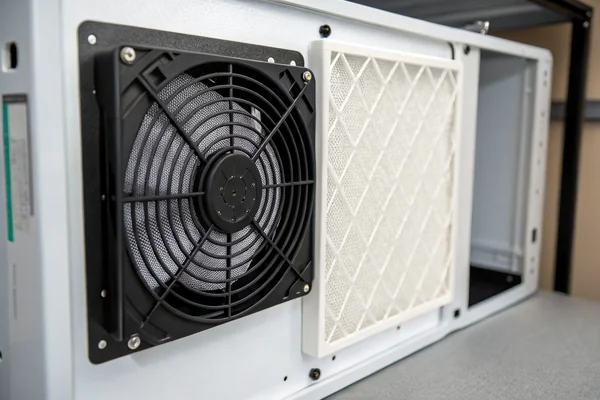
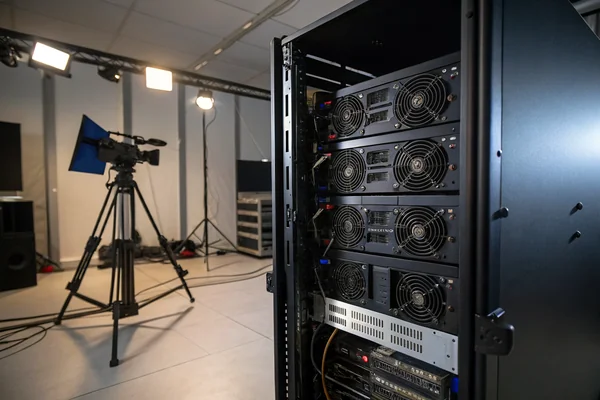
Dust filters seem like an obvious win for PC cleanliness, but plenty of builders report worse temperatures after installing them -- so which is it, genuinely helpful or a hidden performance tax?
PC case fan filters meaningfully reduce internal dust accumulation, which protects components and keeps fans running efficiently over time, but they do reduce airflow to some degree -- the right answer is nearly always to use filters and compensate with adequately sized or higher-static-pressure fans, not to skip filtration altogether.
- Dust filters reduce internal case dust accumulation, protecting components and helping fans maintain their rated performance over time.
- All physical filters introduce some airflow restriction -- the real question is how much, and whether it's worth the tradeoff.
- Filter type (mesh density, material) significantly affects the airflow-vs-filtration tradeoff, not just the presence of a filter.
- Regular cleaning is essential -- a clogged filter causes far more airflow restriction than a clean filter of the same type.
- Compensating with static-pressure-optimized fans at filtered intake positions largely offsets the airflow cost of filtration.
Working through the actual tradeoffs clarifies why "filters hurt airflow" is true but incomplete as a reason to skip them.
Table of Contents
Why Is Dust Actually a Real Problem for PC Components, Not Just a Cosmetic Issue?
Understanding what dust actually does inside a running PC clarifies why filtration matters beyond appearances.
Dust accumulation inside a PC insulates heatsinks and blocks airflow paths, causing components to run hotter over time, and dust inside fan bearings and motors can accelerate wear and eventually cause fan failure -- this is a genuine performance and reliability issue, not just a matter of keeping the inside of the case looking clean.
Why Dust-Related Performance Degradation Happens Gradually and Goes Unnoticed
Dust buildup on a heatsink or radiator doesn't cause a sudden temperature spike -- it happens gradually over weeks and months, meaning many users don't realize how much their thermal performance has degraded until they clean the system and see temperatures drop noticeably. This is why dust management deserves to be treated as an ongoing performance factor, not a purely cosmetic concern addressed only when the case visibly looks dirty.
What Are the Actual Types of Fan Filters, and How Do They Differ?
Filter types vary meaningfully in their airflow-vs-filtration tradeoff.
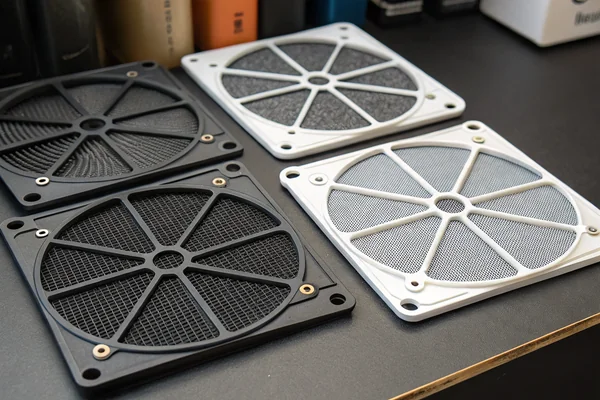
Common PC case fan filter types include fine mesh screens, magnetic dust filters, foam filters, and sock-style filters that wrap around the entire fan -- finer mesh generally captures more dust but restricts more airflow, while coarser options let more air through at the cost of catching less dust.
Why Filter Choice Involves a Real Tradeoff Curve, Not a Single Best Answer
Every filter design sits somewhere on a spectrum between maximum dust capture and minimum airflow restriction, and no single filter type is objectively best across every use case -- a build in a genuinely dusty environment may accept more airflow restriction for better filtration, while a build in a relatively clean environment might prioritize minimal restriction. This is why filter selection benefits from considering your specific environment's dust level alongside your case's airflow margin, rather than defaulting to whatever filter type is most commonly recommended online.
How Much Airflow Do Filters Actually Cost You in Practice?
Quantifying the real-world impact helps move past anecdotal impressions.
Independent testing generally shows filters reduce airflow by a modest percentage when clean -- often in the range of a small-to-moderate CFM reduction depending on filter density -- which is a real but usually manageable cost, especially compared to the airflow loss from an uncleaned, dust-clogged intake running without any filter at all.
Why "No Filter" Isn't Actually the High-Airflow Option Long-Term
An unfiltered intake position may show slightly higher airflow when the system is brand new, but dust accumulates directly on fan blades, heatsinks, and internal surfaces without a filter to intercept it, and that unfiltered dust buildup causes airflow restriction and thermal degradation that compounds over time in a way a clean, regularly maintained filter doesn't. This is why comparing "filtered" versus "unfiltered" airflow at a single point in time misses the more important long-term comparison of sustained performance over months of actual use.
How Often Should You Actually Be Cleaning Case Fan Filters?
Maintenance frequency directly determines whether filters help or hurt over time.
Cleaning frequency depends on your environment, but a common practical guideline is checking filters every 2-4 weeks and cleaning when visibly dust-laden -- environments with pets, carpeting, or construction nearby generally need more frequent cleaning than a clean, hard-floor office environment.
Why a Fixed Cleaning Schedule Beats Reactive Cleaning
Waiting until airflow or temperatures noticeably degrade before cleaning means the system has already been running with reduced performance for some time, since the airflow reduction from a clogging filter happens gradually and is easy to miss without deliberate monitoring. This is why establishing a routine cleaning schedule based on your specific environment, rather than reactive cleaning triggered by noticeably worse performance, keeps filtration's airflow cost consistently low rather than periodically spiking.

Can You Actually Compensate for Filter Airflow Loss With Fan Selection?
This is the practical solution to the airflow-vs-filtration tradeoff.
Using static-pressure-optimized fans at filtered intake positions largely compensates for filter-induced airflow restriction, since these fans are specifically designed to maintain better airflow against resistance -- this combination lets you keep the dust protection benefits without accepting the full airflow penalty a poorly matched fan would incur.
Why Matching Fan Type to Filtered Positions Solves Most of the Tradeoff
Just as a static-pressure-optimized fan performs better than an airflow-optimized fan against a radiator's resistance, the same principle applies to filtered intake positions -- a fan chosen specifically for its ability to maintain airflow against restriction largely offsets what a filter costs in airflow compared to an unfiltered position. This is why the practical recommendation for filtered intakes isn't "avoid filters" but rather "pair filters with appropriately selected fans," addressing the tradeoff at its actual source rather than avoiding filtration altogether.

Are There Situations Where Skipping a Filter Actually Makes Sense?
Understanding the genuine exceptions helps avoid over-applying a general rule.
Skipping filters can make sense for exhaust positions (where filtering outgoing air provides no dust protection benefit) or in genuinely clean, controlled environments where dust accumulation is minimal -- but for intake positions in typical home or office environments, filtration remains the generally recommended default.
Why Filter Placement Logic Should Follow Airflow Direction, Not Apply Uniformly
Filtering an exhaust fan position doesn't meaningfully protect internal components, since dust primarily enters through intake airflow, not exhaust -- applying filters specifically to intake positions while leaving exhaust positions unfiltered (or lightly filtered) captures most of the dust protection benefit without unnecessary airflow restriction on exhaust paths. This is why thinking about filter placement in terms of airflow direction, rather than filtering every fan position uniformly, produces a more efficient dust management approach.
Our PC case cooling fan line includes static-pressure-optimized models well suited to filtered intake positions, manufactured at our Dongguan facility under ISO 9001 certification. With over 20 years of production experience, we help system integrators and case manufacturers select fans that maintain airflow performance even when paired with dust filtration.
Are Aftermarket and DIY Filter Solutions Actually Worth Considering?
For cases lacking factory filtration, aftermarket options are a common and generally effective path.
Aftermarket magnetic and adhesive-mount filters, along with DIY options like nylon stocking material stretched over an intake, can provide meaningful dust protection for cases that didn't ship with filters -- effectiveness varies by material and mounting quality, but even a basic DIY solution generally outperforms no filtration at all.
Why Imperfect Filtration Still Beats No Filtration in Most Cases
A DIY filter solution won't match the fit and airflow engineering of a purpose-designed factory filter, but even a simple, imperfect barrier meaningfully reduces the volume of dust reaching internal components compared to a completely open intake, since it's the largest particles that do the most damage to fan bearings and heatsink fins. This is why builders with older or budget cases lacking factory filtration are generally better off adding even a basic aftermarket or DIY filter than leaving intakes completely unfiltered while waiting for an ideal solution.
FAQ
Do magnetic dust filters restrict airflow more than mesh screen filters?
It depends on the specific mesh density of each product rather than the attachment method -- magnetic and mesh screen filters both come in varying densities, so comparing actual airflow test data for specific products is more useful than comparing filter type alone.
Can I use the same filter cleaning method for all filter types?
Most filters can be vacuumed or rinsed with water depending on material, but checking manufacturer guidance for your specific filter is worthwhile since some materials or magnetic backings have specific cleaning recommendations.
Does filter airflow restriction get worse as the filter ages, even when cleaned regularly?
Some filter materials can show gradually reduced airflow performance over a long service life due to material degradation or residual buildup even with cleaning, making periodic filter replacement worth considering for older systems.
Is it worth adding filters to a case that didn't originally include them?
Yes, aftermarket filters are widely available and a reasonable addition, though confirming they don't interfere with fan clearance or airflow direction in your specific case is worth checking before installation.
Do I need filters on radiator-mounted fans for liquid cooling?
This follows similar logic to case fans -- filtering intake-side radiator fans provides dust protection benefit, generally paired with static-pressure-optimized fans given the radiator's own airflow resistance.
How do I know if my filter is actually restricting airflow enough to matter?
Comparing temperatures with a clean filter versus temporarily removing it (for testing purposes only) can reveal the actual impact in your specific system, though for most well-matched fan and filter combinations, the difference is modest.
Fan filters are worth using in nearly all cases, provided they're paired with appropriately selected fans and cleaned on a regular schedule. At Herays, our Dongguan facility manufactures static-pressure-optimized case cooling fans well suited to filtered intake positions, backed by over 20 years of production experience under ISO 9001 certification. If you're specifying fans for a filtered case design, we're glad to help match fan performance to your filtration requirements.

Liang
I've been working with DC fans for 30 years — long enough to have seen the industry evolve from basic sleeve bearing designs to today's high-efficiency, IP68-rated systems built for the harshest environments imaginable. I founded Herays because I believed manufacturers and engineers deserved a supplier who could talk technical from day one. Not just hand over a datasheet, but actually help you select the right fan for your thermal load, your enclosure, your certification requirements. Most of what I write here comes directly from problems I've solved on the factory floor or in customer applications — medical devices, laser equipment, industrial automation, you name it. If it involves moving air efficiently and reliably, I've probably spent time thinking about it. When I'm not obsessing over airflow curves, I'm usually helping a customer figure out why their cooling system isn't performing the way their simulation said it would.
View all posts by Liang