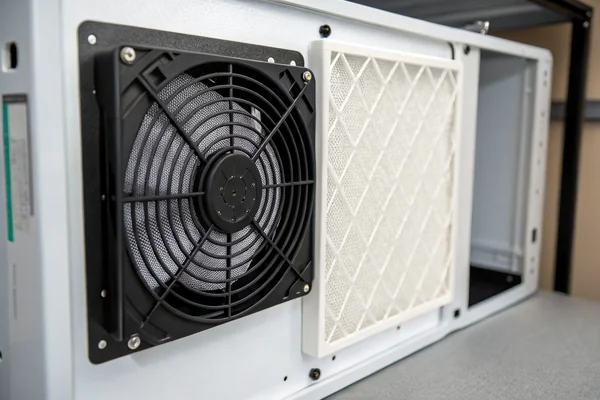
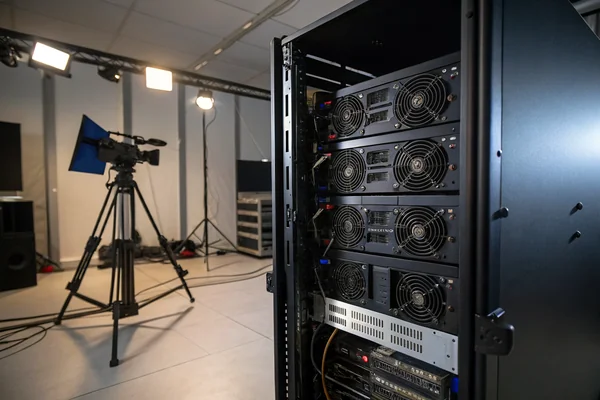
Two builds with identical fans, identical case, and identical components can produce noticeably different temperatures purely because one has its fans placed correctly and the other doesn't -- placement is not a minor detail.
Effective PC case fan placement means establishing a clear, unobstructed airflow path from intake to exhaust, with fan count and position balanced to create either slight positive or negative case pressure deliberately, rather than by accident -- getting placement wrong can undermine even a well-chosen set of fans.
- Case airflow works as a system: air needs a clear path from intake to exhaust, not just fans spinning independently.
- Intake fans are typically placed at the front and sometimes bottom of a case, drawing cooler outside air in.
- Exhaust fans are typically placed at the rear and top, expelling heated air that's absorbed component heat.
- Positive pressure (slightly more intake than exhaust) reduces dust intrusion through unfiltered gaps; negative pressure can increase airflow but pulls in more dust.
- Common placement mistakes -- opposing fans fighting each other, or exhaust fans placed where they short-circuit intake air -- can undermine an otherwise well-chosen fan set.
Understanding how air actually needs to flow through a case, not just where fans can physically mount, clarifies what good placement actually looks like.
Table of Contents
How Does Air Actually Move Through a PC Case From Front to Back?
Understanding the basic airflow path is the foundation for correct fan placement.
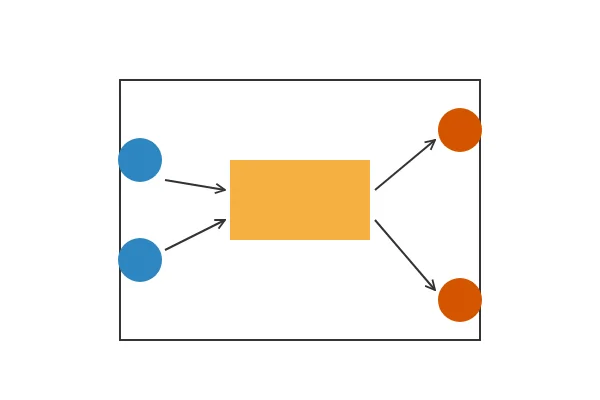
In a typical tower case, air flows in a general path from front-and-bottom intake positions, across internal components (absorbing their heat), and out through rear-and-top exhaust positions -- fans work with this natural convective tendency (hot air rises) rather than needing to fight against it.
Why Working With Natural Convection Tendencies Improves Overall Efficiency
Hot air naturally tends to rise, which is why top-mounted exhaust positions are effective even with modest fan assistance, while cooler air naturally tends to be drawn in from lower, front-facing positions -- placing intake and exhaust fans to work with this tendency, rather than against it, means each fan does less work to achieve the same overall airflow result. This is why front-intake, top-and-rear-exhaust remains the standard airflow pattern recommendation across most tower case designs, reflecting genuine physical airflow tendencies rather than arbitrary convention.
Why Are Intake Fans Specifically Placed at the Front and Bottom?
Understanding the reasoning behind standard intake positioning.
Front and bottom case positions typically face away from the case's internal heat sources and toward the surrounding room's cooler ambient air, making them the natural choice for intake fans that need to draw in air that hasn't already been heated by other components.
Why Intake Position Directly Affects the Temperature of Air Reaching Your Components
An intake fan drawing air from a position near or behind another heat-generating component (rather than from open room air) delivers pre-warmed air to your CPU and GPU coolers, reducing their effective cooling capacity compared to genuinely fresh ambient air -- this is why front and bottom positions, generally furthest from internal heat sources, are preferred specifically for intake rather than any available open mounting position. This is why case design and fan placement should be considered together, ensuring intake fans genuinely draw from the coolest available air source.
Why Do Exhaust Fans Belong at the Rear and Top Specifically?
Understanding the complementary logic for exhaust positioning.
Rear and top positions sit downstream of the case's internal airflow path, after air has already passed across heat-generating components and absorbed their heat -- placing exhaust fans here expels that heated air before it recirculates back into the intake airflow path.
Why Exhaust Position Prevents Heated Air From Recirculating Back Into the System
An exhaust fan positioned poorly, close to an intake fan or in a location that lets expelled hot air recirculate back toward the front of the case, undermines the entire airflow strategy by allowing already-heated air to be drawn back in as if it were fresh intake air, reducing overall cooling effectiveness even with adequate total fan capacity. This is why rear and top positions, generally furthest downstream from intake, are preferred for exhaust, minimizing the chance of this recirculation problem.
Should You Aim for Positive or Negative Case Pressure, and Why Does It Matter?
Understanding this often-debated but genuinely consequential design choice.
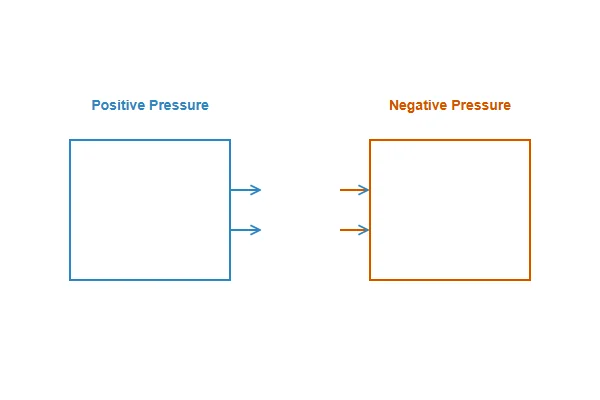
Positive pressure (slightly more intake airflow than exhaust) causes air to be pushed out through small case gaps rather than drawn in through them, reducing dust intrusion through unfiltered openings, while negative pressure (more exhaust than intake) can sometimes achieve marginally higher raw airflow but draws more dust in through every unfiltered gap in the case.
Why the Pressure Balance Choice Involves a Genuine Tradeoff, Not a Universal Right Answer
Positive pressure's dust-reduction benefit comes from air preferentially exiting through unfiltered gaps rather than entering through them, which meaningfully reduces long-term dust accumulation on internal components, while negative pressure setups can sometimes achieve slightly better raw cooling performance at the cost of more dust intrusion requiring more frequent cleaning. This is why the positive-versus-negative pressure decision reasonably depends on your environment's dust level and your tolerance for cleaning frequency, not a single universally correct configuration.
What Are the Most Common Fan Placement Mistakes That Actually Undermine Cooling?
Understanding specific errors helps builders avoid undermining an otherwise good fan selection.
Common placement mistakes include mounting intake and exhaust fans too close together (creating a short airflow loop that bypasses most of the case's internal components), placing fans so their airflow directly opposes another fan's airflow, and leaving large unfiltered gaps that undermine an intended positive-pressure setup.
Why a Short-Circuited Airflow Path Wastes Fan Capacity Without the Builder Realizing It
A short airflow loop -- for example, an intake fan positioned very close to an exhaust fan on an adjacent panel -- can create a situation where air flows directly between the two without meaningfully circulating across the case's other components, meaning that fan pair's airflow capacity is largely wasted on a shortcut rather than doing useful cooling work. This is why evaluating the actual airflow path across your case's real component layout, not just fan count and general front-to-back convention, catches this kind of subtle but performance-undermining placement mistake.
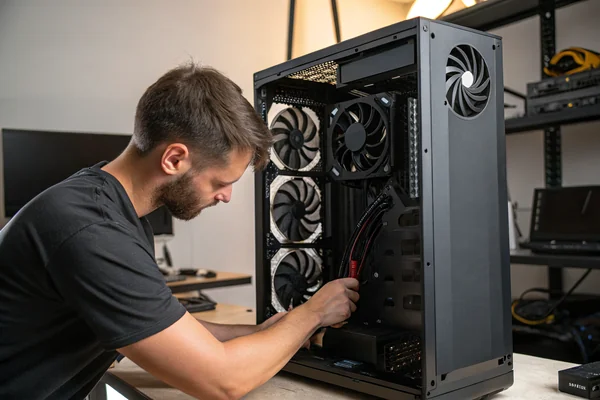
How Should You Actually Decide on Fan Placement for Your Specific Case and Build?
Bringing these principles together into a practical placement decision process.
Start with the standard front-intake, rear-and-top-exhaust pattern as your baseline, adjust based on your case's specific internal layout and heat source locations, decide deliberately on positive or negative pressure balance based on your environment, and verify with actual temperature testing that your chosen configuration achieves the airflow path you intended.
Why Verifying With Real Temperature Data Beats Assuming Correct Placement From Theory Alone
Case-specific layout quirks -- an oddly placed drive cage, an unusual PSU shroud design, or non-standard component positioning -- can sometimes disrupt the airflow pattern theory predicts, meaning actual temperature monitoring under load provides more reliable confirmation that your fan placement is achieving its intended airflow path than relying on general placement principles alone. This is why experienced builders treat standard placement guidance as a strong starting point to verify and refine with real data, not a guaranteed outcome regardless of case specifics.
Our PC case cooling fan line includes both airflow-optimized and static-pressure-optimized models suited to intake and exhaust roles respectively, manufactured at our Dongguan facility under ISO 9001 certification. With over 20 years of production experience, we help system integrators match fan type to each specific placement role within a case's airflow design.
Does Fan Placement Guidance Change for Cases With Non-Standard Layouts Like Sandwich or Inverted Designs?
Non-traditional case layouts require rethinking placement principles rather than applying standard front-to-back logic directly.
Sandwich-style cases (with the motherboard and PSU on opposite sides of a central divider) and inverted-layout cases route airflow differently than a traditional tower, meaning the standard front-intake, rear-exhaust guidance needs to be reinterpreted based on where components actually sit relative to each other in that specific layout, not applied literally by panel position.
Why Component Layout, Not Panel Position Alone, Should Drive Placement Decisions in Unconventional Cases
The underlying principle behind good fan placement -- intake near the coolest available air source, exhaust downstream of heat-generating components, avoiding short-circuited airflow loops -- remains valid across any case layout, but applying it correctly in a non-standard case requires understanding that specific case's actual internal component arrangement rather than defaulting to "front is intake, rear is exhaust" conventions developed around traditional tower layouts. This is why builders working with sandwich-style or inverted cases benefit from tracing their case's actual airflow path from manufacturer documentation rather than assuming standard tower placement logic applies unchanged.
FAQ
Does it matter which specific fan model goes in intake versus exhaust positions?
It can -- airflow-optimized fans often suit open intake and exhaust positions well, though static-pressure-optimized fans may be preferred for exhaust positions with any restriction, like a rear fan grille with dense mesh.
Should side panel fans be treated as intake or exhaust?
This depends on your case's specific airflow design intent -- side panel fans are sometimes used as supplementary intake for GPU cooling, though this should be evaluated against your specific component layout rather than assumed universally.
Do liquid cooling radiator fans follow the same intake/exhaust placement logic?
Generally yes, with the added consideration of whether the radiator is positioned as an intake (fans pull room air through it) or exhaust (fans push case air through it), which affects both cooling performance and case airflow balance.
Is more fans always better for case cooling regardless of placement?
No -- poorly placed additional fans can create airflow conflicts or short-circuited loops that don't meaningfully improve, and sometimes worsen, actual cooling compared to a smaller number of well-placed fans.
How do I know if my case has positive or negative pressure currently?
A simple test involves holding a lightweight material like tissue paper near case gaps while the system runs -- movement outward suggests positive pressure, while being drawn inward suggests negative pressure at that location.
Does case fan placement matter as much in a small form factor (SFF) build?
Often even more so, since SFF cases have less internal volume for air to circulate freely, making deliberate, verified airflow path planning more consequential than in larger cases with more forgiving internal space.
Getting PC case fan placement right comes down to establishing a genuine, unobstructed airflow path and deliberately choosing your pressure balance, not just filling every available mounting position. At Herays, our Dongguan facility manufactures both airflow-optimized and static-pressure-optimized case fans, backed by over 20 years of production experience under ISO 9001 certification. If you're specifying fans for a case design, we're glad to help match fan type to each position's specific airflow role.

Liang
I've been working with DC fans for 30 years — long enough to have seen the industry evolve from basic sleeve bearing designs to today's high-efficiency, IP68-rated systems built for the harshest environments imaginable. I founded Herays because I believed manufacturers and engineers deserved a supplier who could talk technical from day one. Not just hand over a datasheet, but actually help you select the right fan for your thermal load, your enclosure, your certification requirements. Most of what I write here comes directly from problems I've solved on the factory floor or in customer applications — medical devices, laser equipment, industrial automation, you name it. If it involves moving air efficiently and reliably, I've probably spent time thinking about it. When I'm not obsessing over airflow curves, I'm usually helping a customer figure out why their cooling system isn't performing the way their simulation said it would.
View all posts by Liang