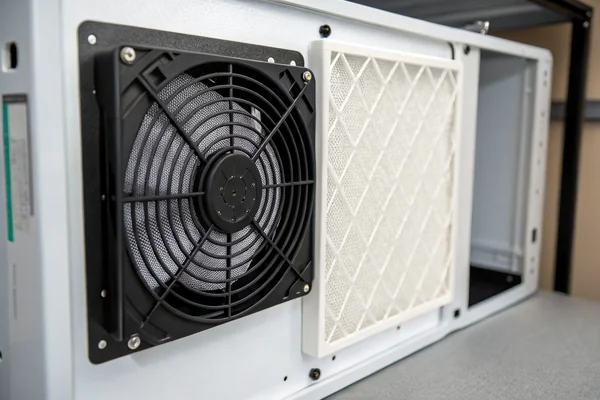
Wiring a fan to the wrong connector type doesn't just risk a fit problem -- it can mean losing speed control entirely, or wiring in a way the motherboard or controller was never designed to handle.
DC axial fan connectors come in three common configurations -- 2-pin (constant speed), 3-pin (voltage-based speed control with tachometer feedback), and 4-pin (PWM speed control with tachometer feedback) -- and choosing the right one depends entirely on whether and how you need to control fan speed from your system.
- 2-pin fans run at a fixed speed determined by applied voltage, with no built-in speed control or feedback signal.
- 3-pin fans add a tachometer wire for RPM feedback and support voltage-based speed control, common on older systems and simpler designs.
- 4-pin fans add a dedicated PWM control wire, allowing precise speed control independent of the supply voltage, and are the current standard for most PCs and many embedded systems.
- The tachometer signal (present on 3-pin and 4-pin fans) lets a system monitor fan speed and detect failure, not just control it.
- Connecting a fan to the wrong header type is usually physically possible but can result in lost speed control, lost RPM monitoring, or in some cases incorrect operation.
Understanding what each pin actually does clarifies why connector choice isn't just about physical fit.
Table of Contents
What Do the Different Fan Connector Types Actually Look Like?
Starting with a physical overview of what's on the market clarifies the landscape before diving into what each pin does.
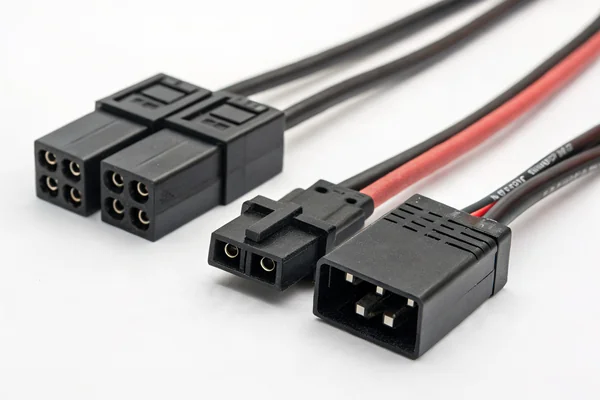
Fan connectors are most commonly found in 2-pin, 3-pin, and 4-pin configurations, typically using a small keyed housing (often 2.54mm pitch) that prevents reversed insertion, though the visual similarity between pin counts can make it easy to misidentify a connector at a glance.
Why Visual Similarity Between Connector Types Causes Real Mistakes
Because 2-pin, 3-pin, and 4-pin fan connectors often use the same housing style and pitch, differing only in populated pin count, it's easy to assume compatibility based on the connector's general appearance rather than confirming the actual pin function -- a 3-pin fan plugged into a 4-pin PWM header will still spin, but won't respond to PWM speed commands. This is why checking a fan's actual pin configuration against the target header's expected wiring, not just whether the connector physically fits, matters before assuming full compatibility.
What Does a 2-Pin Fan Connector Actually Give You?
The simplest configuration is worth understanding as the baseline before adding complexity.
A 2-pin fan connector provides just power and ground, running the fan at a fixed speed determined entirely by the applied voltage, with no speed control signal and no tachometer feedback to report RPM back to the system.
Why 2-Pin Fans Remain Common Despite Lacking Speed Control
For applications where constant-speed operation is acceptable or even preferred -- simple always-on cooling in fixed-load electronics, for example -- a 2-pin connector's simplicity reduces cost and wiring complexity compared to adding control and feedback wires that wouldn't be used anyway. This is why 2-pin fans persist in cost-sensitive, fixed-speed applications even though 3-pin and 4-pin options offer more capability, since that extra capability isn't always needed.
How Does a 3-Pin Connector Add Speed Control and Monitoring?
The 3-pin configuration introduces feedback and a simpler form of speed control.
A 3-pin fan connector adds a tachometer wire to the power and ground pins, allowing the system to monitor fan RPM, and speed control on 3-pin fans is typically achieved by varying the supply voltage itself (voltage control) rather than a dedicated PWM signal.
Why Voltage-Based Speed Control Has Real Limitations
Reducing a fan's supply voltage to slow it down works, but most fan motors have a minimum voltage below which they stall or fail to start reliably, limiting the usable speed range compared to PWM control -- voltage control also generally offers less precise, more linear-only speed adjustment. This is why 3-pin voltage control remains functional and widely used, particularly in simpler or older systems, but has been largely superseded by PWM control in applications demanding finer speed control range.
What Makes 4-Pin PWM Fans the Current Standard for Most Applications?
Understanding PWM's specific advantage clarifies why it became the dominant approach.
A 4-pin fan connector adds a dedicated PWM (pulse-width modulation) control wire alongside power, ground, and tachometer, allowing the system to control fan speed by rapidly switching full voltage on and off at a variable duty cycle -- this decouples speed control from supply voltage, enabling a much wider and more precise speed range than voltage control alone.
Why PWM Control Solves Voltage Control's Core Limitation
Because PWM keeps the fan's supply voltage constant (typically 12V) and instead varies the percentage of time that voltage is applied, the motor always receives full voltage during "on" pulses, avoiding the stall risk that comes with reducing supply voltage directly -- this allows PWM fans to run reliably at a much lower minimum speed than voltage-controlled equivalents. This is the core reason 4-pin PWM became the standard for PCs and many embedded systems requiring both a wide speed range and precise control.

How Do You Actually Connect a Fan to a Motherboard or Custom Controller?
Practical wiring guidance for the most common connection scenarios.
Match the fan's connector type to the header's expected configuration where possible (a 4-pin PWM fan on a 4-pin PWM header, for instance), and where mismatches are unavoidable, confirm the header's documented fallback behavior for lower-pin-count fans before assuming full functionality.
Why Header Fallback Behavior Isn't Always Obvious or Documented
Many motherboard and controller PWM headers can accept and run a 3-pin or even 2-pin fan physically, but the specific fallback behavior (constant full speed, a fixed default speed, or an error state) varies by hardware and isn't always clearly documented -- assuming standard voltage-control behavior without confirming can lead to a fan running at a different speed than expected. This is why checking your specific motherboard or controller's documentation for lower-pin-count fan compatibility, rather than assuming universal graceful fallback, avoids surprises during system bring-up.
Our DC fan lineup includes 2-pin, 3-pin, and 4-pin PWM connector options across our axial and blower product lines, manufactured at our Dongguan facility under ISO 9001 certification. With over 20 years of production experience, we help customers select the right connector configuration and, where needed, support custom wiring harness requirements for specific system integration needs.
What Goes Wrong Most Often When Fan Wiring Is Mismatched?
Understanding the common failure modes helps catch problems before they cause field issues.
The most common wiring mismatch problems are a 3-pin fan losing expected PWM control when plugged into a 4-pin header, a fan's tachometer signal not being read correctly due to wiring or connector confusion, and in rarer cases, incorrect pinout assumptions causing a fan to run at unexpected or unintended speed.
Why Confirming Pinout Against a Datasheet Beats Assuming Standard Convention
While 2-pin, 3-pin, and 4-pin pinouts follow broadly standard conventions, minor variations between manufacturers do exist, and assuming a connector's pinout based on general convention rather than confirming against the specific fan's datasheet is a common source of wiring mistakes during prototyping. This is why checking the actual datasheet pinout, especially for a new fan model or supplier, is worth the small amount of extra diligence before finalizing a wiring harness design.

Are Fan Connector Standards Actually Consistent Across Manufacturers?
Cross-brand compatibility is a practical concern when sourcing or replacing fans from different suppliers.
Pin function conventions (2-pin power/ground, 3-pin adds tachometer, 4-pin adds PWM) are broadly consistent across manufacturers, but connector housing style, cable length, and sometimes pin order can vary, meaning physical plug compatibility isn't guaranteed even when pin function conventions match.
Why Housing Compatibility and Pin Function Are Two Separate Questions
A fan from one manufacturer following standard 4-pin PWM pin function conventions may still use a connector housing that doesn't physically mate with another manufacturer's header, or in rarer cases may use a non-standard pin order requiring an adapter cable. This is why sourcing a replacement or second-source fan involves confirming both electrical pinout convention and physical connector compatibility, rather than assuming pin count alone guarantees a drop-in fit.
FAQ
Can I convert a 3-pin fan to work with 4-pin PWM control?
Not directly -- a 3-pin fan lacks the internal circuitry to respond to a PWM control signal, so achieving PWM-style control would require either replacing the fan or adding an external PWM-to-voltage converter circuit.
Does a 4-pin fan always require PWM control to function?
No -- most 4-pin PWM fans will still run at full speed if the PWM wire isn't connected or is held high, since PWM control is layered on top of, not required for, basic power operation.
Is the tachometer wire required for the fan to spin?
No -- the tachometer wire only reports speed feedback to the system; the fan will spin normally without it connected, though the system won't be able to monitor RPM or detect certain failure conditions.
Why do some fans use different connector housings even with the same pin count?
Connector housing style can vary by manufacturer or target application (consumer PC vs industrial equipment, for example), which is why confirming physical connector compatibility, not just pin count, matters when sourcing or replacing a fan.
Can I run a 4-pin PWM fan on a 3-pin header?
Generally yes for basic operation -- the fan will typically run at full speed or respond to voltage control depending on the header, since the PWM wire simply won't be connected, though you'll lose PWM speed control.
Is it safe to wire a fan connector myself for a custom project?
It's commonly done, but confirming correct polarity and pin function against the specific fan's datasheet first is important, since miswiring power and ground can damage the fan or, in some cases, the connected system.
Choosing the right fan connector type comes down to understanding what speed control and monitoring your system actually needs, not just what physically plugs in. At Herays, our Dongguan facility manufactures fans across all three connector configurations, backed by over 20 years of production experience under ISO 9001 certification. If you're specifying fan wiring for a new design, we're glad to help match connector type to your system's actual control requirements.

Liang
I've been working with DC fans for 30 years — long enough to have seen the industry evolve from basic sleeve bearing designs to today's high-efficiency, IP68-rated systems built for the harshest environments imaginable. I founded Herays because I believed manufacturers and engineers deserved a supplier who could talk technical from day one. Not just hand over a datasheet, but actually help you select the right fan for your thermal load, your enclosure, your certification requirements. Most of what I write here comes directly from problems I've solved on the factory floor or in customer applications — medical devices, laser equipment, industrial automation, you name it. If it involves moving air efficiently and reliably, I've probably spent time thinking about it. When I'm not obsessing over airflow curves, I'm usually helping a customer figure out why their cooling system isn't performing the way their simulation said it would.
View all posts by Liang