
Directed cooling
Fan and blower options for hot ends, boards, motors, and compact ducts.
Cooling and directed airflow for desktop machines and compact tools
Understanding the specific thermal and environmental demands of 3D Printer and Desktop Equipment Cooling environments is the foundation of every Herays solution.
3D printers — FDM (fused deposition modeling), resin (MSLA/DLP), and SLS desktop systems — use small axial fans and centrifugal blowers for two distinct and equally critical cooling functions: hotend and electronics cooling (preventing heat creep and protecting the mainboard from ambient printer heat), and part cooling (rapidly solidifying extruded polymer at the print point to achieve good layer adhesion geometry, bridge quality, and overhang performance). These two functions have nearly opposite requirements: part cooling fans must deliver maximum directed airflow at the print nozzle; hotend cooling fans must run quietly and continuously at modest airflow to prevent the cold zone from warming.
Herays supplies 24V DC fans in both axial (for hotend cooling) and centrifugal blower (for part cooling) formats for desktop 3D printer applications, covering the standard 24V printer voltage across the most common fan sizes.
Why do 3D printer builders use centrifugal blowers for part cooling rather than axial fans? Part cooling ducts direct airflow through a shaped channel with significant restriction. At the static pressures generated by duct and nozzle restriction (5–15 mmH₂O in typical geometries), axial fans lose most of their airflow due to their steep pressure-flow curve. A 5015 centrifugal blower at the same restriction delivers 3–5× more airflow than an equivalent axial fan because its pressure-flow curve is much flatter. This directly translates to better bridge quality, sharper overhangs, and faster layer cooling times.
What causes a 3D printer hotend fan failure and what are the symptoms? Hotend fans fail most often from accumulated PLA debris (from filament trimming and ooze) jamming the impeller and from bearing wear caused by continuous operation at elevated ambient temperatures near the hot end. Symptoms of hotend fan failure include: heat creep (PLA softening in the cold zone and causing jams), grinding or rattling noise, and complete jam during a long print as the cold zone temperatures rise past the glass transition temperature of the filament. Replace hotend fans at the first sign of noise change.
How do I match PWM frequency to a 3D printer fan controller? Most 3D printer mainboards (Klipper, Marlin) drive fans at 25 kHz PWM. Fans rated for 25 kHz PWM (4-wire fans) provide smooth speed control at any duty cycle. 2-wire fans driven by voltage PWM from a MOSFET may audibly buzz at low duty cycles because the PWM frequency is in the audible range. For quiet operation at variable speed, use 4-wire 25 kHz PWM fans or ensure the mainboard’s PWM frequency is above 25 kHz.
Contact Herays for 3D printer fan specifications, 24V compact axial and centrifugal formats, and OEM supply for 3D printer manufacturers and kit suppliers.
Precision-engineered DC fan technologies tailored to the performance and reliability requirements of 3D Printer and Desktop Equipment Cooling applications.
Fan and blower options for hot ends, boards, motors, and compact ducts.
Acoustic choices for office, lab, and maker environments.
Voltage, connector, and cable customization for equipment OEMs.
Herays DC fan and blower products engineered to meet the performance requirements of 3D Printer and Desktop Equipment Cooling systems.
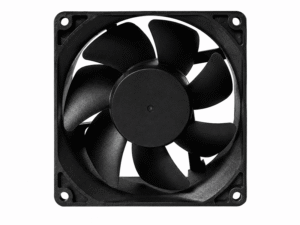 DC Axial Fan
DC Axial Fan
DC Axial Fan
DC Axial Fan
DC Axial Fan
DC Axial Fan
DC Axial Fan
DC Axial Fan
DC Axial Fan
DC Axial Fan
DC Axial Fan
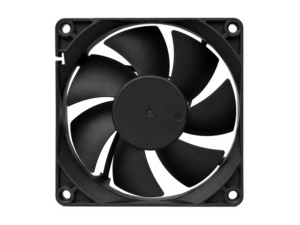 DC Axial Fan
DC Axial Fan
DC Axial Fan
Our application engineers are available to help you select the right product for your system requirements.