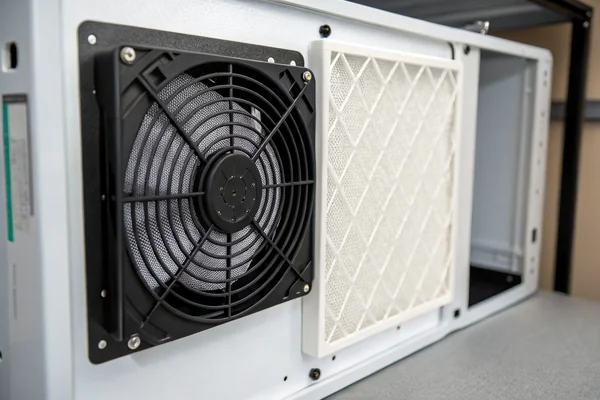
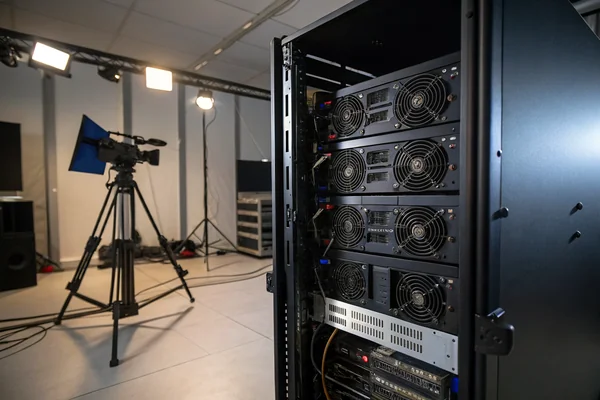
Scrolling through hundreds of case fan listings with nearly identical marketing claims makes it hard to tell which specs actually matter and which are just noise on the box.
Buying the right PC case fans comes down to matching size (80-200mm) and airflow type (high-CFM vs high-static-pressure) to your specific case position, then comparing genuine CFM, static pressure, and dBA figures across models rather than trusting marketing labels like "gaming" or "performance" alone.
- Fan size (80mm to 200mm) must match your case's mounting positions -- this is a hard constraint, not a preference.
- High-airflow fans suit open intake/exhaust positions, while high-static-pressure fans suit radiators, filters, and restrictive mesh panels.
- Genuine CFM, static pressure (mm-H2O), and dBA specs are more useful for comparison than marketing terms like "performance" or "gaming."
- Premium fans typically offer better bearings, tighter manufacturing tolerances, and lower noise at a given airflow -- but the benefit scales with how demanding your specific use case is.
- A case fan buying decision should start from your case's airflow layout, not from browsing individual fan listings first.
Working through these decision points in order clarifies what actually matters before comparing specific fan models.
Table of Contents
Why Do Case Fans Matter So Much for Overall PC Cooling?
Understanding the case fan's role in the broader cooling system explains why this decision deserves real attention.
Case fans establish the airflow path that brings cool air in and pushes hot air out of the entire system, directly affecting how well your CPU cooler, GPU, and other components can dissipate heat -- even a well-designed CPU cooler underperforms in a case with poor overall airflow.
Why Case Airflow Is a System-Level Problem, Not a Component-Level One
A PC's thermal performance depends on the interaction between component-level coolers (CPU heatsink, GPU cooler) and case-level airflow that removes the heat those coolers reject into the case -- if case airflow is inadequate, heat accumulates inside the case regardless of how good individual component coolers are. This is why case fan selection deserves consideration as part of the overall cooling strategy, not as an afterthought purchased separately from the rest of the build.
Which Fan Size Actually Fits Your Case, and Does It Matter?
Size compatibility is the first hard constraint in any case fan purchase.
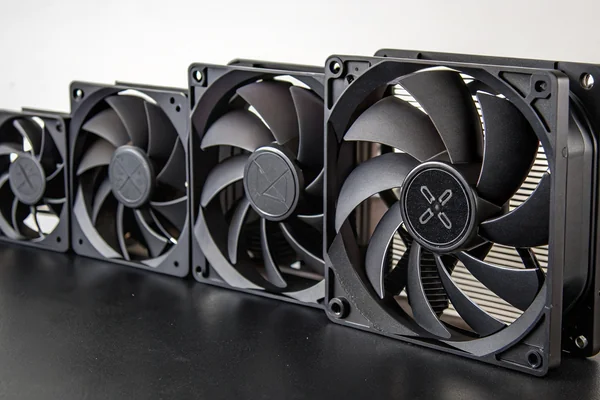
Common PC case fan sizes are 80mm, 120mm, 140mm, and 200mm, with your specific case's mounting positions determining which sizes are physically compatible -- larger fans generally move more air at lower noise and RPM, making them preferable where your case has room for them.
Why Checking Your Case's Actual Mounting Positions Comes Before Browsing Fans
Case manufacturers specify supported fan sizes and positions in their documentation, and buying fans before confirming this against your specific case model risks a fan that simply doesn't fit the available mounting holes or has inadequate clearance from other components. This is why the practical first step in fan buying is checking your case's specification sheet, not browsing fan listings by popularity or reviews first.
What Do CFM, Static Pressure, and dBA Actually Tell You?
These three specs are the core comparison points once size is settled.
CFM (cubic feet per minute) measures airflow volume in open space, static pressure (measured in mm-H2O) measures a fan's ability to push air through resistance like filters or radiators, and dBA measures noise -- comparing these genuine figures across models tells you far more than marketing labels ever will.
Why These Three Specs Need to Be Read Together, Not in Isolation
A fan with impressive CFM but weak static pressure will underperform in a restrictive position like behind a dust filter, while a fan optimized purely for static pressure may be unnecessarily loud in an open, unrestricted position where that pressure capability goes unused. Reading CFM, static pressure, and dBA together against your specific mounting position (restricted vs open) gives a much more accurate performance picture than any single spec viewed alone.
Should You Prioritize Airflow Fans or Static Pressure Fans for Your Build?
This is the practical decision point once you understand what the specs mean.
Choose high-airflow fans (typically fewer, wider-spaced blades) for open intake and exhaust positions with minimal obstruction, and high-static-pressure fans (typically more, closer-spaced blades) for positions behind filters, radiators, or restrictive front mesh panels.
Why Blade Design Reflects the Airflow-vs-Pressure Tradeoff
Fan blade geometry is generally optimized for one priority or the other -- wider blade spacing favors moving large air volumes with minimal resistance, while denser blade spacing favors maintaining pressure against restriction at some cost to raw open-air CFM. This is why checking a fan's intended use case (airflow-optimized vs pressure-optimized) against your specific mounting position, rather than buying the same fan model for every position in your case, produces better overall cooling results.

Is Paying More for a Premium Case Fan Actually Worth It?
Budget versus premium is a common point of hesitation in case fan shopping.
Premium case fans typically offer better bearing quality (longer lifespan, less noise over time), tighter manufacturing tolerances (less vibration), and sometimes additional features like PWM control or ARGB lighting -- the value of paying more scales with how demanding your use case is and how long you plan to keep the build.
Why the Premium-vs-Budget Decision Depends on Use Case Severity
For a lightly-loaded general-purpose PC with modest cooling demands, budget fans from a reputable manufacturer often perform adequately, while a high-performance build running components at sustained high load benefits more from premium fans' better sustained noise and reliability characteristics. This is why "is it worth paying more" doesn't have a universal answer -- it depends on matching the fan's quality tier to how hard your specific build will actually run it.
Our PC case cooling fan line spans both airflow-optimized and static-pressure-optimized models across standard sizes, manufactured at our Dongguan facility under ISO 9001 certification. With over 20 years of production experience, we support system integrators and case manufacturers with genuine, independently verifiable CFM, static pressure, and dBA data rather than marketing-only specifications.
How Do You Actually Compare Fans Across Different Brands Fairly?
Cross-brand comparison requires knowing where to look for reliable, comparable data.
Look for independently tested performance data (from reviewers or manufacturers with third-party verified specs) rather than relying solely on manufacturer-published numbers, and compare fans at the same operating point (same RPM or same noise level) rather than at each fan's own maximum rating.
Why Comparing at Matched Operating Points Beats Comparing Maximum Specs
Two fans' maximum-speed CFM ratings don't tell you which one is quieter at a given airflow level, or which delivers more airflow at a matched noise level -- these are the comparisons that actually matter for a real build where noise and airflow are both priorities. Independent reviews that test multiple fans on the same rig at matched RPM or matched dBA give a far more useful comparison than manufacturer spec sheets alone.

FAQ
Do I need the same fan model for every position in my case?
Not necessarily -- many builders use airflow-optimized fans for open intake/exhaust positions and static-pressure-optimized fans for restricted positions like behind filters, achieving better overall performance than using identical fans everywhere.
Does a higher price always mean better performance?
Not automatically -- price often correlates with bearing quality, tolerances, and included features, but it's still worth comparing actual CFM, static pressure, and dBA specs rather than assuming price alone indicates performance.
How many case fans does a typical build actually need?
This varies by case size and component heat output, but a common baseline is two to three fans (at least one intake, one exhaust) for adequate airflow, with additional fans added for higher-heat-output builds or larger cases.
Is RGB or ARGB lighting worth paying extra for?
This is purely an aesthetic preference with no cooling performance benefit -- it's worth budgeting for separately from your core airflow and noise requirements rather than letting it drive fan selection.
Should I match fan brands across my whole build?
Not required for basic compatibility, though matching brands can simplify RGB/ARGB software control and give a more consistent visual appearance if that matters to you.
Can I mix airflow and static pressure fans in the same case?
Yes, and this is actually a common and often recommended practice -- matching each fan's type to its specific mounting position typically outperforms using one fan type throughout the whole case.
Buying the right PC case fans comes down to matching size and airflow type to your case's actual mounting positions and comparing genuine specs, not marketing labels. At Herays, our Dongguan facility manufactures both airflow-optimized and static-pressure-optimized case fans backed by over 20 years of production experience under ISO 9001 certification. If you're specifying fans for a case design or system build, we're glad to help match specifications to your actual airflow layout.

Liang
I've been working with DC fans for 30 years — long enough to have seen the industry evolve from basic sleeve bearing designs to today's high-efficiency, IP68-rated systems built for the harshest environments imaginable. I founded Herays because I believed manufacturers and engineers deserved a supplier who could talk technical from day one. Not just hand over a datasheet, but actually help you select the right fan for your thermal load, your enclosure, your certification requirements. Most of what I write here comes directly from problems I've solved on the factory floor or in customer applications — medical devices, laser equipment, industrial automation, you name it. If it involves moving air efficiently and reliably, I've probably spent time thinking about it. When I'm not obsessing over airflow curves, I'm usually helping a customer figure out why their cooling system isn't performing the way their simulation said it would.
View all posts by Liang