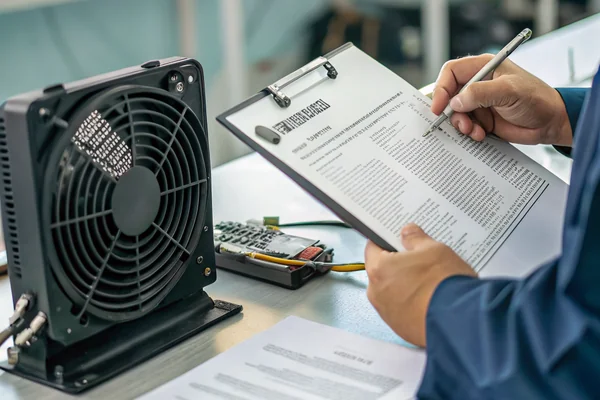
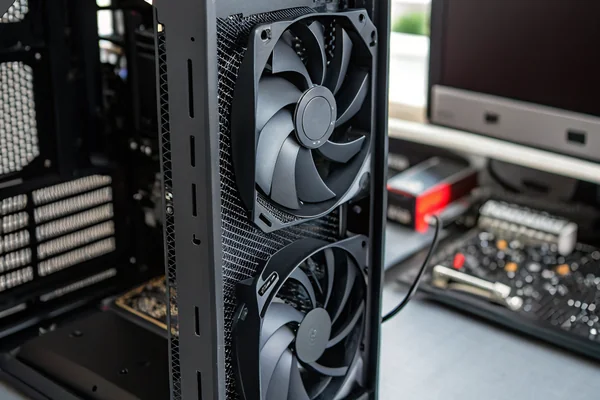
A loud PC isn't just annoying -- it's a signal that something in the thermal and airflow design isn't working as efficiently as it should. The noise gets worse under load, but the root causes were set long before you hit compile or launch a game.
PC fan noise comes from a combination of fan quality, rotational speed, bearing type, case airflow design, and how aggressively the system's fan curves are tuned -- fixing it requires addressing the right cause rather than simply swapping in a quieter-looking fan and hoping for the best.
- Most PC fan noise comes from high RPM under thermal load, poor bearing quality, turbulence from restrictive airflow paths, or a combination of all three -- and each has a different fix.
- Fan selection for quiet builds means prioritizing bearing type, blade geometry, and the fan's operating point on its P-Q curve, not just its maximum rated noise spec.
- Fan curves and idle behavior matter as much as peak specs -- a fan configured to run at full speed unnecessarily is loud for no thermal benefit.
- Case design and acoustic dampening work best when combined with good airflow fundamentals, not as a substitute for them.
- Realistic noise expectations vary with load: a well-designed quiet build will be nearly silent at idle and audible but not intrusive under sustained load -- "silent at all times" is generally not achievable in a thermally constrained system.
Understanding where the noise actually comes from is the prerequisite to doing anything useful about it.
Table of Contents
What Actually Makes a PC Fan Loud in the First Place?
The noise has a source, and it's usually not the fan's fault alone.
PC fan noise comes from four main sources: mechanical bearing noise, blade-pass noise from turbulence at blade tips and trailing edges, motor electromagnetic noise, and system-level resonance when fan vibration couples into the case -- and distinguishing which one dominates in a given system determines what's actually worth fixing.
Bearing Noise Is Often the Underlying Floor
Bearing quality sets a hard floor on how quiet any fan can run. Sleeve bearings are cheap and initially quiet but degrade significantly over time as the lubricant wears, eventually producing a characteristic low-frequency whine. Ball bearings1 run rougher from day one but maintain that character over a much longer service life. Fluid dynamic bearings represent the current best-in-class option for quiet, long-lived operation -- they use a pressurized oil film to eliminate metal-on-metal contact entirely, which is why they're the bearing type of choice in premium quiet builds.2
Blade-Pass Noise Scales With RPM Non-Linearly
A fan running at 1200 RPM is not simply twice as loud as the same fan at 600 RPM -- the relationship is steeper than that. Turbulence-generated noise scales roughly with the fifth to sixth power of blade tip velocity, meaning even modest RPM reductions produce disproportionately large noise reductions. This is why the single most effective intervention in a noisy system is usually reducing operating RPM through better thermal design or fan curve tuning, rather than swapping hardware.
Resonance Amplifies Otherwise Tolerable Fan Noise
A fan producing acceptable noise in open air can become intrusive once mounted in a case if the fan's vibration frequency matches a resonant frequency of the case panels, HDD trays, or unsecured cables. Anti-vibration mounts and rubber gaskets interrupt this coupling at the source, which is why even high-quality fans benefit from proper mounting isolation.
How Do You Actually Select a Quiet Fan, Not Just a Quieter-Spec'd One?
A lower dBA rating on the box doesn't guarantee a quieter PC -- the operating point matters as much as the spec.
Selecting a genuinely quiet fan means choosing one with a low-noise bearing type, blade geometry optimized for low-turbulence operation at your system's actual required airflow, and a P-Q curve that puts the fan's operating point well away from its stall region -- not just the lowest max-noise number on a marketing sheet.
Why the P-Q Curve Matters More Than the Peak dBA Spec
A fan's published noise rating is typically measured under specific laboratory conditions -- often at a set voltage and often at or near free-air delivery. That number tells you how loud the fan is under those conditions, not how loud it will be in your actual case under your actual airflow resistance. A fan that looks quiet on paper but is running near stall because your case is too restrictive will be significantly louder in practice. Matching the fan's P-Q curve3 to your system's actual resistance -- estimated from the case design, filter loading, and component density -- is a more rigorous approach than comparing maximum noise specs alone.
Blade Geometry and Pitch Are Acoustic Design Decisions
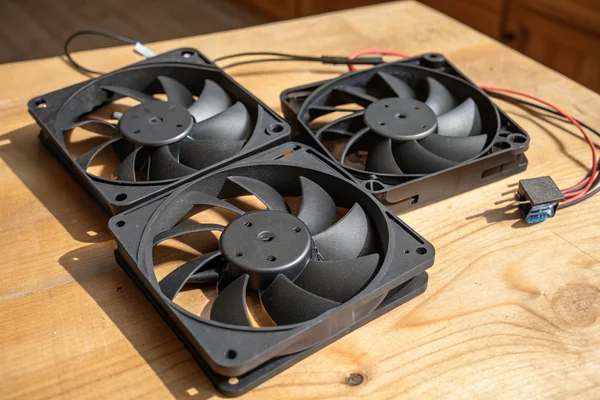
Lower blade pitch generally produces less turbulence and less blade-tip noise at a given RPM, making shallower-pitch designs the better choice for quiet operation when the application's airflow path is relatively open. More numerous blades at lower pitch can also spread the work more evenly, reducing the per-blade turbulence spike on each pass. The practical implication: when sourcing fans for a quiet build, asking about blade geometry and intended operating point is more useful than relying on the summary dBA spec.
| Fan Bearing Type | Noise Character | Typical Lifespan | Best Use Case |
|---|---|---|---|
| Sleeve | Quiet initially, degrades | 15,000–25,000 hrs | Budget builds, horizontal mounting |
| Ball bearing | Consistent but rougher | 50,000+ hrs | High-temp, any orientation |
| Fluid dynamic | Lowest noise, consistent | 50,000+ hrs | Quiet and longevity priority |
Do Fan Curves and Idle Behavior Actually Determine Day-to-Day Noise?
For most users in most use cases, yes -- idle and light-load behavior is what you actually hear.
Fan curves and their idle behavior determine the noise a system produces during the 90% of time it spends not under full load -- a fan configured to spin at 1500 RPM at 40°C because the curve was never tuned will be significantly louder than it needs to be for the thermal work actually being done.
Zero RPM Stops and Their Tradeoffs
Many modern fans and fan controllers support a zero-RPM stop feature -- the fan simply stops spinning entirely below a thermal threshold, producing zero fan noise until the system heats up enough to warrant cooling. This is effective for intermittent workloads and genuinely eliminates fan noise at idle. The tradeoff is slightly higher baseline component temperatures during the stopped period and, in some configurations, a more abrupt acoustic step when the fan starts. For most consumer builds, zero-RPM stop is worth enabling when the hardware supports it.
The Curve Shape Matters as Much as the Endpoints
A fan curve that ramps steeply from a low RPM floor to maximum speed produces a noticeable, abrupt noise change under load. A curve that ramps gradually from a sensible floor produces a much more gradual acoustic transition that most users perceive as quieter even if peak noise is similar. Spending time tuning the curve shape in BIOS or dedicated software -- rather than accepting the often-aggressive factory defaults -- is one of the most cost-free noise improvements available.
Does Case Design Actually Matter for Acoustic Performance, or Is It Secondary?
Case design is not secondary -- it either enables or undermines everything else in the acoustic chain.
Case design determines the airflow resistance that fans have to work against, the resonance pathways available for vibration to couple into, and how effectively any acoustic dampening material can function -- a poorly designed airflow path forces fans to work harder, producing more noise regardless of how premium the fans themselves are.
Airflow Path Design Is the Foundation
A case with obstructed intake paths, inadequate filter surface area, or poor exhaust positioning forces fans to operate further into their pressure-generating range, which increases both RPM and turbulence noise. The fundamental principle is simple: reduce airflow resistance and fans can deliver the same cooling at lower speed and lower noise. Practical implications include ensuring intake area is not undersized relative to fan size, keeping filters clean and appropriately porous, and positioning intake fans to draw directly from unobstructed external air rather than recirculating internal hot air.
Acoustic Dampening Works Best as a Complement, Not a Substitute
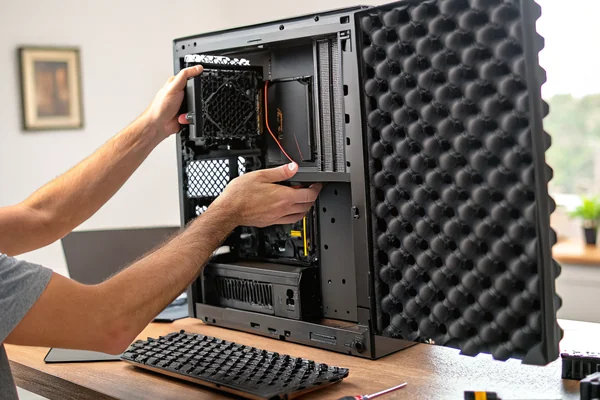
Foam-lined case panels and anti-vibration mounting points are effective at absorbing mid-to-high frequency airborne noise and breaking vibration transmission paths between fans and case panels. However, dampening material can't fix a thermally inadequate build -- a system that needs to run fans at 2500 RPM to stay cool will still be loud even in a heavily dampened enclosure, because at those speeds the noise energy exceeds what practical dampening can absorb. The correct sequencing is: fix airflow first, reduce fan RPM through better thermals, then apply dampening to address the residual noise floor.
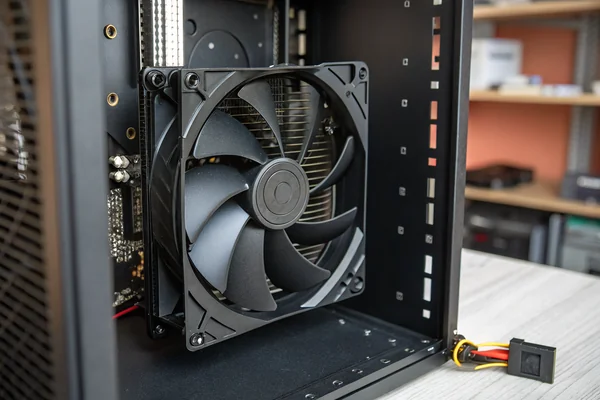
What Are Realistic Noise Expectations at Different Load Levels?
Setting realistic expectations prevents chasing an impossible target and helps evaluate whether a build is actually performing well.
A well-designed quiet PC build should be near-inaudible at idle (under 25 dBA at 1 meter), softly audible under moderate load, and clearly audible but not intrusive under sustained full load -- "silent under all conditions" is physically incompatible with adequate cooling in any thermally significant system.
Idle: Where Quiet Builds Prove Themselves
With properly tuned fan curves, low-noise bearings, and good airflow design, idle noise under 25 dBA at one meter is achievable in a typical consumer build. Some builds with zero-RPM capable fans and passive CPU coolers can approach near-complete silence at idle. This is the use case that rewards premium fan and bearing selection most clearly, since idle noise is what most users experience during everyday tasks.
Full Load: Managing Expectations Honestly
Under sustained full CPU and GPU load, fan speeds will increase to meet thermal demand, and some audible fan noise is the thermodynamic reality of cooling hundreds of watts in a desktop enclosure. A realistic target for a well-designed quiet build under full load is 35–40 dBA at one meter -- clearly audible in a quiet room, but without the aggressive whoosh of an out-of-the-box gaming build with factory fan curves. Pursuing below 30 dBA under sustained full load typically requires liquid cooling, substantially reduced component TDPs, or accepting higher component temperatures.
The Loudest Moment Is Often Startup
Many systems exhibit their loudest moment at POST, when fan controllers often command 100% RPM before thermal data is available. This doesn't represent steady-state noise performance -- it's an initialization behavior, and it often causes users to overestimate how loud their system actually runs. If that POST burst is the loudest thing the system ever does, the build is probably performing well.
What Should You Verify When Sourcing PC Case Fans for a Quiet Build?
Datasheet comparison is necessary but not sufficient -- knowing what to ask beyond the datasheet is what separates a good specification from a regrettable one.
When sourcing PC case fans for acoustic performance, the specs worth verifying go beyond maximum dBA: bearing type, actual operating RPM at your system's airflow resistance, blade geometry intent, and whether the fan's P-Q curve has been tested to ANSI/AMCA Standard 2104 or equivalent laboratory conditions are all worth confirming.
What to Ask a Supplier Directly
The maximum noise spec on a datasheet is typically measured at free-air delivery at rated voltage -- conditions that rarely match your actual case. Useful questions include: what bearing type is used and what is its rated service life; at what RPM was the noise spec measured; has the fan's P-Q curve been independently tested; and what blade pitch and count does the design use. A supplier who can answer these specifically is in a better position to match a fan to your application than one who can only reference the summary datasheet values.
Volume Procurement and Consistency
For OEM builds or system integrators sourcing fans in volume, unit-to-unit consistency in noise performance matters -- a fan that tests well as a sample but has wide manufacturing variation in blade balance will produce inconsistent acoustic results in production builds. Asking about balancing standards and manufacturing quality processes is a legitimate sourcing question, not just a premium add-on concern.
Our PC Case Cooling Fan line is tested in-house in an anechoic noise test chamber and on automated dynamic balance test and correction equipment as part of our standard production process -- both certified under ISO 9001 and IATF 16949. For OEM builds with specific noise targets, we can discuss the bearing type, blade geometry, and P-Q performance behind any fan we supply so your specification is based on actual operating point data, not just a summary spec.
FAQ
Does a higher blade count always mean a quieter fan?
Not inherently -- more blades can reduce per-blade turbulence noise but also increase motor load. Blade count, pitch, and blade shape work together; a lower-pitch, higher-count design can be quieter than a higher-pitch, lower-count design, but counting blades alone doesn't predict acoustic performance.
Is a 140mm fan always quieter than a 120mm fan?
Generally, a 140mm fan can move the same airflow at lower RPM than a 120mm fan, and lower RPM means less noise. However, this holds only if the 140mm fan is actually running at a proportionally lower RPM -- if both are running at 1200 RPM, the noise difference is smaller than the size difference suggests.
Are PWM fans meaningfully quieter than DC voltage-controlled fans?
PWM fans allow more precise low-speed control down to very low RPM, which enables better idle-quiet behavior on well-tuned curves. For quiet builds, PWM is generally the better choice, though the audible difference at similar operating points is less about the control method and more about how low the minimum speed setting actually goes.
Does adding more fans make a system quieter or louder?
More fans moving the same total airflow can each run at lower individual RPM, which can reduce overall noise -- this is the logic behind multi-fan low-speed builds. However, each additional fan also adds a noise source and a vibration coupling point, so the gains depend on whether each fan is actually running slower, not just on fan count alone.
How much does cleaning case filters actually affect fan noise?
Significantly in dusty environments. A clogged filter increases airflow resistance substantially, which forces fans further into their pressure range and raises operating RPM. Routine filter cleaning is one of the lowest-effort noise maintenance steps available, especially in builds that have been running for a year or more in typical environments.
Can rubber anti-vibration fan mounts make a measurable difference?
Yes, particularly for low-frequency vibration that couples into resonant case panels. The improvement is most noticeable when a fan's vibration frequency happens to match a panel resonance -- in those cases, anti-vibration mounts can eliminate a very specific irritating drone that accounts for a disproportionate share of perceived noise.
Is liquid cooling always quieter than air cooling?
Not always. A liquid cooling loop replaces a large CPU tower cooler fan with a pump and radiator fans -- if the radiator fans are sized adequately and run at low speed, the result can be quieter than air cooling. But a pump that produces audible noise, or radiator fans running at high speed, can make a liquid-cooled system louder than a well-configured air-cooled build.
Fan noise in a PC is a solvable problem when you address the actual causes -- bearing quality, operating RPM, airflow path design, and curve tuning -- rather than treating it as a simple hardware swap. At Herays, our Dongguan facility has manufactured DC axial and PC case cooling fans for over 20 years under ISO 9001 and IATF 16949 certification. If you're specifying fans for a build with a real noise target, we're glad to discuss the bearing type, blade geometry, and operating point behind getting it right.
Ball bearings are a bearing type using hardened steel balls between inner and outer races to support radial and axial loads, eliminating sliding friction. In fans, they provide consistent noise and long service life compared to sleeve bearings, though they run slightly rougher from the outset. ↩
Independent bearing comparison data from GamersNexus supports fluid dynamic bearings as the best balance of low noise and long service life among common PC fan bearing types. See the GamersNexus bearing guide for lifespan and noise comparison methodology. ↩
A P-Q curve (pressure-airflow curve) is the plot of a fan's static pressure output against its airflow delivery across its full operating range, from free-air delivery to shutoff pressure. It is the primary tool for matching a fan to a system's actual airflow resistance rather than relying on single-point specs. ↩
ANSI/AMCA Standard 210 defines the laboratory test methods for measuring fan aerodynamic performance including P-Q curves under controlled, reproducible conditions. Performance data tested to this standard is more reliably comparable across manufacturers than data measured under unstated conditions. ↩

Liang
I've been working with DC fans for 30 years — long enough to have seen the industry evolve from basic sleeve bearing designs to today's high-efficiency, IP68-rated systems built for the harshest environments imaginable. I founded Herays because I believed manufacturers and engineers deserved a supplier who could talk technical from day one. Not just hand over a datasheet, but actually help you select the right fan for your thermal load, your enclosure, your certification requirements. Most of what I write here comes directly from problems I've solved on the factory floor or in customer applications — medical devices, laser equipment, industrial automation, you name it. If it involves moving air efficiently and reliably, I've probably spent time thinking about it. When I'm not obsessing over airflow curves, I'm usually helping a customer figure out why their cooling system isn't performing the way their simulation said it would.
View all posts by Liang