Picking the wrong case fan is easy. Quiet fans that can't push through a dense radiator, loud fans in a build where acoustics matter, connectors that don't match — the wrong choice costs time and money.
PC case fan performance comes down to five specs that interact: size, airflow (CFM), static pressure, bearing type, and speed control method. Getting all five right for a specific build's thermal and acoustic targets is the difference between a cooling solution that works and one that technically spins.
- Size determines what fits, but airflow and static pressure determine what actually works — a 140 mm fan isn't always better than a 120 mm fan when the application is pressure-restricted.
- Bearing type is the most underrated long-term reliability spec: sleeve bearings are the cheapest option but degrade faster, especially in non-horizontal orientations.
- PWM is almost always the right speed control choice for modern builds; DC fan voltage control works but gives less precise speed management at low RPM.
- RGB and software ecosystems lock you into a vendor's software stack — that cost is real and often underestimated at the sourcing stage.
- Matching fan type to application (open intake vs. restrictive radiator) matters more than chasing the highest CFM number on a spec sheet.
Understanding why these five specs interact — and which one to prioritize for your specific build — is what separates a fan that looks good on paper from one that actually solves the problem.
Table of Contents
What Actually Determines Whether a Case Fan Is Worth Buying?
Most buyers compare fans on the wrong number.
The specs worth evaluating on a case fan are CFM, static pressure rating, noise level (dBA at max RPM), bearing type, and connector type — in that order of application relevance. Max RPM alone tells you almost nothing useful without knowing the pressure environment the fan will operate in.
Why CFM Alone Misleads More Than It Helps
Manufacturers advertise CFM (cubic feet per minute) as the headline airflow figure because it's a large, impressive number. The problem is that CFM is typically measured at zero static pressure — meaning no restriction, no filter, no radiator fin stack in the way. Once you mount a fan against a 360 mm radiator or behind a fine mesh filter panel, the effective airflow drops sharply from that advertised figure. The number that matters in a restricted installation is how well the fan maintains airflow as back pressure increases, which only shows up in a published P-Q curve1 — a spec the majority of retail fan packaging omits entirely.
Noise level is equally context-dependent. A fan rated at 32 dBA at full speed may still be nearly inaudible in a mid-tower case running at 60% PWM, or obnoxiously loud in a small-form-factor build with no noise dampening. Evaluating dBA without knowing the operating RPM range is like evaluating a car's fuel economy at its top speed and calling it typical.
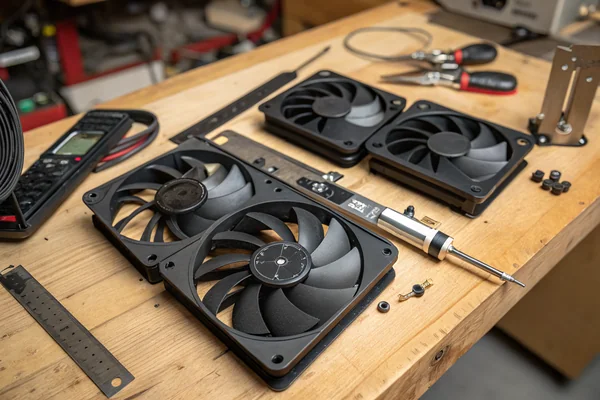
The practical sourcing checklist for case fans: confirm the mounting frame dimensions match the case cutout, confirm the CFM and static pressure specs are available as a P-Q curve (not just a single advertised figure), confirm the connector matches the motherboard header, and confirm the bearing type is appropriate for the mounting orientation.
Size, Airflow, and Static Pressure: Which Number Do You Actually Need?
The size question is simpler than the airflow question, but both need answering.
120 mm and 140 mm are the dominant case fan sizes; 140 mm fans can generally move more air at lower RPM (and lower noise) than 120 mm fans, but only in low-restriction applications — for high-restriction uses like dense radiators, a quality 120 mm with a strong static pressure rating frequently outperforms a budget 140 mm.
Why Bigger Isn't Always Quieter or Better
The physics behind larger fans are straightforward: a larger diameter fan can move the same airflow volume at a lower RPM, which generally produces less noise. This makes 140 mm fans a sensible default for open intake and exhaust positions where the primary job is moving volume. However, diameter doesn't help when the real bottleneck is back pressure. Radiator cooling, dense air filters, and tight chassis baffles are pressure-limited environments, not volume-limited ones — and that's where static pressure rating, not CFM, is the design spec that matters.
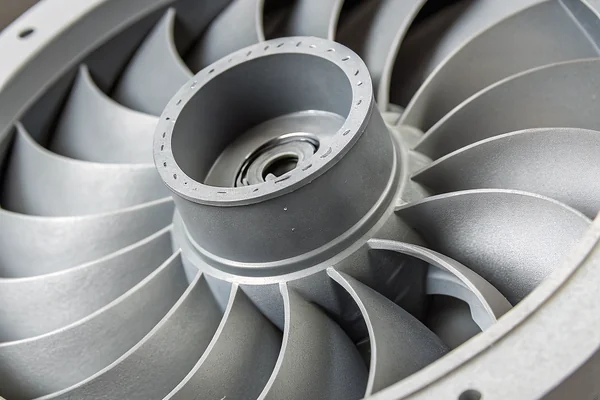
Static pressure is typically expressed in millimeters of water column (mm H₂O) or inches of water column (in H₂O). A fan with a higher static pressure rating can maintain airflow against more back pressure, which is why slim-bladed, high-RPM fans designed explicitly for radiator duty will outperform wide-blade high-CFM fans in those installations despite having lower advertised free-air CFM.
| Fan Application | Primary Spec | Secondary Spec |
|---|---|---|
| Open intake/exhaust | CFM (free-air) | Noise (dBA) |
| Radiator / AIO cooling | Static pressure (mm H₂O) | CFM at rated pressure |
| Filtered front panel | Static pressure | CFM |
| Rear exhaust (low restriction) | CFM | Noise |
Mismatching spec priority to application is the most common case fan buying mistake. Buying a high-CFM fan for radiator duty because the spec sheet number looks impressive is the cooling equivalent of buying a truck for fuel economy.
Bearing Type and Long-Term Reliability: Which Lasts and Which Doesn't?
Bearing type determines how long a fan stays within spec, not just how long it spins.
Fluid dynamic bearings (FDB) offer the best balance of longevity, low noise at low RPM, and orientation tolerance for most case fan applications; ball bearings remain viable for high-temperature or vertical-shaft environments; sleeve bearings are the budget option with meaningful lifespan penalties in non-horizontal mounting positions.
Why Mounting Orientation Changes the Equation Entirely
Sleeve bearings are oil-lubricated bushings — inexpensive to manufacture, quiet at moderate speeds, and perfectly adequate when mounted horizontally where gravity keeps oil distribution even. In vertical mounting positions (which describe the majority of case fan installation points — front panel, rear exhaust, side panel), oil migration in sleeve bearings accelerates, shortening effective lifespan and increasing noise as lubrication degrades. This is a failure mode that rarely appears in the fan's rated MTBF figure because that rating is typically measured in a horizontal test orientation.
Ball bearings use hardened steel races rather than oil film for load support, making them genuinely orientation-independent and better suited to high-temperature environments. The tradeoff is a characteristic mid-frequency mechanical noise at low RPM that fluid dynamic bearings don't produce. For builds prioritizing near-silent operation at 40-50% PWM, that difference is audible.
Fluid dynamic bearings thread the needle: an oil-film design with a shaft and bearing geometry that maintains consistent lubrication regardless of orientation, low noise across the RPM range, and rated lifespans that match or exceed ball bearings in most operating conditions. The independent data from GamersNexus's bearing longevity testing2 confirms FDB as the dominant choice for longevity-sensitive applications. The cost premium over sleeve bearings is real but modest.
PWM vs DC Case Fans: Which Speed Control Method Actually Matters?
Speed control method shapes how precisely a fan responds to thermal load, which determines whether a cooling solution is truly dynamic or just fast-or-slow.
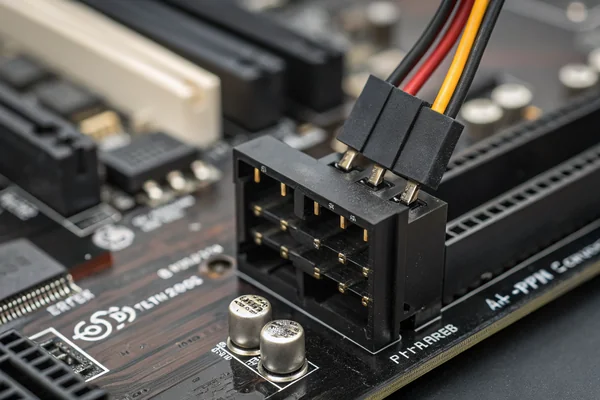
PWM3 (4-pin) case fans are the right default for modern builds: they respond to precise duty cycle signals from the motherboard, allow consistent low-speed operation without stall, and integrate cleanly with modern BIOS fan curve controls — DC (3-pin) voltage control is a workable alternative but with less precise low-RPM behavior.
Why PWM Handles Low Speed Better Than Voltage Control
The core distinction: DC speed control works by reducing the voltage supplied to the fan motor. Below a certain voltage threshold, the motor can no longer generate enough torque to keep spinning, which means DC fans have a practical minimum operating RPM well above their theoretical minimum. PWM control instead switches full voltage on and off rapidly, varying the ratio of on-time to off-time (the duty cycle) to control average speed. Because the motor always receives full voltage when energized, PWM fans can be driven much closer to stall speed reliably, enabling genuinely low-noise idle operation.
For a system running a temperature-based fan curve where fans are expected to idle quietly at 20-30% speed and ramp aggressively under load, PWM is the technically superior choice. DC fans on the same curve will behave acceptably but with a less controlled low-speed floor. Most current motherboards support PWM headers natively and can run 3-pin DC fans from a 4-pin header in DC mode — but the reverse (running a 4-pin PWM fan from a 3-pin header) limits speed control to voltage-only, losing the PWM precision advantage.
RGB, Connectors, and Ecosystem Lock-In: Is the Premium Worth It?
RGB fans cost more, and the ecosystem commitment often costs more than the fans themselves.
RGB case fans carry a meaningful price premium, but the larger hidden cost is ecosystem lock-in: addressable RGB (ARGB) requires a compatible controller or motherboard header, and cross-brand synchronization is unreliable enough that most serious builds standardize on one vendor's ecosystem entirely — a sourcing constraint worth factoring before the first purchase.
Why Ecosystem Compatibility Needs to Be Decided at the Start
Standard 3-pin ARGB headers (5V, 3-pin) have become the de facto standard for addressable lighting, and most current mid-range and above motherboards include at least one. The problem is that each major fan vendor — Noctua, be quiet!, Corsair, NZXT, Lian Li, and others — ships software and controller hardware that manages their own fans cleanly and manages competitor fans poorly or not at all. RGB synchronization across brands using universal software layers like OpenRGB exists but introduces its own compatibility complexity.
For professional or industrial-adjacent builds where RGB is genuinely irrelevant, skipping addressable lighting eliminates both the cost premium and the software dependency. For consumer builds where lighting coherence matters, the practical advice is to decide on the ecosystem before buying the first fan, not after. Mixing vendors mid-build to hit a price point often results in one brand's fans running in a fixed color because its lighting controller isn't visible to the other brand's software.
Connector standardization beyond RGB also matters. Daisy-chain hub systems from some vendors allow running many fans off a single motherboard header, which is useful in high-fan-count cases but adds another proprietary element to the build's maintenance story.
How Do You Match Fan Count and Placement to Actual Thermal Goals?
Fan count and position determine whether airflow is organized or chaotic.
Positive pressure configurations — more intake fans than exhaust — reduce dust accumulation by forcing air out through unfiltered gaps; negative pressure setups move more total air but pull dust in from every opening; balanced or slight-positive-pressure is the practical default for most builds prioritizing both cooling and long-term maintenance.
Why Airflow Path Matters More Than Total Fan Count
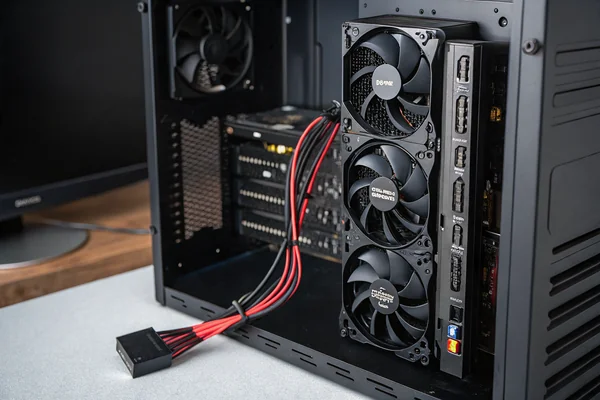
Adding fans without considering airflow direction adds noise and power draw without necessarily improving cooling. A case with two strong front intakes and a single weak rear exhaust will develop positive pressure, pushing slightly more air out through gaps than it draws in through unfiltered ones — reducing the rate at which dust finds its way onto fins and fan blades. A case with aggressive top and rear exhaust and a single filtered front intake creates negative pressure, pulling air in through every seam in the chassis.
Neither configuration is universally wrong, but understanding the pressure balance explains behavior that looks mysterious otherwise: why a case with six fans runs dustier than a build with three, or why adding a top exhaust fan made the GPU temperature worse by disrupting the organized front-to-back airflow path.
The placement principle: establish a clear front-to-back or bottom-to-top airflow path first, then add fans to reinforce that path rather than introduce cross-currents. CPU coolers and GPU coolers have their own local airflow direction — aligning, not fighting, those directions with the case's main airflow path is where most of the thermal gain comes from.
What Do Procurement Teams Get Wrong When Sourcing Case Fans at Volume?
Volume purchasing introduces failure modes that single-unit buying doesn't.
At volume, the sourcing risks are inconsistent batch quality, bearing type substitution between production runs, and spec drift on noise and airflow — risks that a single factory audit and a component-level quality spec in the purchase order substantially reduce, but that pure price-based vendor comparison reliably misses.
Why Lowest Unit Price Frequently Isn't Lowest Total Cost
Consumer-facing fan brands have established quality consistency as a reputational requirement. Generic or white-label fans sourced on price alone through distribution often show meaningful variance in noise output and bearing longevity between production batches — not because the nominal specifications changed, but because bearing supplier substitutions and blade geometry tolerances shift without formal change control when there's no quality management system requirement in the purchase order.
For professional builds, system integrators, or OEM applications where fan replacement cost and field reliability matter, the relevant questions at sourcing are: what certifications does the manufacturer hold (ISO 9001 is the baseline for consistent production quality), what testing is performed per production batch, and is the bearing type and supplier locked in the product specification or treated as a freely substitutable component? Those questions filter faster than asking for a lower per-unit price.
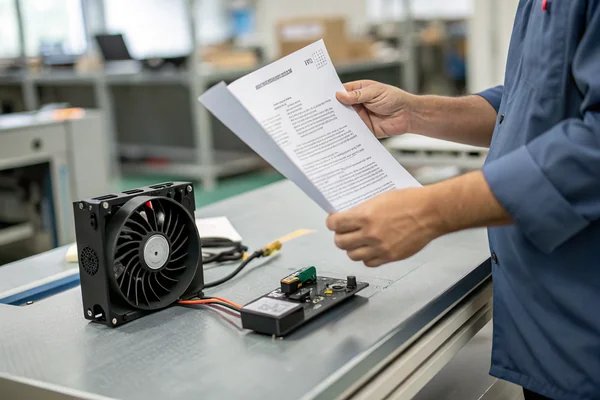
Our PC Case Cooling Fan line is validated through in-house CFM airflow testing and anechoic noise chamber measurement on every design, with production quality managed under ISO 9001 and IATF 16949 certification at our Dongguan facility. For OEM or volume sourcing customers evaluating bearing type options, noise targets at specific PWM duty cycles, or custom connector configurations, we're glad to discuss the specific design tradeoffs for your application.
FAQ
Are 140 mm case fans always quieter than 120 mm fans?
At the same airflow target, yes — larger diameter allows lower RPM for equivalent CFM in open-air positions. In restrictive applications like dense radiators, the static pressure rating matters more than diameter, and that's where 120 mm fans with optimized blade geometry often match or outperform 140 mm high-CFM designs.
Can a 3-pin DC fan be used on a 4-pin PWM header?
Yes — most motherboard headers are backward compatible and will drive a 3-pin fan in DC voltage-control mode. The fan will work but won't benefit from PWM precision at low speeds. A 4-pin PWM fan on a 3-pin header runs at full speed only, since the PWM signal pin has nowhere to connect.
How much does bearing type actually affect fan lifespan?
In horizontal mounting, the gap between sleeve and FDB bearing lifespan is modest. In vertical mounting — which covers most case fan positions — sleeve bearings degrade measurably faster due to oil migration, often showing increased noise within 2-3 years under continuous operation. FDB and ball bearings are meaningfully more durable in those orientations.
Is RGB airflow performance worse than non-RGB fans?
Not inherently — the blade geometry and motor are what determine airflow and static pressure. RGB LED components and controllers add a small amount of heat inside the motor hub, but this doesn't meaningfully affect performance in practice. The performance difference between an RGB fan and its non-RGB sibling, if any, is typically within measurement noise.
Do case fans need thermal paste or maintenance?
No thermal paste — that's for CPU/heatsink interfaces. Most case fans are sealed and maintenance-free for their rated lifespan. Dust cleaning (compressed air, every 3-6 months in typical environments) is the only routine maintenance that meaningfully extends operating life.
What's the correct way to read a fan's noise rating?
dBA figures are only comparable at the same RPM and in the same measurement setup. A fan rated at 25 dBA at 1200 RPM and another rated at 28 dBA at 1800 RPM are nearly impossible to compare without knowing operating RPM in your actual build. Look for noise ratings at multiple RPM points, or at the specific PWM duty cycle you expect the fan to run at.
Does fan color or finish affect thermal performance?
No — blade color is cosmetic. Surface finish has a negligible effect on the air column the blade is pushing. The blade geometry (pitch, count, shape) and motor efficiency are the performance-relevant parameters; color selection is entirely aesthetic.
How many case fans is too many?
More fans create more noise and consume more power without necessarily improving cooling if airflow direction conflicts arise. Once a clear pressure-balanced front-to-back or bottom-to-top path is established with appropriately sized fans, adding more fans rarely improves temperatures meaningfully. Diminishing returns set in quickly beyond the basic intake/exhaust configuration the case was designed for.
Buying a case fan that actually fits the application means reading past the CFM headline figure and matching the real specs — static pressure, bearing type, connector, and speed control method — to what the build actually demands. At Herays, our Dongguan facility has manufactured and validated PC case cooling fans for over 20 years under ISO 9001 and IATF 16949 certification. If your project has a specific thermal target, noise requirement, or volume sourcing need, we're glad to discuss the right fan design for it.
A P-Q curve (pressure-flow curve) plots a fan's static pressure output against its airflow volume across its operating range, revealing how performance changes under back pressure rather than just at the free-air maximum. It is the primary tool for matching a fan to a pressure-restricted application such as radiator cooling or filtered intake duty, and is the basis for standardized aerodynamic performance testing under ANSI/AMCA Standard 210. ↩
GamersNexus bearing longevity guide is an independent third-party test comparing sleeve, ball, and fluid dynamic bearing degradation under real operating conditions, providing lifespan and noise data not typically available in manufacturer specifications. ↩
PWM (Pulse-Width Modulation) is a speed control method that varies the ratio of on-time to off-time in a fixed-frequency electrical signal rather than varying voltage, allowing a fan motor to receive full voltage when energized for consistent low-speed torque without stalling near minimum RPM. ↩

Liang
I've been working with DC fans for 30 years — long enough to have seen the industry evolve from basic sleeve bearing designs to today's high-efficiency, IP68-rated systems built for the harshest environments imaginable. I founded Herays because I believed manufacturers and engineers deserved a supplier who could talk technical from day one. Not just hand over a datasheet, but actually help you select the right fan for your thermal load, your enclosure, your certification requirements. Most of what I write here comes directly from problems I've solved on the factory floor or in customer applications — medical devices, laser equipment, industrial automation, you name it. If it involves moving air efficiently and reliably, I've probably spent time thinking about it. When I'm not obsessing over airflow curves, I'm usually helping a customer figure out why their cooling system isn't performing the way their simulation said it would.
View all posts by Liang