Pick the wrong intake and exhaust positions and even premium fans will underperform. Most builders obsess over fan specs while ignoring the placement logic that determines whether those fans actually work together.
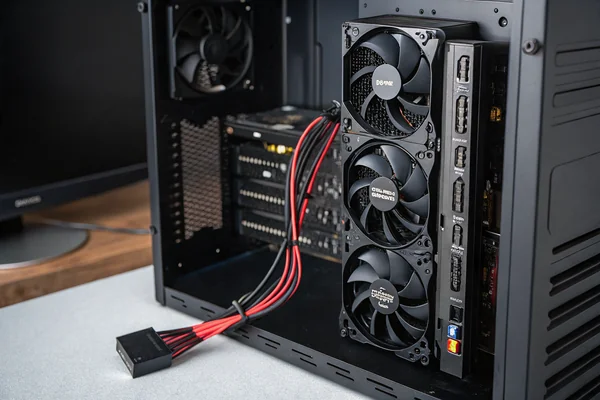
PC case fan placement determines whether your fans create a coherent airflow path or fight each other -- front and bottom panels draw in cool air while rear and top panels exhaust hot air, and getting that direction consistent across all mounts is what separates a thermally efficient build from one that just has a lot of fans.
- Fan placement determines airflow direction and path through the case, which matters as much as fan specs for actual cooling performance -- a well-placed budget fan often outperforms a premium fan installed backwards.
- Front and bottom mounts are almost always intakes, positioned to pull cool air in at the lowest, coolest points in the case before it reaches heat-generating components.
- Rear and top mounts are almost always exhausts, placed where hot air naturally rises and where spent air can exit closest to the CPU and GPU heat output.
- Positive pressure (more intake than exhaust CFM) reduces dust accumulation; negative pressure (more exhaust than intake CFM) can pull dusty air through unfiltered gaps -- understanding this tradeoff matters for long-term maintenance.
- The most common placement mistakes -- opposing fans, skipping filters on intake mounts, and ignoring GPU airflow direction -- are preventable with a basic understanding of how case airflow is supposed to move.
Getting placement right requires understanding not just where fans go, but why each position exists and what job it's meant to do.
Table of Contents
Why Does Fan Placement Affect Cooling More Than Fan Specs Alone?
Buying better fans without fixing a bad placement strategy is one of the most common upgrade mistakes in PC building.
Fan placement determines the direction and coherence of the airflow path through the case -- even high-performance fans will deliver poor results if positioned to fight each other or push air away from heat sources, because cooling efficiency depends on moving air through components in a logical sequence, not just moving air.
Why an Airflow Path Matters More Than Raw CFM
A case with no deliberate airflow strategy is essentially a box where fans spin independently, each creating small local circulation loops that don't collectively carry heat out. A case with a coherent intake-to-exhaust path moves air in one direction -- in through the front or bottom, across heat-producing components, and out through the rear or top -- so that every fan contributes to the same thermal objective. The cumulative effect of that coordination dramatically outperforms the same fans working at cross purposes.
Rotational speed and blade geometry set a fan's maximum potential, but placement determines how much of that potential gets used. A mid-range fan correctly positioned at a front intake, aligned with GPU and CPU airflow direction, will consistently outperform a higher-spec fan mounted as a redundant exhaust that the system didn't need.
| Placement Priority | Impact Level | Notes |
|---|---|---|
| Direction (intake vs exhaust) | Critical | Reversing one fan can disrupt the entire path |
| Position in case | High | Front/bottom intake is thermally cooler air |
| Fan count balance | Medium | Positive vs negative pressure tradeoff |
| Fan spec (CFM, static pressure) | Medium | Only useful after placement is correct |
Why Do Front and Bottom Positions Almost Always Belong to Intakes?
Position in the case isn't arbitrary -- it reflects where the coolest, densest air sits and where it enters most efficiently.
Front and bottom intake positions work because they pull air in at the coolest points in the case -- near the floor and front panel where air hasn't been warmed by components yet -- and deliver it directly to GPU and CPU radiators before it picks up heat, giving those components the coldest possible incoming air.
The Physics Behind Low, Front-Entry Intake Logic
Hot air is less dense than cool air and rises naturally, which means the coolest air in any enclosure sits toward the bottom and the front (away from the heat-generating center of the case). Intakes placed at the front draw this cool, dense air directly into the GPU's path first -- the highest heat-generating component in most modern builds -- then continue the flow rearward and upward toward the CPU. This sequence keeps the incoming air temperature as low as possible at each handoff point.
Bottom intake mounts serve a similar function and become particularly valuable in cases with high-wattage GPUs that exhaust heat downward into the case. Pulling fresh air through a bottom-mounted fan and filter, directly into the GPU's intake side, keeps GPU-inlet air temperatures significantly lower than relying on recirculated case air.
One critical practical note: front and bottom intakes need dust filters. Because these positions draw in air continuously and often face carpet level in a floor-mounted build, they collect particulate faster than any other position. Running an unfiltered front intake is a long-term reliability problem, not just a maintenance inconvenience.
Why Do Rear and Top Positions Almost Always Belong to Exhausts?
The rear and top of a case are where heat naturally collects -- placing exhausts there isn't convention, it's using physics.
Rear and top exhaust mounts remove hot air at the highest, warmest points in the case -- where heat from the CPU and GPU naturally rises and accumulates -- making them the most efficient exit positions for spent air, and the reason virtually every mid-tower case uses this layout as its default.
Why Exhausting at the Top and Rear Works So Well
Hot air rises. The CPU cooler and GPU both dump heat upward and rearward into the case interior, and that hot air migrates toward the top of the case where it has nowhere to go unless an exhaust is pulling it out. A single rear 120mm exhaust fan, positioned directly above and behind the CPU cooler, removes the bulk of processor heat before it can re-circulate. Top exhaust fans accelerate this process by creating a low-pressure zone that draws warm air upward through the case more aggressively.
The rear mount also happens to be co-located with the I/O shield and the CPU cooler's rear-facing airflow, which is why a rear exhaust is effectively mandatory in any rational build -- it's the natural exit for the CPU's primary heat path. Top exhausts become more valuable as CPU TDP increases or when a top-mounted radiator is used for liquid cooling, where the radiator's fan direction should push hot air out rather than pulling potentially warm case air through the radiator.
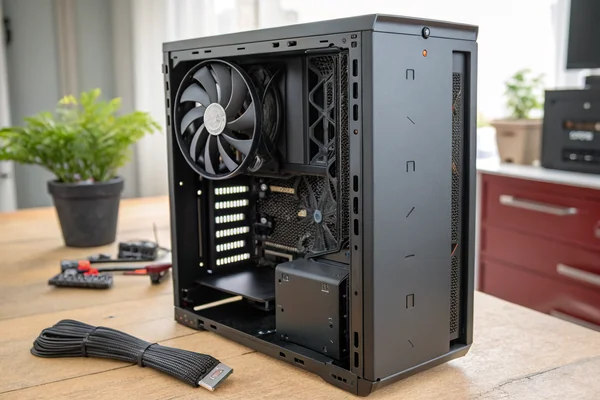
Positive vs. Negative Pressure: Which Airflow Balance Actually Works Better?
This is one of the most misunderstood questions in case airflow, and the answer depends on how much you want to clean your filters.
Positive pressure (total intake CFM exceeding total exhaust CFM) reduces dust infiltration by pressurizing the case interior so air exits through gaps rather than entering through them -- negative pressure does the opposite, pulling dusty air in through every unsealed gap in the chassis, making filtration harder and maintenance more frequent.
Why Positive Pressure Has a Long-Term Maintenance Advantage
When intake airflow exceeds exhaust airflow, the case interior sits at slightly above ambient pressure. This means any gap in the case -- unsealed cable cutouts, side panel edges, drive bays -- has air pushing outward through it rather than inward. Dust particles can only enter where intake filters are installed, which are the positions you can actually clean and maintain. The result is that a positive-pressure build with well-maintained filters accumulates far less dust inside the case over time.
Negative pressure builds pull air inward through every imperfection in the chassis seal. Even with front-panel filters in place, the case draws dusty air through gaps that have no filter at all, depositing particulate directly onto motherboard surfaces, GPU heatsinks, and RAM slots. Benchmarks consistently show that negative-pressure cases require more frequent internal cleaning.
The practical tradeoff is that positive pressure sometimes means slightly higher intake restriction (because intake airflow is doing more work than exhaust), which can modestly reduce net airflow through the most restrictive part of the path. For most builds, the dust management advantage of mild positive pressure outweighs this minor efficiency penalty -- the goal isn't extreme imbalance in either direction, but a deliberate slight positive lean.
What Placement Mistakes Consistently Hurt Cooling Performance?
The same errors appear in builds across all price ranges -- most of them are easy to avoid once you know what to look for.
The most damaging placement mistakes are installing intake and exhaust fans in opposing positions that cancel each other's flow, skipping dust filters on intake mounts, and misreading GPU cooler airflow direction, all of which reduce effective cooling significantly without changing the hardware spec at all.
Why Opposing Fan Positions Are More Common Than They Should Be
One of the most frequent errors in DIY builds is mounting a fan on the side panel blowing inward while a front-panel fan is already covering intake duty on the same airflow path. Side-panel fans aimed directly at a GPU can actually disrupt the GPU cooler's designed intake pattern, introducing turbulence rather than assisting cooling. Side-panel intake makes sense in specific configurations (high-wattage GPUs that need supplementary fresh air from the side) but needs to be treated as a deliberate design decision, not a default "more fans = better" addition.
Skipping filters on front or bottom intakes is equally consequential over a 12-18 month period. The internal cleaning required on a filter-free intake build is substantial, and dust-clogged GPU and CPU heatsinks are a common cause of thermal throttling that gets misdiagnosed as a hardware problem.
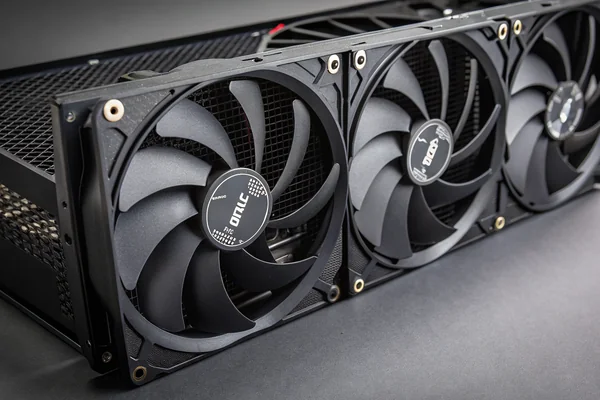
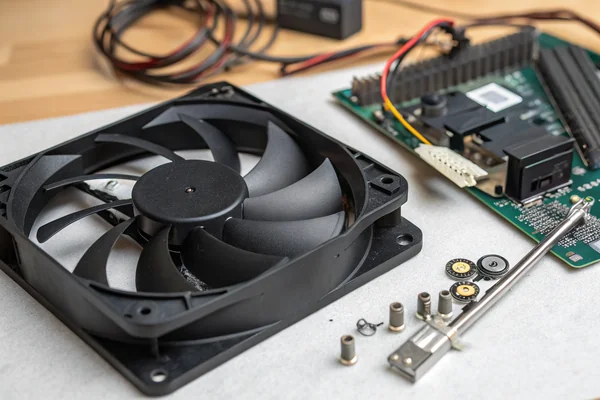
Misreading fan direction is also worth flagging explicitly. Axial fans have a defined intake side (hub side) and exhaust side (label side on most standard designs), and installing a fan without checking the actual airflow arrow on the frame creates an exhaust where an intake was planned, or vice versa. This happens more often than it should, particularly when replacing fans in existing builds.
Does Fan Count in Each Position Change the Math, or Just Scale the Same Logic?
Adding fans to a position amplifies its effect -- it doesn't change the underlying intake/exhaust logic, but it does change the pressure balance calculation.
Adding more fans to intake positions increases total intake CFM and strengthens positive pressure; adding them to exhaust positions increases exhaust pull and pushes the system toward negative pressure -- the direction and position logic stays the same, but each fan added shifts the intake-to-exhaust CFM ratio that determines the case's pressure balance.
Why Balance Changes With Fan Count and RPM, Not Just Position
A single 120mm intake fan running at 1000 RPM may produce roughly the same CFM as a 120mm exhaust fan at the same speed, resulting in near-neutral pressure. Add a second intake fan without adding a matching exhaust, and the case shifts toward positive pressure. The math is straightforward, but it's easy to lose track of when upgrading fans piecemeal -- replacing a standard 120mm intake with a high-CFM 140mm fan without adjusting exhaust capacity can push the balance further positive than expected, sometimes exceeding the case's filter capacity to handle the increased intake volume without excessive restriction.
For radiator-in-case configurations, this balance gets more complex because radiator fans count toward whichever direction they're oriented -- a top-mounted 240mm radiator with fans set to exhaust adds significant exhaust CFM that needs to be matched with additional intake to maintain positive pressure. Understanding total intake versus total exhaust CFM across all mounts, rather than counting fan positions, is the right way to think about pressure balance in a fully loaded case.
We manufacture PC case cooling fans as a dedicated product line from our Dongguan facility, and every fan we produce for case cooling applications is validated on our in-house CFM airflow test system and anechoic noise test chamber before leaving the line. If your design requires a specific CFM-to-noise tradeoff for a particular intake or exhaust position -- or if you're specifying fans for a custom enclosure rather than a standard ATX case -- we're glad to work through the placement requirements and match fan geometry accordingly.
How Does GPU Cooler Design Change the Optimal Fan Placement Strategy?
GPU cooler type -- open-air versus blower -- fundamentally changes how case airflow should be organized around it.
Open-air GPU coolers pull air from inside the case and exhaust most of it back into the case interior, meaning they depend on case fans to supply them with cool air and to remove their exhaust; blower-style coolers exhaust almost entirely out the rear I/O bracket and are largely self-contained, which changes how aggressively front intakes need to supplement GPU cooling.
Why Open-Air Cards Raise the Stakes on Front Intake Quality
Most consumer GPUs use open-air cooler designs with two or three fans that draw air in from below and above the card and exhaust it across the heatsink into the case interior. This means the GPU is essentially a large internal heat source that releases its exhaust air into the same space other components draw from. The front intake fans' job is to continuously supply the GPU with fresh, cool air -- if the front intake is restricted, undersized, or blocked, GPU inlet temperatures rise even before the card's own fans ramp up.
Blower cards change this calculus significantly. Because a blower cooler's fans push nearly all hot air out through the rear I/O bracket directly, the GPU contributes far less heat to the case interior. This makes blower designs more tolerant of restricted case airflow and historically popular in multi-GPU and small-form-factor builds where case airflow is constrained. For standard ATX builds with open-air GPUs -- the large majority of builds today -- optimizing front intake CFM and ensuring a clear airflow path from front intake to GPU underside remains the highest-leverage placement decision in the entire system.
FAQ
Does fan direction matter if I'm replacing an existing fan with the same model?
Yes -- always check the airflow arrow on the new fan's frame before installing. Even within the same model line, confirming direction prevents the common error of reversing intake and exhaust by accident.
Should intake or exhaust fans run at higher RPM?
For positive pressure, intake fans should collectively move slightly more air than exhaust fans. Running intakes a modest step faster than exhausts (not dramatically so) is a practical way to achieve mild positive pressure without a major noise penalty.
Is a side-panel intake fan ever a good idea?
It can be, specifically for high-wattage open-air GPUs that need supplementary cool air delivered directly to their intake side. It requires careful positioning and is worth only considering if the GPU is thermal-limited, not as a default addition.
Do dust filters significantly reduce intake CFM?
A clean filter adds minimal restriction. A clogged filter can reduce CFM substantially, which is why filter maintenance interval matters more than filter presence -- a filter that's never cleaned does more harm than good.
How many fans does a mid-tower case actually need for adequate cooling?
Two to three fans (two front intakes plus one rear exhaust, or one front intake plus one rear and one top exhaust) is sufficient for the majority of builds below 250W total system power. High-TDP systems benefit from additional intake capacity.
Can I use the same fan model for both intake and exhaust positions?
Yes, and it's often simpler to spec the same model throughout -- intake and exhaust fans can be identical hardware, just installed in opposite orientations. The only time different models make sense is when intake and exhaust positions have genuinely different static pressure requirements.
What happens if I accidentally install a fan sideways relative to its intended airflow path?
If the fan's blade axis is oriented correctly (perpendicular to the panel opening), it will still function -- but a fan mounted at an angle to the opening introduces turbulence and reduces effective airflow compared to a properly aligned installation.
Fan placement is the highest-leverage decision in case cooling, and it costs nothing to get right. At Herays, our Dongguan facility has manufactured PC case cooling fans for over 20 years under ISO 9001 and IATF 16949 certification. If you're specifying fans for a custom enclosure or need help matching airflow and noise requirements to a specific placement strategy, we're glad to discuss it.

Liang
I've been working with DC fans for 30 years — long enough to have seen the industry evolve from basic sleeve bearing designs to today's high-efficiency, IP68-rated systems built for the harshest environments imaginable. I founded Herays because I believed manufacturers and engineers deserved a supplier who could talk technical from day one. Not just hand over a datasheet, but actually help you select the right fan for your thermal load, your enclosure, your certification requirements. Most of what I write here comes directly from problems I've solved on the factory floor or in customer applications — medical devices, laser equipment, industrial automation, you name it. If it involves moving air efficiently and reliably, I've probably spent time thinking about it. When I'm not obsessing over airflow curves, I'm usually helping a customer figure out why their cooling system isn't performing the way their simulation said it would.
View all posts by Liang