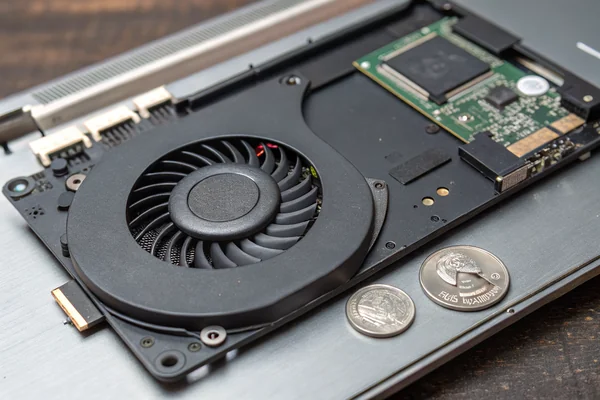
Cracking open a laptop reveals a cooling component that looks nothing like a desktop case fan -- and that difference isn't cosmetic, it's a direct response to the millimeters of clearance laptop designers actually have to work with.
Laptops use thin centrifugal blowers rather than axial fans because a blower's radial airflow path fits within a slim chassis far better than an axial fan's need for depth, and a blower's higher static pressure lets it push air effectively through the narrow heat pipe and fin-stack assemblies typical of laptop thermal design.
- Laptop chassis thickness constraints make axial fans impractical -- their airflow path requires depth a blower's radial design doesn't need.
- Blowers generate the static pressure needed to push air through dense, narrow fin stacks that laptop heat sinks commonly use, which axial fans handle less effectively.
- Slim blower designs in ultra-thin laptops push manufacturing and engineering tolerances further than blowers in thicker devices, often at some acoustic or airflow cost.
- High-performance laptops increasingly use dual-blower configurations to split cooling duty between CPU and GPU, or to add redundant airflow capacity.
- Common laptop blower failure points include dust accumulation in the fin stack, bearing wear, and cable/connector fatigue from repeated laptop opening and closing.
Understanding why laptop cooling architecture centers on the blower's specific characteristics -- not just miniaturization of desktop parts -- clarifies both how laptop cooling works and what tends to go wrong with it over time.
Table of Contents
Why Do Laptops Use Blowers Instead of the Axial Fans Common in Desktops?
The chassis geometry constraint that shapes every other laptop cooling decision starts here.
Laptops use centrifugal blowers because their radial airflow path -- pulling air in from the top or side and expelling it out an edge -- fits within a slim chassis far better than an axial fan's straight-through airflow path, which requires enough depth for air to pass all the way through the fan, something laptop chassis thickness generally doesn't allow.
Why Axial Fans Simply Don't Fit the Geometry
An axial fan needs clearance on both sides for air to enter and exit along the same axis, which demands a chassis depth most laptops don't have room for once the keyboard, battery, motherboard, and display hinge are accounted for. A blower's design pulls air in from one direction (typically the top, through vents) and redirects it out the side, which fits naturally into a thin horizontal chassis layout where depth is the most constrained dimension. This geometric fit, more than any performance consideration, is the primary reason laptop cooling architecture centers on blowers.
How Do Slim Blower Designs Work in Ultra-Thin Laptop Chassis?
Ultra-thin laptops push blower engineering to genuine extremes, often trading some performance for the thinness the device is designed around.
Ultra-thin laptop blowers use extremely low-profile centrifugal designs, sometimes only a few millimeters thick, achieved through careful impeller and housing engineering that maximizes airflow within severe height constraints -- this generally comes with real acoustic and airflow tradeoffs compared to thicker blowers with more room for efficient blade design.
Why Thinness and Cooling Performance Pull in Opposite Directions
A thinner blower has less blade surface area to work with at a given diameter, generally requiring higher rotational speed to achieve equivalent airflow to a thicker blower -- and higher speed means more noise for the same cooling output. This is a large part of why the thinnest laptops on the market often run warmer or noisier under sustained load than thicker laptops with more thermal design headroom, a tradeoff device manufacturers make deliberately in pursuit of chassis thinness as a product priority.
Why Do High-Performance Laptops Increasingly Use Dual-Blower Configurations?
Multiple blowers address a specific problem that a single unit struggles to solve as component power draw increases.
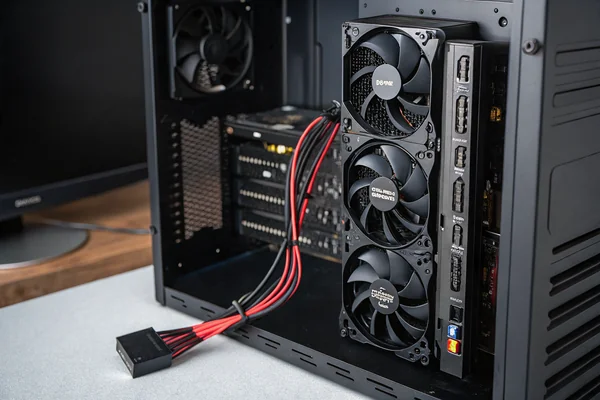
High-performance laptops -- particularly gaming and workstation models -- increasingly use dual-blower configurations to divide cooling duty between the CPU and GPU independently, or to add total airflow capacity beyond what a single blower in the available space can deliver, since high-wattage components in a thin chassis generate more heat than one small blower can efficiently manage alone.
Why Splitting Cooling Duty Improves Overall Thermal Management
Dedicating a separate blower to each major heat source (CPU and GPU) allows independent speed control tuned to each component's actual thermal state, rather than a single shared airflow path trying to serve both simultaneously with compromise performance for each. This independent control also allows quieter operation during workloads that only stress one component heavily, since the blower serving the idle component can run at a lower speed rather than both units running at a shared, compromise speed.
What Are the Most Common Failure Points in Laptop Blowers?
Recognizing typical failure modes helps diagnose laptop thermal problems and decide when replacement is warranted.
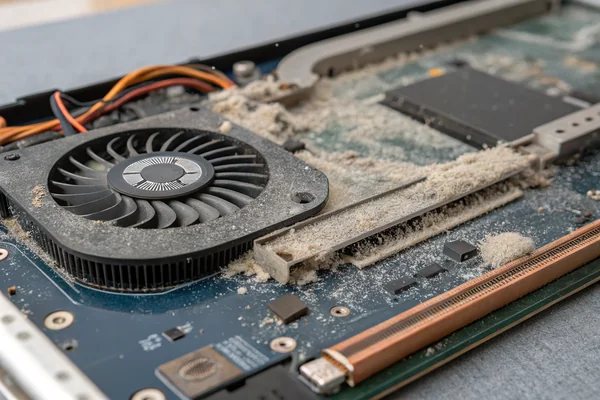
Common laptop blower failure points include dust and lint accumulation clogging the narrow fin stack the blower pushes air through, bearing wear producing increased noise or reduced RPM over time, and cable or connector fatigue from the repeated flexing that comes with normal laptop opening and closing over years of use.
Why Fin Stack Clogging Is Often the First and Most Overlooked Issue
Because laptop heat sinks use narrow, densely packed fin stacks to maximize surface area in minimal space, they're also more prone to dust and lint accumulation restricting airflow than the more open designs common in desktop cooling -- and this restriction can cause overheating symptoms that look like a failing blower even when the blower itself is mechanically fine. Checking and cleaning the fin stack, not just assuming the blower needs replacement, is often the first and most cost-effective troubleshooting step when a laptop starts running hot or loud.
Are Aftermarket Blower Replacement Options Actually Viable?
Replacing a failed laptop blower is more involved than a desktop fan swap, but it's a real option worth understanding.
Aftermarket laptop blower replacements are available for many popular laptop models, typically requiring more disassembly than a desktop case fan swap since the blower is usually mounted deep within the chassis near the motherboard -- sourcing a replacement matched to your exact laptop model and generation is important, since laptop blowers are rarely interchangeable across different models even from the same manufacturer.
Why Model-Specific Matching Matters More Than in Desktop Fan Replacement
Unlike desktop case fans, which follow largely standardized mounting and connector conventions across brands, laptop blowers are custom-designed for each specific laptop model's internal layout, meaning a replacement generally needs to match your exact model and sometimes even specific generation or revision. Sourcing from a supplier who can confirm exact model compatibility, rather than assuming general size similarity is sufficient, avoids purchasing a blower that doesn't physically or electrically fit your specific laptop.
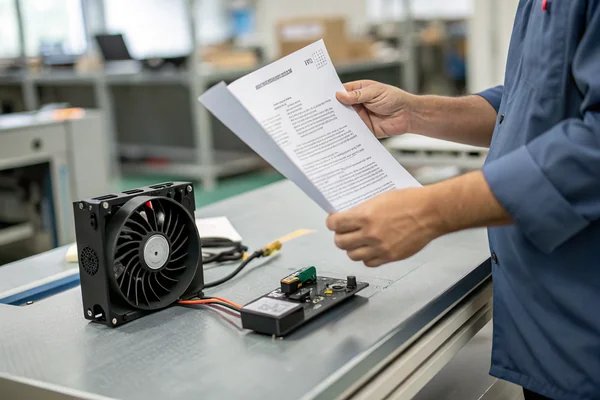
We manufacture compact DC brushless blower fans engineered for space-constrained applications, validated on our in-house CFM airflow and dynamic balance testing equipment at our Dongguan facility. With over 20 years of production experience under ISO 9001 certification, we support OEM laptop and portable device manufacturers with custom low-profile blower specifications matched to specific chassis constraints.
How Should OEM Laptop Manufacturers Approach Blower Sourcing?
For manufacturers designing a new laptop chassis, blower selection is a tightly coupled engineering decision, not a late-stage component swap.
OEM laptop manufacturers should engage a blower supplier early in chassis design with exact height, width, and mounting constraints, along with the CPU/GPU thermal design power the blower needs to support -- since laptop blowers are inherently custom-engineered to each chassis, treating blower selection as an afterthought after the chassis geometry is finalized often forces compromises that a coordinated design process would avoid.
Why Chassis Thickness and Blower Capability Need to Be Co-Designed
Because laptop blower performance is so directly constrained by available height and width, the chassis thinness target and the blower's achievable cooling capacity are fundamentally linked design decisions -- finalizing chassis thickness without early blower supplier input risks discovering late in development that the resulting cooling capacity can't support the intended component thermal design power. Engaging a blower supplier during early chassis design, rather than after key dimensions are locked, allows this tradeoff to be resolved deliberately rather than discovered as a problem.

FAQ
Can I clean my laptop's blower and fin stack myself, or does it require professional service?
Basic external cleaning with compressed air through vents is generally safe for most users, but deep cleaning requiring disassembly varies significantly by laptop model in difficulty and may void warranty -- check your specific model's service documentation before attempting internal cleaning.
Does laptop blower noise increase permanently over the device's lifespan?
Gradual noise increase often indicates developing bearing wear or dust accumulation, both of which tend to worsen over time without intervention -- cleaning can address dust-related noise, while bearing wear typically requires replacement to fully resolve.
Why do some thin laptops throttle performance under sustained load?
This is often a direct consequence of the blower and heat sink's limited thermal capacity in a thin chassis -- when heat generation exceeds what the cooling system can dissipate fast enough, the system reduces component performance to prevent overheating, a deliberate thermal management response rather than a malfunction.
Are laptop blowers generally less reliable than desktop case fans?
Not inherently less reliable in design, but they operate in a more space-constrained, higher-dust-exposure environment (due to narrow fin stacks) and experience more physical stress from portable use, which can affect real-world longevity differently than a stationary desktop fan.
Can upgrading laptop thermal paste improve cooling without touching the blower?
Yes, this is a common and often effective maintenance step separate from blower replacement, since degraded thermal paste between the CPU/GPU and heat sink can significantly reduce heat transfer efficiency independent of blower performance.
Do gaming laptops need blower maintenance more frequently than general-use laptops?
Generally yes, given their higher sustained thermal load and correspondingly higher blower speeds and runtime, which can accelerate both dust accumulation and bearing wear compared to lighter general-use laptops.
Laptop cooling architecture is built around the blower's specific ability to fit thin chassis geometry while still generating adequate static pressure for dense fin-stack heat sinks. At Herays, our Dongguan facility manufactures compact DC brushless blowers for space-constrained portable device applications, backed by over 20 years of experience under ISO 9001 certification. If you're sourcing blowers for a laptop or portable device product line, we're glad to discuss chassis-specific specifications.

Liang
I've been working with DC fans for 30 years — long enough to have seen the industry evolve from basic sleeve bearing designs to today's high-efficiency, IP68-rated systems built for the harshest environments imaginable. I founded Herays because I believed manufacturers and engineers deserved a supplier who could talk technical from day one. Not just hand over a datasheet, but actually help you select the right fan for your thermal load, your enclosure, your certification requirements. Most of what I write here comes directly from problems I've solved on the factory floor or in customer applications — medical devices, laser equipment, industrial automation, you name it. If it involves moving air efficiently and reliably, I've probably spent time thinking about it. When I'm not obsessing over airflow curves, I'm usually helping a customer figure out why their cooling system isn't performing the way their simulation said it would.
View all posts by Liang