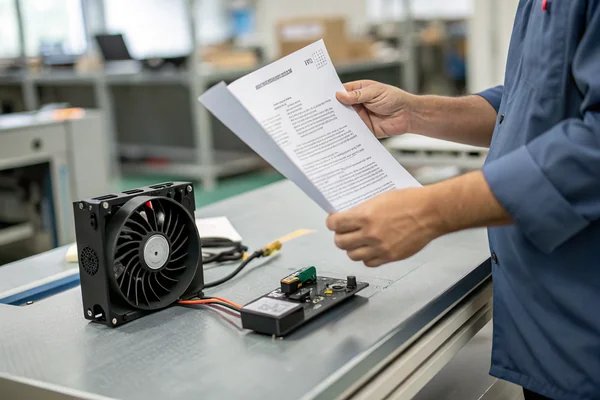
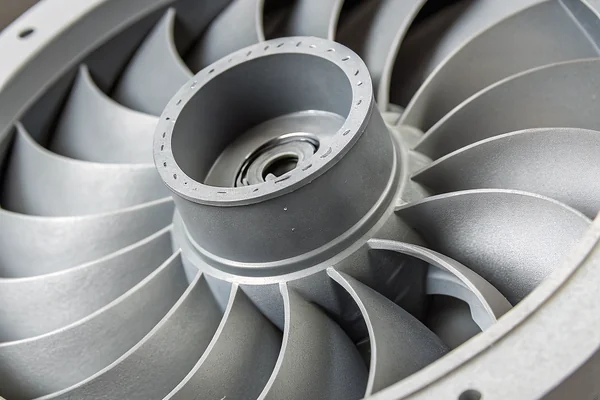
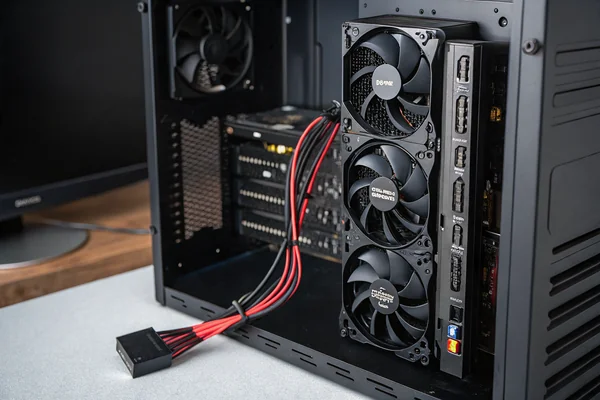
Picking the wrong fan size is a surprisingly easy mistake to make -- and once the case or radiator is mounted, you're stuck with the consequences. The size difference looks minor at a glance, but it affects airflow, noise floor, and whether the fan even fits your hardware.
120mm fans and 140mm fans are not interchangeable upgrades -- 140mm fans move more air at lower RPM, giving them a noise advantage at equivalent airflow, while 120mm fans offer broader compatibility and lower cost. The right choice depends on your case's mounting positions, radiator specifications, and how much you value noise reduction versus flexibility.
- 140mm fans move more air volume per rotation than 120mm fans due to greater swept area, which lets them hit the same airflow target at lower RPM and generally quieter operation.
- 120mm fans offer wider hardware compatibility -- more cases, radiators, and mounting brackets are built around 120mm -- making them the lower-friction choice for most standard builds.
- The noise advantage of 140mm fans is real but conditional: it only materializes at equivalent airflow targets, not when comparing both fans running at the same RPM.
- Cost, motherboard fan header availability, and replacement sourcing are practical procurement factors that often tip the decision even when performance differences favor 140mm.
- Mixing sizes across intake and exhaust positions in the same build introduces airflow imbalance risks worth understanding before specifying.
Understanding where the real performance differences actually come from -- and where they don't -- makes this a much cleaner decision than spec sheets alone suggest.
Table of Contents
What Is the Core Tradeoff Between 120mm and 140mm Fans?
Two measurements, one clear tradeoff: swept area scales faster than fan diameter.
The fundamental difference between 120mm and 140mm fans is swept area -- a 140mm fan covers roughly 36% more blade area than a 120mm fan, which means it displaces more air per rotation at the same RPM, giving it a structural airflow and noise efficiency advantage that no amount of blade design optimization in a 120mm fan can fully close.
Why Swept Area Is the Variable That Matters Most
The swept area1 of a fan blade scales with the square of the radius, not linearly with diameter. A 140mm fan's blade circle covers approximately 154 cm², while a 120mm fan covers roughly 113 cm² -- that 36% difference in swept area is permanent geometry, baked into every rotation. This is why 140mm fans can deliver the same CFM target at noticeably lower RPM rather than the same RPM, and lower RPM is the most direct path to quieter operation.
The tradeoff cuts the other way on compatibility. Most PC cases, AIO radiators, and CPU coolers were designed around 120mm mounting geometry first, and many never added 140mm support at all. A 140mm fan that doesn't fit its mounting position delivers exactly zero CFM.
| 120mm | 140mm | |
|---|---|---|
| Swept area | ~113 cm² | ~154 cm² |
| Typical RPM range | 800 – 2000 RPM | 600 – 1600 RPM |
| Case/radiator compatibility | Very broad | More limited |
| Typical price range | Lower | Slightly higher |
Do 140mm Fans Actually Move More Air and Handle More Pressure?
The airflow advantage is real. The pressure advantage is less clear-cut.
A 140mm fan running at the same RPM as a 120mm fan will move significantly more air, because more blade area sweeps more volume per rotation -- but static pressure capability depends on blade pitch and design choices as much as size, so a 140mm fan is not automatically better at pushing through restrictive paths like dense radiators.
Airflow vs. Static Pressure: Two Different Problems
Static pressure2 and airflow volume (CFM) measure different things, and a fan optimized for high free-air CFM is not automatically a good radiator fan. This is worth unpacking carefully because the 140mm-is-always-better narrative falls apart on this point.
For free-air applications -- case intake and exhaust in an open layout -- 140mm wins on CFM at equivalent noise levels, fairly consistently. The larger swept area simply moves more air per rotation.
For restrictive applications -- pushing air through a thick radiator, a dust filter, a heatsink fin stack -- the relevant metric shifts to static pressure, and static pressure is more a function of blade pitch angle, blade count, and rotational speed than raw diameter. A well-designed 120mm radiator fan at high RPM can match or exceed a 140mm fan optimized for open-air operation. This is why AIO coolers often ship with 120mm fans even in cases that could physically accept 140mm: the radiator fan is chosen for pressure-optimized blade geometry, not maximum diameter.
The practical conclusion: for case ventilation, 140mm's swept-area advantage translates directly into usable CFM gains. For radiators, compare P-Q curves against your radiator's actual resistance -- size alone doesn't determine the right answer.
Does a 140mm Fan Actually Run Quieter Than a 120mm Fan?
The noise advantage is real -- but only under a specific condition most comparisons get wrong.
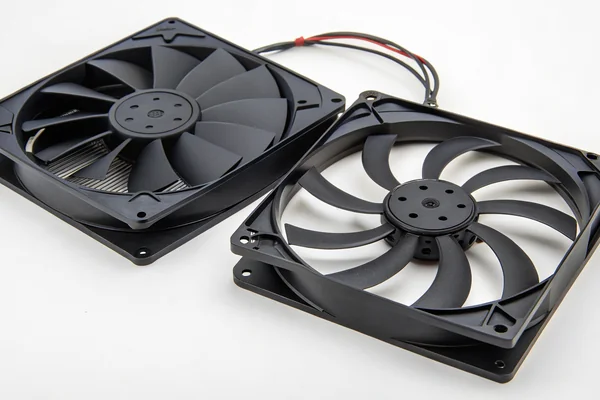
A 140mm fan is quieter than a 120mm fan at the same airflow target, not at the same RPM. Running both fans at 1200 RPM and comparing dBA is not a meaningful test -- the meaningful test is running each fan at whatever RPM it takes to hit the same CFM target, where the 140mm fan wins clearly because its lower RPM requirement cuts turbulence noise and mechanical noise together.
Why the Comparison Has to Be Made at Equal CFM, Not Equal RPM
Fan noise scales steeply with RPM -- generally modeled as increasing with roughly the fifth power of rotational speed, which means modest RPM reductions produce large noise improvements. If a 140mm fan needs to spin at 900 RPM to deliver the same CFM a 120mm fan requires 1200 RPM to match, that 300 RPM difference is acoustically significant. At 1200 RPM, both fans will produce different SPL readings for a different reason: the 140mm fan is simply moving substantially more air than needed, and comparing them at that RPM answers a question nobody asked.
The practical implication is that 140mm's noise advantage materializes when your goal is a specific thermal target rather than a specific RPM. If the build only needs modest airflow -- common in mid-range systems with efficient modern CPUs -- a 140mm fan can hit that target at low enough RPM to become nearly inaudible, where a 120mm fan at the equivalent setting is slightly louder.
Will a 140mm Fan Actually Fit Your Case and Radiator?
Compatibility is the constraint that makes theoretical performance advantages irrelevant.
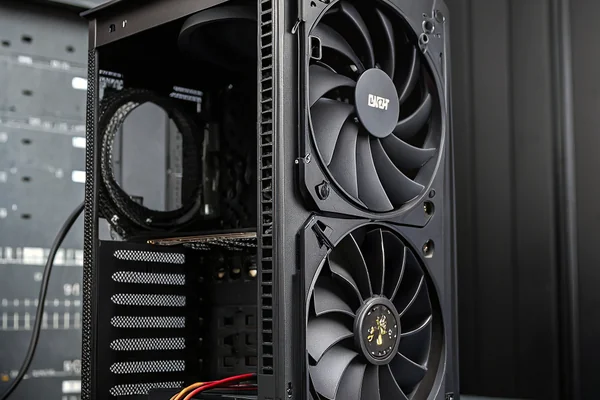
140mm fan compatibility is genuinely limited compared to 120mm -- many mid-tower cases support only 120mm positions, and most AIO radiators and CPU tower coolers are designed around 120mm or multiples of it, so confirming mounting positions against your specific hardware is a required step before specifying 140mm fans, not an afterthought.
Reading Compatibility More Carefully Than Most Builders Do
The most common compatibility mistake is reading "supports 140mm" in a case specification without checking which specific positions accept 140mm. Many cases support 140mm on the front intake but ship with and only support 120mm on the top and rear exhaust, meaning a full-140mm build isn't actually possible without a case change.
AIO radiator compatibility is even more specific. Radiators are sized in multiples of fan diameter -- 240mm and 360mm are 120mm-based, 280mm is 140mm-based. Mounting a 120mm fan on a 140mm-based 280mm radiator leaves coverage gaps; mounting a 140mm fan on a 240mm radiator simply doesn't work. This means your AIO choice and your fan size choice are linked decisions, not independent ones.
CPU tower coolers designed for dual-fan configurations are often tighter -- many 120mm tower coolers accept a 140mm fan on the front face but not between the towers, where clearance to the second heatsink stack is tight. Checking the specific cooler's documentation against both fan sizes before purchasing avoids a common fitment headache.
Which Build Type Belongs With Which Fan Size?
There's no universal answer -- but the decision tree is fairly short once the constraints are clear.
120mm is the default choice for builds prioritizing compatibility and simplicity, while 140mm makes sense when noise reduction at a given thermal target is a genuine priority, the case has confirmed 140mm positions, and the builder is willing to accept a slightly smaller selection of hardware options in exchange for the acoustic benefit.
Matching Fan Size to Build Goals, Not to Marketing Claims
For a budget or mid-range build in a standard ATX mid-tower, 120mm is almost always the pragmatic call. Selection is wider, per-unit cost is lower, replacement sourcing is easier, and the thermal performance difference at typical loads is modest enough that most users won't hear or measure it in practice.
For a high-end quiet build -- a content creation workstation, a living room HTPC, or a gaming system where noise is a genuine design priority -- 140mm earns its keep. A case like the Fractal Design Define series or similar quiet-focused enclosures is explicitly designed around 140mm mounting, and pairing those positions with 140mm fans tuned for low-RPM operation produces a measurable noise floor reduction over an equivalent 120mm configuration.
Hybrid builds -- 140mm front intake, 120mm rear exhaust -- are common and generally work, but they introduce a minor airflow matching consideration: the intake fan's higher volume capability can create slight positive pressure imbalance if the exhaust can't keep pace. This is usually not a problem at moderate fan speeds, but it's worth accounting for if the build has a specific pressure target.
Does Fan Size Affect Procurement, Replacement Cost, and Long-Term Sourcing?
Performance specs are only part of the specification decision -- sourcing practicality matters too.
120mm fans are significantly easier to source, cheaper to replace, and available from a wider range of manufacturers and quality tiers than 140mm fans, which means 120mm reduces procurement friction across the full product lifecycle, not just at initial purchase, and that factor deserves weight alongside performance comparisons.
Why Sourcing Depth Matters for Builders and Integrators Alike
For individual builders, the cost difference between 120mm and 140mm fans from equivalent manufacturers is typically modest -- often $5–10 per fan at retail. Over a full build with four to six fans, that adds up but rarely breaks a budget.
For system integrators or OEM designers sourcing fans at volume, the picture changes. 120mm fan supply is deeper, more competitive, and faster to replenish -- lead times on 140mm-specific SKUs from the same tier of manufacturer can run longer, and minimum order quantities for custom specifications (specific voltage, connector, RPM range) are easier to negotiate at 120mm due to higher base production volumes. If the build design requires any custom fan specification -- a particular lead length, a non-standard connector, a specific speed range -- 120mm is the lower-risk size to customize around.
Replacement sourcing also matters for anything built to last. A 140mm fan that fails in a three-year-old system may not have an exact replacement available from the original manufacturer; a 120mm fan in the same situation almost always does.
Our PC Case Cooling Fan line covers both 120mm and 140mm sizes, validated on our in-house CFM airflow test system and anechoic noise test chamber -- so the noise and airflow specs we publish reflect real measured performance, not interpolated estimates. We've manufactured DC axial and case fans from our Dongguan facility for over 20 years under ISO 9001 and IATF 16949 certification, and we can support custom connector, speed, and RPM specifications at volume for both sizes if standard SKUs don't fully match your application.
Does Mixing 120mm and 140mm Fans in the Same Build Cause Real Problems?
Mixed-size configurations are common -- but the airflow implications are worth understanding before committing to the layout.
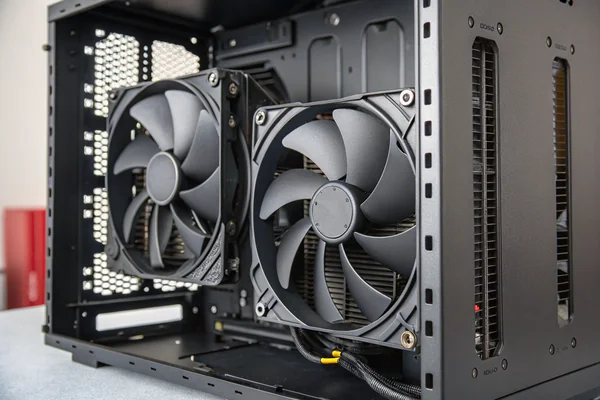
Mixing 120mm and 140mm fans in the same build doesn't inherently cause problems, but it can produce unintended airflow imbalance if the larger intake fans significantly outpace the smaller exhaust fans in CFM capacity, which typically shows up as slight positive case pressure and is usually manageable with fan speed adjustment rather than a hardware change.
What Airflow Balance Actually Means in Practice
Case pressure3 in a PC build is the net result of intake airflow minus exhaust airflow. Positive pressure -- more air coming in than going out -- is often deliberately chosen because it forces air out through unfiltered gaps rather than drawing unfiltered air in, reducing dust accumulation. Negative pressure does the opposite.
When front intakes are 140mm and rear exhaust is 120mm, the intake side has meaningfully more CFM capacity at equivalent RPM. Running both at the same speed will produce positive pressure, which is generally benign or desirable. The scenario worth monitoring is a build where top exhaust fans are also smaller than the front intakes and all fans are running at maximum speed -- at that point, the pressure differential can become large enough that the exhaust fans are working against meaningful backpressure, which reduces their effective airflow output and increases noise.
In practice, modern PWM fan headers and system fan controllers handle this through speed adjustment -- throttling the intakes or boosting the exhaust -- and most mixed-size builds operate without any measurable issue. The risk is real only in high-performance configurations where all fans are running near their speed limits simultaneously.
FAQ
Can I replace a 120mm fan with a 140mm fan without changing anything else?
Only if the mounting position physically supports 140mm -- the screw hole pattern and frame clearance must match. Most 120mm positions do not accept 140mm frames without an adapter bracket, which is not always available.
Is the noise difference between 120mm and 140mm fans actually audible in a real system?
At equivalent thermal targets in a quiet-focused build, yes -- the RPM reduction on a 140mm fan is large enough to be perceptible. In a budget build with modest cooling demands, the practical difference is small.
Do 140mm fans work on 120mm AIO radiators?
No. A 120mm-based AIO radiator has 120mm fan mounting positions. A 140mm fan frame won't mount correctly without significant modification.
Are 140mm fans always more expensive than 120mm fans?
Generally slightly more expensive per unit at comparable quality tiers, but the gap has narrowed. At budget tiers the difference is small; at premium tiers it's more noticeable.
Does fan thickness (25mm vs. 38mm) matter as much as diameter?
Fan thickness affects maximum airflow and static pressure significantly and should be checked alongside diameter. A 120mm × 38mm high-density fan can outperform a 140mm × 15mm slim fan on both metrics.
How do I find the P-Q curve for a fan I'm evaluating?
Manufacturers who publish complete P-Q curves4 tested to AMCA Standard 210 provide the most usable performance data. Many retail fan listings omit the curve entirely -- in that case, asking the manufacturer directly or finding independent test data is more reliable than trusting the single-point max-CFM spec.
Should OEM or integrator buyers specify one size across a whole product line?
Standardizing on 120mm reduces procurement complexity and spare part inventory significantly, and is the lower-risk default for most OEM designs unless a specific product's acoustic requirements justify the 140mm switch.
Can a 140mm fan position accept a 120mm fan with an adapter?
Adapter frames exist for this purpose and work mechanically, but they reduce the effective intake area to the 120mm fan's swept area, losing most of the acoustic advantage that made 140mm attractive in the first place.
The right fan size isn't determined by which number is larger -- it's determined by your case geometry, your thermal target, and how much the noise difference actually matters in your specific build. At Herays, our Dongguan facility has manufactured PC case cooling fans for over 20 years, certified under ISO 9001 and IATF 16949, with in-house anechoic and CFM testing to back every spec we publish. If your application has a specific airflow, noise, or form factor requirement across either size, we're glad to discuss the right specification for your build.
Swept area is the total circular area traced by the fan blades during rotation, determined by the blade tip radius. In fan performance, swept area is the primary geometric driver of maximum achievable airflow volume at a given rotational speed. ↩
Static pressure is the resistance a fan can overcome to push air through a restrictive path, measured in millimeters of water column (mmH₂O) or pascals. In PC cooling, it is the relevant metric for radiator and heatsink applications rather than free-air CFM. ↩
Case pressure refers to the net air pressure differential inside a PC enclosure relative to ambient, created by the imbalance between intake and exhaust fan airflow. Positive case pressure is generally preferred in dusty environments because it reduces unfiltered air ingress through case gaps. ↩
P-Q curve is the static pressure versus airflow volume curve that fully characterizes a fan's performance envelope across its operating range. A single-point maximum CFM or maximum static pressure spec alone cannot predict how a fan will perform under the actual resistance conditions of a real installation. ↩

Liang
I've been working with DC fans for 30 years — long enough to have seen the industry evolve from basic sleeve bearing designs to today's high-efficiency, IP68-rated systems built for the harshest environments imaginable. I founded Herays because I believed manufacturers and engineers deserved a supplier who could talk technical from day one. Not just hand over a datasheet, but actually help you select the right fan for your thermal load, your enclosure, your certification requirements. Most of what I write here comes directly from problems I've solved on the factory floor or in customer applications — medical devices, laser equipment, industrial automation, you name it. If it involves moving air efficiently and reliably, I've probably spent time thinking about it. When I'm not obsessing over airflow curves, I'm usually helping a customer figure out why their cooling system isn't performing the way their simulation said it would.
View all posts by Liang