Audio amplifiers run hot and sound engineers run nervous -- a forced-air cooling fan that saves the output stage can wreck a recording session if it's the wrong choice.
A DC axial fan can cool an audio amplifier effectively without compromising the noise floor, but only if it's selected and mounted with acoustic performance as a primary design constraint alongside thermal performance -- fan noise, vibration coupling, and speed control all matter as much as CFM.
- Audio amplifiers -- especially high-power Class AB and Class D designs -- generate enough heat to require active cooling, but the acoustic environment means fan selection is unusually noise-sensitive.
- Fan acoustic noise and mechanically coupled vibration are two distinct problems, and both need to be addressed independently, not just one or the other.
- Mounting location and chassis isolation technique have as much effect on perceived fan noise as the fan's own rated noise spec -- a quiet fan mounted poorly can still be audible.
- Temperature-controlled fan speed is essentially mandatory for audio applications: running a fan at minimum speed when the amp is cool keeps it inaudible, ramping up only when thermal load justifies it.
- Bearing type and blade geometry are the two most consequential fan specifications for long-term acoustic stability in an audio environment, and both are worth specifying explicitly rather than leaving to a default.
Getting this right requires understanding several problems at once -- thermal, acoustic, mechanical, and electrical -- rather than treating fan selection as a simple afterthought to the amplifier's power stage design.
Table of Contents
Why Do High-Power Amplifiers Actually Need Active Cooling at All?
Most engineers know amplifiers run hot, but the thermal math behind why passive cooling stops being sufficient is worth understanding precisely.
High-power audio amplifiers -- particularly Class AB designs running at typical efficiencies of 50–65% -- dissipate a significant fraction of their input power as heat, and beyond a certain power density the heatsink surface area required for passive cooling becomes physically impractical within real chassis constraints.
Where the Heat Actually Comes From
A Class AB amplifier running at, say, 60% efficiency at full power is by definition converting 40% of its input power to heat. At 200W output, that's over 130W of continuous thermal dissipation that needs to go somewhere. A passive heatsink large enough to handle that load in a sealed rack unit is not just physically large -- it's often incompatible with the chassis geometry, weight budget, and ventilation constraints of real-world installations.
Class D amplifiers are more efficient (often 85–90%), but high-power Class D designs still generate meaningful heat at the output stage and can be particularly sensitive to thermal excursions that compress dynamic range or trigger protection circuits. Even switch-mode power supplies feeding these designs generate localized heat that benefits from directed airflow.
The practical threshold where active cooling becomes necessary rather than optional varies by design, but a useful rule of thumb for enclosed chassis designs is that thermal dissipation much above 50–80W in a 1U or 2U rack format is difficult to manage passively without compromising either thermal headroom or chassis geometry. Active cooling with a controlled fan extends the usable power envelope without the heatsink bulk.
Fan Acoustic Noise vs. Studio Noise Floor: What's the Actual Conflict?
Fan noise and audio noise floor exist on the same measurement scale, which is what makes this conflict specific and technically real.
A fan's acoustic output competes directly with an amplifier's noise floor because both are measured in dB(A) at the same physical location -- a fan rated at 25–30 dB(A) in a quiet control room can raise the effective noise floor by several dB, audible to a trained ear and measurable on a microphone recording made nearby.
Why Fan Noise Is a Different Problem Than HVAC Noise
HVAC noise in a recording space is a well-understood acoustic problem managed through isolation, distance, and duct design. Fan noise inside or immediately adjacent to a piece of equipment is different -- the source is closer, the coupling path is shorter, and the noise character (tonal components from blade pass frequency, motor whine) is often more aurally distinctive and harder to mask than broadband HVAC noise.
Noise floor1 in professional audio contexts typically sits at -90 dBu or better for quality equipment. The acoustic noise floor of a quiet control room -- the room itself, not any equipment -- might be NC-15 to NC-20, roughly 20–25 dB(A). A fan spinning at full speed in a rack unit can contribute 35–45 dB(A) at one meter, which doesn't just register -- it dominates.
The two components of fan acoustic output that matter most in audio environments are:
| Component | Source | Character |
|---|---|---|
| Broadband aerodynamic noise | Blade turbulence, blade-tip vortex | Hiss, whoosh -- less tonally distinctive |
| Tonal components | Blade pass frequency (BPF) and motor harmonics | Whine, hum -- highly audible even at low SPL |
Blade pass frequency is calculated as RPM ÷ 60 × blade count, and it often falls squarely in the 100–800 Hz range where human hearing is most sensitive and where microphones are calibrated to capture. This is why a fan that measures acceptably on a broadband dB(A) meter can still be clearly audible in a recording.
Where Should a Fan Actually Be Mounted Inside an Amplifier Chassis?
Mounting location determines both the fan's thermal effectiveness and how its noise and vibration couple into the chassis and the listening environment.
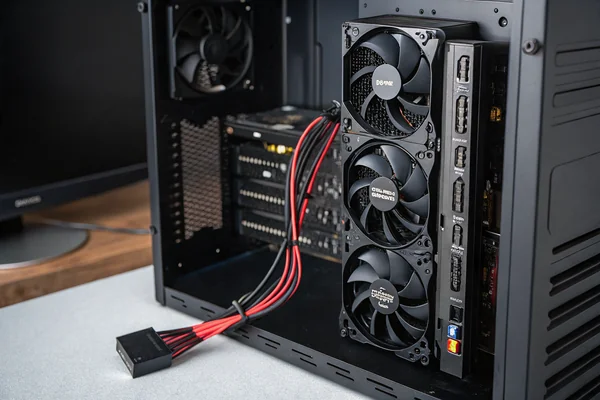
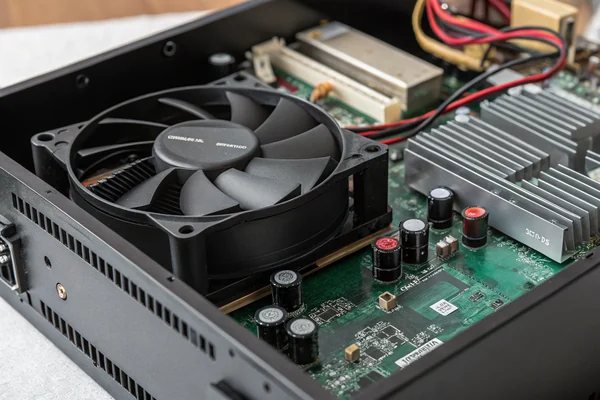
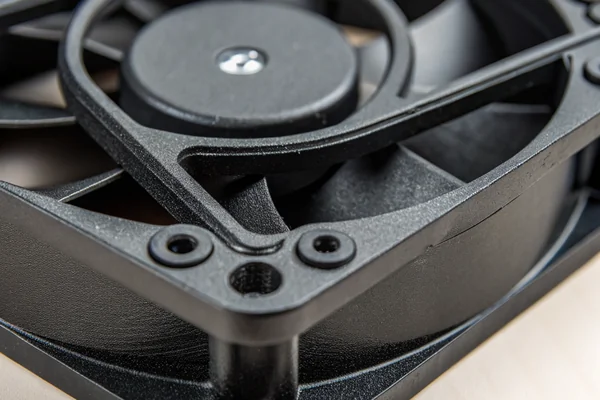
The best mounting position for a cooling fan in an amplifier chassis is at the air outlet rather than the inlet, oriented to exhaust heated air directly out of the chassis, with the fan mechanically isolated from the chassis frame -- this minimizes vibration transmission while still directing airflow across the hottest components.
Inlet vs. Outlet Mounting: Why Outlet Generally Wins for Noise
Mounting at the outlet (pull configuration) rather than the inlet (push configuration) has an acoustic advantage: the fan is working against slightly lower resistance on the inlet side, which at a given speed generates slightly less turbulence and less blade noise. More practically, outlet mounting puts the fan in the hottest part of the airflow path, which means it's responding thermally to the actual worst-case condition in the chassis rather than ambient temperature.
Mechanical Decoupling Is Non-Negotiable
A fan bolted directly to a metal chassis panel transmits its vibration signature directly into the chassis, which then radiates that vibration as sound and potentially into connected equipment through rack rails. Silicone or rubber anti-vibration mounts -- even simple rubber grommets replacing the standard metal screws -- break the primary vibration transmission path and reduce audible resonance significantly. This step is inexpensive and often more effective than upgrading to a marginally quieter fan without addressing the mounting.
Keep the fan away from transformer mounting points, which are themselves vibration sources. Avoid mounting positions where blade-pass airflow jets directly onto large flat panel surfaces that can act as resonators.
Why Is Temperature-Controlled Fan Speed Effectively Mandatory for Audio Use?
A fan running at full speed when the amplifier is idling is a noise problem that doesn't need to exist.
Temperature-controlled speed regulation -- using a thermistor or thermocouple feeding a PWM controller to vary fan speed proportionally to chassis temperature -- allows a fan to run at its quietest minimum speed during low-demand operation and ramp up only when the thermal load actually justifies it, which is the practical mechanism that makes active cooling compatible with noise-sensitive environments.
How Speed Control Affects Acoustic Output
Fan acoustic noise scales roughly with the fifth power of tip speed -- halving the fan's rotational speed reduces acoustic output dramatically, often by 10–15 dB(A) in practice. This means a fan that's borderline acceptable at full speed can become essentially inaudible at 40–50% speed, which is where it will operate most of the time in a properly designed thermal system that isn't running the amplifier at continuous full power.
PWM speed control2 is the standard mechanism for DC fan speed regulation. A 4-wire fan with a dedicated PWM input accepts a control signal directly from the thermal management circuit, providing clean speed regulation without the voltage instability and potential motor hum that can accompany simple voltage-divider control. For noise-sensitive applications, 4-wire PWM fans are strongly preferred over 3-wire voltage-controlled fans for this reason.
Thermal control logic should be tuned so the fan doesn't hunt -- rapidly oscillating between speeds in response to minor temperature fluctuations, which creates a distracting "breathing" noise that's often more annoying than a steady fan at moderate speed. Hysteresis in the control loop prevents this.
How Do You Choose a Fan That Won't Show Up in Your Recordings?
Fan selection for audio-adjacent applications requires weighting specifications that are often secondary in general-purpose thermal design.
For audio amplifier applications, the most important fan specifications to evaluate are acoustic noise rating at realistic operating speed (not just maximum speed), bearing type for long-term noise stability, blade count and geometry for tonal character, and frame size for the lowest speed that meets the thermal requirement.
Why Bearing Type Is an Acoustic Long-Term Bet
Sleeve bearings are inexpensive and initially quiet but wear unevenly over time, developing a characteristic low-frequency wobble that becomes audible as the bearing degrades -- often within 2–3 years in a continuously powered rack environment. Ball bearings last longer and maintain their noise characteristics more consistently, making them the more reliable choice for audio equipment that may run continuously for years.
Fluid dynamic bearings (FDB3) represent the best acoustic-stability option available: they combine the low initial noise of sleeve bearings with the long-term stability closer to ball bearings, and they eliminate the metallic ball-race tonal component that can appear in ball-bearing fans in quiet environments. For premium audio applications where long-term noise floor stability matters, FDB is worth the modest cost premium.
Sizing Up to Run Slower
All else equal, a larger fan moving the required airflow at lower RPM is quieter than a smaller fan spinning faster to move the same volume. If chassis geometry permits, stepping up from a 60mm to an 80mm or 92mm fan and running it at reduced speed to meet the same CFM target is one of the most effective acoustic improvements available without touching the control circuit.
| Fan Diameter | Typical Full-Speed RPM Range | Speed to Hit ~30 CFM | Relative Noise |
|---|---|---|---|
| 60mm | 3000–5000 RPM | High | Louder |
| 80mm | 2000–3500 RPM | Moderate | Quieter |
| 92mm | 1500–2800 RPM | Lower | Quietest |
For audio amplifier cooling applications, our DC axial fan line includes 4-wire PWM variants with fluid dynamic and dual-ball bearing options across 60mm, 80mm, and 92mm frame sizes. Every fan we ship goes through acoustic validation in our in-house anechoic noise test chamber and automated dynamic balance correction -- dynamic imbalance is one of the primary sources of low-frequency tonal noise in installed fans, and correcting it at the factory is far more reliable than discovering the problem after installation. Our Dongguan facility has over 20 years of DC fan production experience under ISO 9001 and ISO 14001 certification.
What Are the Real Failure Modes When a Fan Is Wrong for an Audio Amplifier?
Understanding failure modes helps evaluate the actual cost of getting fan selection wrong, not just the performance cost.
The three most common failure modes when an undersized, poorly isolated, or acoustically unsuitable fan is used in an audio amplifier are: thermal runaway from inadequate airflow, progressive bearing noise that rises above the noise floor over months of operation, and low-frequency chassis resonance from vibration coupling that proves difficult to diagnose.
Why Thermal Runaway Is the Obvious Failure and Bearing Noise Is the Insidious One
Thermal failure is catastrophic and visible -- a protection circuit trips, an output transistor fails, and the problem is immediately apparent. It's also the failure most engineers design against, which means it's relatively rare when active cooling is implemented at all. The more common real-world problem is the gradual acoustic degradation that happens when a ball-bearing fan begins to show wear, or when a sleeve-bearing fan develops a low-speed wobble after 18 months of continuous operation.
This degradation is slow enough that it's often not noticed by anyone in the room on any given day, but the noise floor of a recording made in that room 18 months into a fan's life is measurably worse than one made when the equipment was new. In post-production environments where archival recordings may be compared across years, this cumulative degradation is a real quality concern.
Chassis resonance from vibration coupling presents differently again -- it typically shows up as a narrow-band hum at a specific frequency (often the fan's blade pass frequency or a harmonic) that changes with fan speed and seems to come from the chassis rather than the fan directly. This can be genuinely difficult to diagnose without knowing to look for the coupling path, which is why isolating the fan mechanically from the first installation rather than troubleshooting it later is the correct approach.
What Should You Specify When Sourcing a Fan for an Audio Amplifier Application?
Generic fan sourcing conversations miss the acoustic-specific parameters that actually determine suitability for this application.
When sourcing a DC axial fan for audio amplifier use, the specification conversation should explicitly cover: acoustic noise at the anticipated operating speed (not maximum), bearing type and rated service life, PWM controllability, dynamic balance grade, and whether the supplier validates acoustic performance at the component level before shipment.
Why "Rated Noise at Max Speed" Is the Wrong Number to Request
Most fan datasheets give a single acoustic noise figure at maximum rated speed. For an audio application where the fan will operate at 40–70% speed most of the time, that number is essentially irrelevant. The relevant number is acoustic output at the expected operating speed -- which requires either a full noise-vs-speed curve from the supplier or testing at a representative operating point. Asking specifically for noise at 50% PWM duty cycle, or at the RPM corresponding to the fan's expected thermal operating point, gives a far more useful number for evaluating whether a given fan will be audible in practice.
Dynamic balance grade is worth asking about directly if long-term acoustic stability matters. A fan shipped with residual imbalance will generate low-frequency vibration at its rotation frequency, and this gets transmitted into the chassis whether or not the fan's broadband noise spec looks acceptable. Suppliers with in-house dynamic balance correction equipment can address this at the factory; those without cannot.
FAQ
What dB(A) fan noise rating is generally acceptable for a studio environment?
In a properly isolated installation with temperature control keeping the fan at reduced speed, a fan rated at 20–25 dB(A) at maximum speed will typically be inaudible at normal operating conditions. At full speed, anything above 30 dB(A) in a quiet control room environment is likely to be noticeable.
Does fan blade count matter specifically for audio applications?
Yes -- higher blade count at a given RPM raises blade pass frequency, which can push the primary tonal component up into a frequency range that's easier to acoustically treat or less audible. Fewer blades at the same speed produce a lower-frequency tonal component that tends to be harder to mask and more noticeable.
Can electromagnetic interference from a DC fan motor affect audio circuitry?
It can, particularly in high-gain preamplifier stages located near the fan motor. Adequate physical separation and proper chassis grounding are the standard mitigations; in sensitive designs, shielding the fan motor from adjacent audio circuitry is worth considering.
Is a PWM-controlled fan always better than a voltage-controlled fan for audio use?
For audio applications, yes in most cases -- PWM control via a dedicated 4-wire fan provides cleaner speed regulation and avoids the potential motor hum and instability that simple voltage reduction can cause. Voltage-controlled fans are not inherently unusable, but PWM is the more reliable approach.
What's the minimum airflow (CFM) needed to cool a typical 200W audio amplifier?
This depends heavily on heatsink thermal resistance and chassis layout, and shouldn't be estimated without thermal modeling. As a starting point for rough sizing, a common approach is to target enough airflow to limit the temperature rise across the heatsink to 15–20°C above ambient at maximum dissipation, which typically requires iterative calculation rather than a single-number rule.
Should the fan run continuously or only when temperature exceeds a threshold?
For audio applications, a threshold-start approach (fan off until temperature hits a defined setpoint, then ramps proportionally) keeps the fan silent during low-demand operation. The threshold should be set conservatively enough that the fan never starts abruptly at high speed, which is acoustically jarring.
Does fan orientation (blowing in vs. exhausting out) affect noise level?
Slightly -- exhaust (pull) configurations tend to operate more smoothly aerodynamically because the fan is drawing from an open inlet, which reduces the pressure variation across the blades that contributes to tonal noise. The difference is modest, but in marginal acoustic situations it can be a factor worth testing.
Cooling an audio amplifier with a DC axial fan is a solvable problem -- but only when acoustic performance is treated as a primary design constraint from the start, not an afterthought to the thermal solution. At Herays, our Dongguan facility has manufactured DC axial fans for over 20 years, with acoustic validation through in-house anechoic testing and dynamic balance correction under ISO 9001 and ISO 14001 certification. If you're specifying a fan for a noise-sensitive application, we're glad to work through the acoustic and thermal tradeoffs with you directly.
Noise floor is the minimum level of background noise present in a system or environment, below which signals cannot be reliably distinguished. In audio amplifier applications, it defines the practical acoustic baseline against which fan-generated noise must be compared. ↩
PWM speed control is a method of regulating motor speed by rapidly switching power on and off at a fixed frequency, varying the duty cycle (on-time ratio) to control average power delivery. In DC fan applications it provides precise, stable speed control without the voltage instability that degrades motor acoustic behavior in analog voltage-reduction approaches. ↩
FDB (fluid dynamic bearing) is a bearing type in which a thin film of lubricating fluid supports the rotating shaft, eliminating metal-to-metal contact. In cooling fan applications, FDB combines low noise with long service life, making it the preferred bearing choice where acoustic stability over years of continuous operation is required. ↩

Liang
I've been working with DC fans for 30 years — long enough to have seen the industry evolve from basic sleeve bearing designs to today's high-efficiency, IP68-rated systems built for the harshest environments imaginable. I founded Herays because I believed manufacturers and engineers deserved a supplier who could talk technical from day one. Not just hand over a datasheet, but actually help you select the right fan for your thermal load, your enclosure, your certification requirements. Most of what I write here comes directly from problems I've solved on the factory floor or in customer applications — medical devices, laser equipment, industrial automation, you name it. If it involves moving air efficiently and reliably, I've probably spent time thinking about it. When I'm not obsessing over airflow curves, I'm usually helping a customer figure out why their cooling system isn't performing the way their simulation said it would.
View all posts by Liang