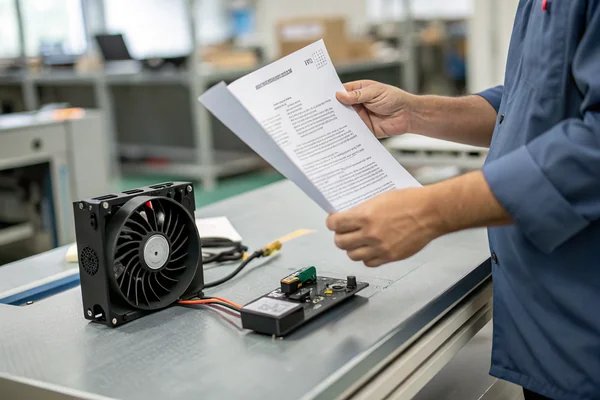
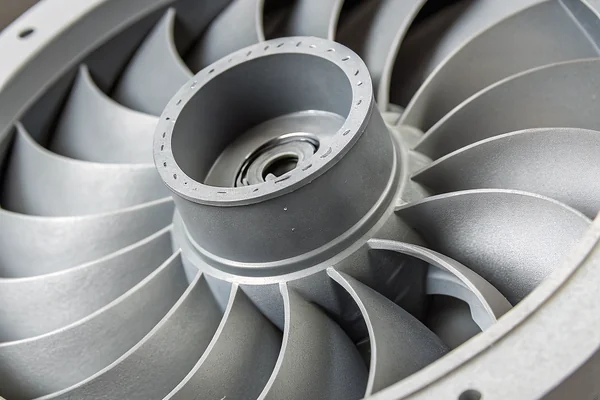
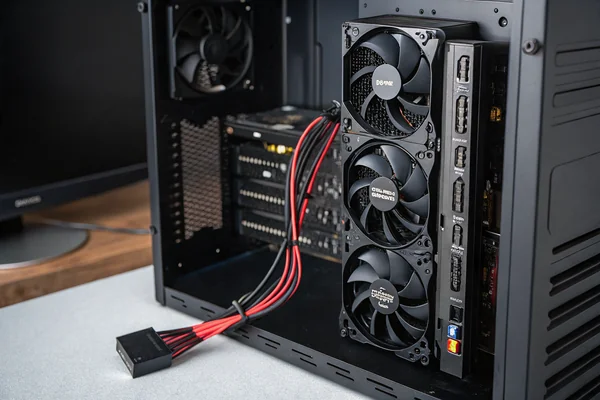
A fan caked in dust doesn't fail outright. It just quietly delivers less airflow every month until whatever it's cooling starts running hotter than anyone notices until something else breaks.
A DC axial fan needs periodic cleaning because dust buildup on the blades and intake restricts airflow gradually, silently reducing cooling performance long before the fan itself actually fails -- regular cleaning is one of the cheapest ways to protect both the fan and whatever it's cooling.
- Dust on fan blades and intake grilles reduces airflow gradually, not suddenly, which is exactly why declining cooling performance often gets blamed on something else.
- Compressed air and a soft brush handle most cleaning jobs safely -- water and solvents risk damaging the motor or bearing.
- Cleaning frequency should track the actual environment, not a fixed calendar interval -- a dusty workshop needs far more frequent attention than a clean office.
- Sleeve bearing fans can sometimes be re-lubricated to extend service life; ball bearing fans generally can't, and shouldn't be opened for that purpose.
- A fan that's become noticeably louder or visibly dust-caked is already past the point where proactive cleaning would have been easier and cheaper.
Maintaining a DC axial fan is mostly about a few simple habits done consistently, not complicated procedures.
Table of Contents
Why Does a Little Dust Kill Fan Performance So Fast?
Dust doesn't need to be dramatic to cause real damage to airflow.
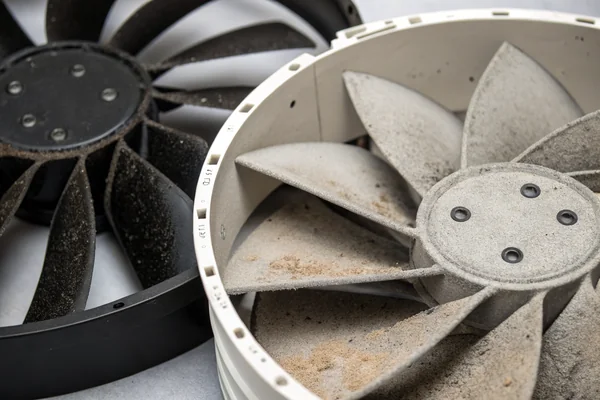
Dust kills fan performance because it accumulates on blade surfaces and intake grilles, disrupting the smooth airflow the blade geometry was designed to produce, and restricting the actual opening air has to pass through.
Why Small Amounts of Dust Cause Outsized Problems
A thin, even layer of dust on a fan blade changes its aerodynamic profile just enough to reduce efficiency, while dust bridging across an intake grille restricts the effective opening area more than it looks like it should. Both effects compound: the fan has to work harder to move the same air, which increases both power draw and bearing wear, while the reduced airflow leaves whatever the fan is cooling running hotter than intended.
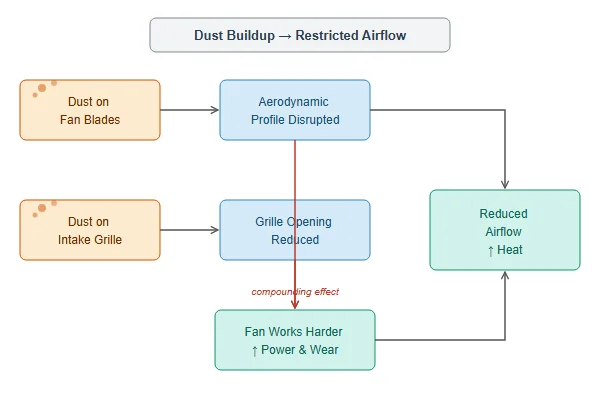
| Dust Location | Effect on Fan |
|---|---|
| Blade surfaces | Disrupts airflow, reduces effective CFM |
| Intake/exhaust grille | Restricts effective opening, increases resistance |
| Motor/bearing area | Can affect heat dissipation from the motor itself |
What's Actually Safe to Use When Cleaning a DC Fan?
Not every cleaning method that works on other equipment is safe for a spinning electrical component.
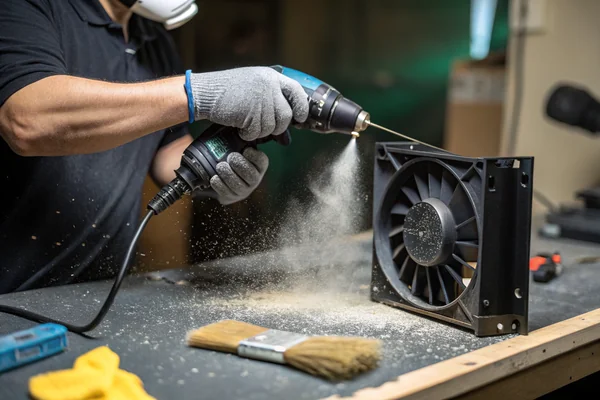
Compressed air and a soft brush handle the large majority of fan cleaning safely, while water, solvents, and anything that could drive liquid into the bearing or motor windings should generally be avoided.
Why Method Matters More Than Effort
Compressed air, used in short bursts and held at a reasonable distance, dislodges dust from blades and grilles without physical contact risk. A soft brush handles caked-on dust compressed air alone won't shift. Water or solvent cleaning, while sometimes used on specifically rated washable fans, risks pushing moisture into the bearing or motor on a standard fan, which can cause corrosion or electrical issues well after the visible cleaning is done. When in doubt, dry methods are the safer default.
How Often Should You Actually Clean a Fan?
There's no single right interval -- the actual environment should drive the schedule.
Cleaning frequency should be based on the actual dust exposure in the fan's environment, not a generic fixed calendar interval -- a dusty workshop or industrial floor needs far more frequent attention than a clean office or data center.
Matching Frequency to Real Exposure
A fan in a climate-controlled server room might go a year or more between cleanings with minimal performance impact, while the same fan in a woodworking shop or foundry could need monthly attention to stay ahead of dust accumulation. The practical approach is periodic visual inspection -- checking for visible dust buildup -- rather than committing to a fixed schedule that might be too aggressive in a clean environment or dangerously infrequent in a dirty one.
Should You Lubricate a Sleeve Bearing Fan, and How?
Bearing type determines whether re-lubrication is even a realistic maintenance option.
Sleeve bearing1 fans can sometimes be re-lubricated with a few drops of appropriate bearing oil to extend service life, while ball bearing fans are sealed and generally shouldn't be opened for lubrication -- attempting it usually does more harm than good.
Why Bearing Type Changes the Answer
Sleeve bearings rely on a lubricated bushing that can dry out over time, and for accessible designs, adding a small amount of the correct viscosity oil can meaningfully extend service life once performance starts declining from bearing wear. Ball bearings are typically sealed as a unit specifically to keep contamination out, and opening one to add lubricant usually introduces more risk (dust ingress, seal damage) than benefit. Knowing which bearing type is inside a given fan -- often noted on the label or datasheet -- is the first step before attempting any lubrication.
What Does a Real Preventive Maintenance Schedule Look Like?
A genuine maintenance program looks different for consumer electronics than for continuous-duty industrial equipment.
A real preventive maintenance schedule combines periodic visual inspection, cleaning triggered by actual dust accumulation, and proactive replacement scheduled ahead of a fan's expected end-of-life for applications where unplanned failure is costly -- not a single fixed rule applied everywhere.
Building a Schedule That Actually Matches the Risk
For low-consequence consumer applications, reactive cleaning when dust becomes visible is usually adequate. For continuous-duty industrial or infrastructure equipment, a more formal schedule -- inspection intervals, cleaning triggers, and proactive replacement timelines tied to the fan's rated life -- reduces the risk of an unplanned failure during critical operation. The right level of formality should track how expensive a surprise failure would actually be, not a one-size-fits-all maintenance policy.
Can Cleaning Actually Extend a Fan's Rated Life?
Cleaning doesn't change the fan's fundamental design life, but it can prevent that life from being cut short.
Regular cleaning doesn't extend a fan's fundamental rated bearing life, but it does help the fan actually reach that rated life by preventing dust-related overheating and excess bearing load that would otherwise cause premature failure well before the datasheet number.
Why This Distinction Matters
A fan's rated life assumes reasonably clean operating conditions -- heavy dust accumulation adds thermal and mechanical stress the rating didn't account for, effectively shortening real-world life relative to the datasheet number. Regular cleaning doesn't make a fan outlive its fundamental engineering limits, but it removes one of the most common, entirely preventable causes of a fan failing well before it should have.
What Are the Warning Signs a Fan Needs Maintenance Now?
Some symptoms are worth acting on immediately rather than waiting for the next scheduled inspection.
Visible dust caking, a noticeable increase in noise, unusual vibration, or a fan that's clearly moving less air than before are all signs maintenance is overdue -- waiting for a fan to fail outright means accepting the thermal risk to whatever it's cooling in the meantime.
Reading the Warning Signs Correctly
A fan that's become audibly louder without a corresponding increase in workload often indicates bearing wear or dust-related airflow restriction forcing it to work harder. Visible caking on blades or grilles is a direct, easy-to-spot signal. Reduced airflow -- noticeable as warmer-than-usual equipment temperatures -- is the least obvious symptom but often the most important one to act on, since it means whatever the fan protects is already running outside its intended thermal margin.
We've supplied DC fans across consumer, commercial, and industrial applications for over 20 years, and the fans that come back for warranty review most often show classic dust-related wear rather than a genuine manufacturing defect. Every fan we build is validated for its rated bearing life under our in-house dynamic balance and life-testing equipment as part of our ISO 9001 and IATF 16949 quality process, and we're glad to advise customers on realistic cleaning and maintenance intervals for their specific operating environment.
FAQ
Can I clean a fan while it's still installed and running?
It's safer to power down the equipment first. Compressed air on a spinning fan can cause it to spin faster than its rated speed briefly, and cleaning a running fan risks pushing debris into other components.
Is it safe to spin the fan blades by hand to help dislodge dust?
Gently, yes, but avoid forcing the blades or applying side pressure to the shaft, which can stress the bearing. Let compressed air do most of the work.
How do I know if my fan has a sleeve or ball bearing?
Check the fan's label or datasheet -- manufacturers typically specify bearing type explicitly, since it affects both expected lifespan and maintenance options.
Does cleaning a fan reduce its noise level?
Often yes, if the noise increase was caused by dust restricting airflow or adding load. If the noise is from bearing wear rather than dust, cleaning alone won't resolve it.
Can vacuum cleaners be used to clean fans?
With caution -- a vacuum can be used to remove loose dust nearby, but placing it directly against the fan can create excessive negative pressure on the bearing. Compressed air is generally the safer, more controlled method.
At what point should a fan be replaced instead of cleaned?
If cleaning doesn't restore reasonable airflow and noise levels, or if there's visible physical damage or bearing wear, replacement is usually more cost-effective than continued maintenance attempts.
Fan maintenance is one of the lowest-cost, highest-value habits in any cooling system, and most of it comes down to watching for dust before it becomes a performance problem. At Herays, our Dongguan facility has supplied DC fans validated for real-world bearing life across consumer, commercial, and industrial programs for over 20 years, under ISO 9001 and IATF 16949 certification. If you're building a maintenance plan around our fans, we're glad to advise on realistic intervals for your specific environment.
A sleeve (plain) bearing supports a rotating shaft on a lubricated bushing surface rather than rolling elements. The lubricant film can dry out over time, which is why accessible sleeve bearing designs sometimes support re-lubrication, unlike sealed ball bearings. ↩

Liang
I've been working with DC fans for 30 years — long enough to have seen the industry evolve from basic sleeve bearing designs to today's high-efficiency, IP68-rated systems built for the harshest environments imaginable. I founded Herays because I believed manufacturers and engineers deserved a supplier who could talk technical from day one. Not just hand over a datasheet, but actually help you select the right fan for your thermal load, your enclosure, your certification requirements. Most of what I write here comes directly from problems I've solved on the factory floor or in customer applications — medical devices, laser equipment, industrial automation, you name it. If it involves moving air efficiently and reliably, I've probably spent time thinking about it. When I'm not obsessing over airflow curves, I'm usually helping a customer figure out why their cooling system isn't performing the way their simulation said it would.
View all posts by Liang