Your 5V device is overheating, and a standard fan isn't cutting it. Choosing the right fan means matching its performance to your specific needs, not just picking the one with the biggest numbers.
Start by confirming your power source (like a USB port or SBC) and voltage. Then, balance the fan's airflow (CFM) against its static pressure based on your enclosure's design. A crowded case with filters needs higher static pressure, while an open one benefits from high airflow.

Choosing a fan seems simple at first. You find one that fits, check the voltage, and assume it will work. But as a product specialist, I see the problems that follow this approach every day. A fan that's too loud, a fan that doesn't move enough air, or a fan that fails prematurely. The key isn't just finding a fan; it's about understanding the trade-offs between performance, noise, and reliability. This guide will walk you through how to think like an engineer to select the perfect 5V fan for your project, ensuring your device stays cool and quiet.
Table of Contents
What Makes 5V Fans So Unique?
Need to cool a compact device? Using a 12V or 24V fan is often overkill. 5V fans are commonly used in consumer electronics and embedded systems1, but there's more to them than just the voltage.
5V fans are unique because they align with common low-voltage power sources like USB ports and dedicated power pins on single-board computers (SBCs). This makes them the default choice for cooling consumer electronics and development boards without needing a separate power converter.
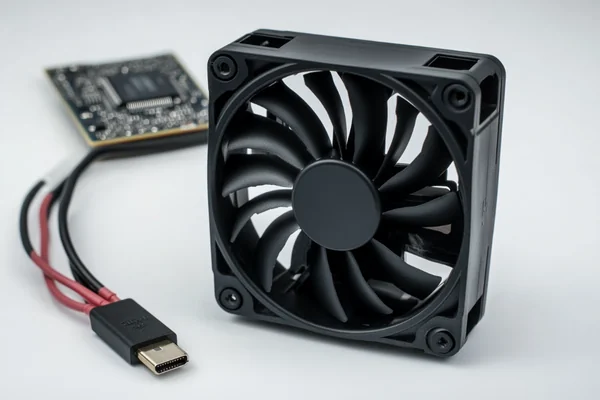
When we look at our product data, the 5V specification is the first major filter for many applications. It's not just a number; it signals a specific type of use case. The world of electronics largely operates on a few standard voltages, and each one has its typical domain. Understanding this helps you narrow down your choices immediately.
The Ubiquitous 5V Rail
The 5V DC standard is incredibly common, mainly because of the Universal Serial Bus (USB)2. Almost every computer, power bank, and wall adapter has a USB port that supplies a steady 5V. This makes it incredibly easy to power small devices, including fans. Beyond USB, many single-board computers and embedded systems typically provide 5V power pins (separate from GPIO control pins) that can power fans, though direct GPIO driving may require additional circuitry due to current limitations.
Design Implications of Low Voltage
Compared to their 12V or 24V cousins, 5V fans are designed differently. The motor design (including magnetic circuits and winding configurations) is optimized to run efficiently at this lower voltage. This often means they are a great fit for low-power applications where energy consumption is a concern.
| Voltage | Common Applications | Why it's Used |
|---|---|---|
| 5V DC | SBCs, USB devices, portable electronics | Matches USB standard, low power draw. |
| 12V DC | PC cases, automotive, consumer devices | Common in ATX power supplies and vehicles. |
| 24V DC | Industrial equipment, 3D printers, servers | Higher power for more demanding applications. |
Where Are 5V Fans Commonly Used?
You see them everywhere but might not notice them. From your laptop cooler to maker projects, these fans are in many devices. So, where are they most commonly found?
5V fans are most often used in compact electronics with USB or internal 5V power. This includes single-board computers like Raspberry Pi, 3D printers, portable hard drives, small network devices, and custom DIY electronics projects where simple, low-voltage cooling is essential.
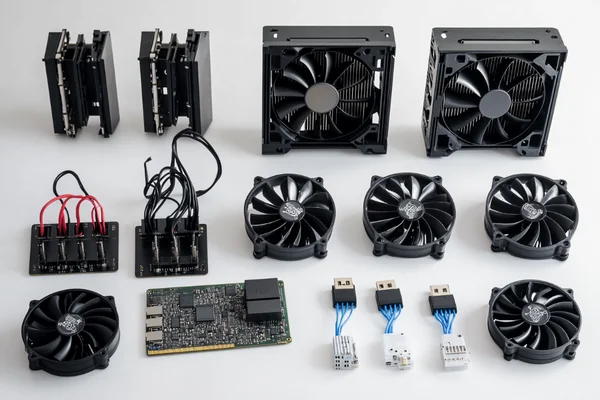
The versatility of 5V power makes these fans a go-to solution for a wide range of products. As someone who reviews customer requirements, I see these fans being designed into an incredibly diverse set of devices. Each application has slightly different needs, which is why just picking any 5V fan isn't enough.
Single-Board Computers (SBCs)
Devices like the Raspberry Pi or NVIDIA Jetson are powerful mini-computers, but that power generates heat. A small 5V fan, often 30mm or 40mm, can be connected to the board's dedicated 5V power pins. This prevents the CPU from throttling under load3, ensuring you get maximum performance. Here, a low profile and quiet operation are often key requirements.
Consumer and Portable Electronics
Many portable devices, like external hard drive enclosures, mini projectors, or even high-end Wi-Fi routers, use 5V fans. They are chosen because the device is likely powered by a 5V wall adapter or an internal battery system that can easily supply the required voltage. In these products, reliability and low noise are critical for a good user experience.
3D Printers and DIY Projects
In 3D printers, 5V fans are often used for part cooling—blowing air directly onto the filament as it's extruded—or for cooling the main electronics board. For DIY electronics enthusiasts, the convenience of powering a fan from an Arduino, a USB port, or a simple power supply makes 5V fans the perfect choice for custom enclosures and projects.
What Do Airflow Specs Really Mean for a 5V Fan?
Confused by fan datasheets? A fan's CFM rating seems great, but your device still overheats. The numbers can be misleading if you don't understand what they represent.
Airflow (CFM) and static pressure are the key specs4. CFM measures air volume in a perfect, open-air setting. Static pressure measures the force to push air against resistance like a filter. A good choice balances both based on your device's internal layout.
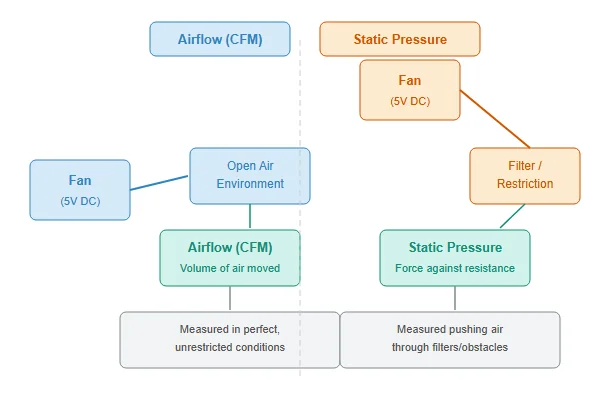
One of the most common questions I get is about fan specs. People often compare two fans based on a single number, usually airflow, and then are disappointed with the real-world results. Datasheet values are measured in ideal laboratory conditions that don't exist inside your device.
Airflow (CFM): The Ideal Number
Airflow, measured in Cubic Feet per Minute (CFM), tells you how much air a fan can move when there is zero resistance. Imagine the fan running on an open desk, not mounted in a case. This number is useful for comparing the maximum potential of different fans, but it's not the whole story. An application like ventilating an open electronics cabinet might benefit from a fan optimized for high CFM.
Static Pressure: The Real-World Factor
Static Pressure, measured in millimeters of water (mmH2O)5, is the fan's ability to push air against resistance. Every component in your device—heatsinks, dust filters, protective grilles, and even crowded cables—creates resistance, or impedance. A fan with high static pressure can maintain better airflow in a tightly packed case or when pushing air through a dense heatsink. This is often more important than max CFM for cooling specific components.
Reading Between the Lines: The P-Q Curve
The relationship between airflow and static pressure is shown on a fan's performance curve (P-Q curve)6. This graph shows that as pressure (resistance) increases, the quantity (airflow) of air moved decreases. When you select a fan, you are not just picking a point on that curve; you're choosing the entire curve. You need a fan whose curve provides enough airflow at the estimated pressure level of your system.
How Do USB-Powered Fans Actually Work?
Want to add simple cooling to a device? A USB fan seems easy, but just plugging one in isn't the whole story. How does it get power and control?
A USB-powered fan connects to a standard USB Type-A port, which provides 5V DC power. A simple 2-wire fan will run at full speed constantly. More advanced fans with 3 or 4 wires can offer speed monitoring or PWM control for quieter, more efficient operation.
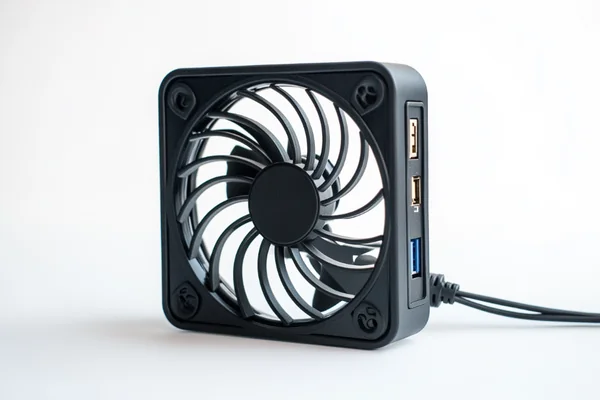
The beauty of USB is its standardization. This makes it incredibly easy to power a 5V fan, but there are a few details to be aware of, especially regarding power limits and control. I often see hobbyists and even engineers overlook the differences between fan wire types, which can limit the potential of their cooling solution.
Understanding USB Power Delivery
A standard USB 2.0 port is specified to deliver up to 500mA of current at 5V, while a USB 3.0 port can supply up to 900mA. Most small DC axial fans draw well below this limit (typically 100-300mA), so they are perfectly safe to run off a standard port. However, you should always check the fan's datasheet to ensure its current draw doesn't exceed what your USB port can provide.
The Meaning Behind the Wires (2, 3, and 4-Wire Fans)
Not all fans are created equal. The number of wires tells you a lot about its capabilities.
| Wires | Function | Description |
|---|---|---|
| 2-Wire | Power (Red), Ground (Black) | The most basic fan. It runs at 100% speed whenever it has power. Simple and reliable. |
| 3-Wire | Adds Tachometer (Yellow) | The third wire provides a feedback signal (FG or tach) that reports the fan's speed to a motherboard or controller. It allows for monitoring, not control. |
| 4-Wire | Adds PWM Control (Blue) | The fourth wire is for Pulse Width Modulation (PWM)7. It allows for precise digital control over the fan's speed, enabling dynamic cooling that responds to temperature. |
For a simple USB-powered cooling solution, a 2-wire fan is fine. But if you want to build a "smart" system that ramps the fan up and down to balance noise and performance, you'll need a 4-wire PWM fan and a controller that can send the right signals.
How Do You Connect a 5V Fan to a Raspberry Pi or Arduino?
Your Raspberry Pi is throttling from the heat. You bought a fan, but the pin layout is confusing. How do you connect it safely and effectively for proper cooling?
For a simple 2-wire fan, connect the red wire to a 5V pin and the black wire to a Ground (GND) pin on the SBC's GPIO header. For a 4-wire PWM fan, you also connect the control wire to a GPIO pin configured for PWM output to manage speed.

Connecting a fan to an SBC is one of the first hardware upgrades many users make. It's a rite of passage. Based on the support requests we handle, getting the pins right is the most common hurdle. It's simple once you know what to look for, and doing it correctly gives you much more than just basic cooling.
Connecting a 2-Wire Fan (The Simple Method)
This is the easiest way to get your fan spinning. A 2-wire fan has a red wire for power and a black wire for ground.
- Locate the 5V and Ground pins on your Raspberry Pi's GPIO header.
- Connect the fan's red wire to a 5V pin (e.g., pin 2 or 4).
- Connect the fan's black wire to a Ground pin (e.g., pin 6 or 9). The fan will now run at full speed whenever the Raspberry Pi is powered on. It's effective, but can be noisy and is not energy-efficient.
Controlling Speed with a 3-Wire or 4-Wire Fan
For smarter cooling, you need a fan with control capabilities. A 4-wire PWM fan is ideal.
- Connect the power and ground wires as described above.
- Connect the PWM control wire (usually blue or green) to a PWM-capable GPIO pin on the Raspberry Pi (e.g., GPIO18, which is pin 12).
- The tachometer wire (usually yellow), if present, can be connected to another GPIO pin to monitor fan speed.
With this setup, you can use software to control the fan's speed based on the CPU temperature. The Pi's operating system has built-in tools to configure this, allowing the fan to run slowly (or turn off) when the system is cool and ramp up only when needed. This is the best way to get effective cooling without constant noise.
| Pi Pin # | Name | Function for Fan |
|---|---|---|
| 2 or 4 | 5V Power | Connect Red Wire |
| 6, 9, etc. | Ground | Connect Black Wire |
| 12 | GPIO18 (PWM) | Connect Blue/Green PWM Wire |
Conclusion
Choosing the right 5V fan means matching its voltage, airflow, pressure, and control features to your specific device. Think about your system's real-world constraints for the best result.
"Low Voltage Directive - Wikipedia", https://en.wikipedia.org/wiki/Low_Voltage_Directive. A technical reference or industry guide can confirm that 5V is one of several common nominal DC voltages, alongside 3.3V, 12V, and 24V, frequently used in consumer electronics and embedded systems, largely due to the influence of the USB standard. ↩
"USB hardware - Wikipedia", https://en.wikipedia.org/wiki/USB_hardware. The official specification from the USB Implementers Forum (USB-IF) shows that 5V was established as the standard bus power voltage from the earliest versions of the standard, leading to its widespread availability in computing and consumer electronics. ↩
"Does the Raspberry Pi 4 throttle at 60 C or 70 C? (also question ...", https://forums.raspberrypi.com/viewtopic.php?t=266412. A benchmark study can demonstrate that under sustained computational load, the CPU of a single-board computer without a fan reaches its thermal limit and reduces its clock speed (throttles), while the same device with an active [cooling fan](https://herays.com/dc-axial-fan-noise-reduction-how-to-choose-a-quiet-cooling-fan/) maintains a lower temperature and maximum clock speed. ↩
"Understanding Fan Performance Metrics and Variability", https://extension.sdstate.edu/understanding-fan-performance-metrics-and-variability. Engineering resources on thermal management confirm that airflow (volumetric flow rate) and [static pressure](https://herays.com/dc-axial-fan-cfm-vs-static-pressure/) are the two fundamental parameters that define a fan's performance and are used to match a fan to a system's specific cooling requirements. ↩
"ELI5: MM H20 in regard to cooling fan specs : r/explainlikeimfive", https://www.reddit.com/r/explainlikeimfive/comments/12c75gw/eli5_mm_h20_in_regard_to_cooling_fan_specs/. A technical dictionary or engineering handbook can define static pressure and list common units of measurement, including millimeters of water (mmH2O), inches of water (inH2O), and pascals (Pa), noting that mmH2O is frequently used in fan datasheets. ↩
"What is a PQ curve and how do you read it? - Corsair", https://www.corsair.com/us/en/explorer/diy-builder/blogs/what-is-a-pq-curve-and-how-do-you-read-it/?srsltid=AfmBOorYn53FqSWJfi96XLyI0oxKdXFPJ3ylZu6yb-XQtkd2_uNFSl3Q. An engineering guide on fan selection explains that the P-Q (Pressure-Quantity) curve is a graph that illustrates a fan's performance, showing the inverse relationship between the static pressure it can generate and the quantity of air (airflow) it can move. ↩
"[PDF] 4-Wire Pulse Width Modulation (PWM) Controlled Fans", https://www.mikrocontroller.net/attachment/625147/intel-4wire-pwm-fans-specs.pdf. Intel's 4-Wire Pulse Width Modulation (PWM) Controlled Fans specification, widely adopted by the industry, defines the function and electrical characteristics of the fourth wire, which accepts a PWM signal to control the fan's speed. ↩

Liang
I've been working with DC fans for 30 years — long enough to have seen the industry evolve from basic sleeve bearing designs to today's high-efficiency, IP68-rated systems built for the harshest environments imaginable. I founded Herays because I believed manufacturers and engineers deserved a supplier who could talk technical from day one. Not just hand over a datasheet, but actually help you select the right fan for your thermal load, your enclosure, your certification requirements. Most of what I write here comes directly from problems I've solved on the factory floor or in customer applications — medical devices, laser equipment, industrial automation, you name it. If it involves moving air efficiently and reliably, I've probably spent time thinking about it. When I'm not obsessing over airflow curves, I'm usually helping a customer figure out why their cooling system isn't performing the way their simulation said it would.
View all posts by Liang