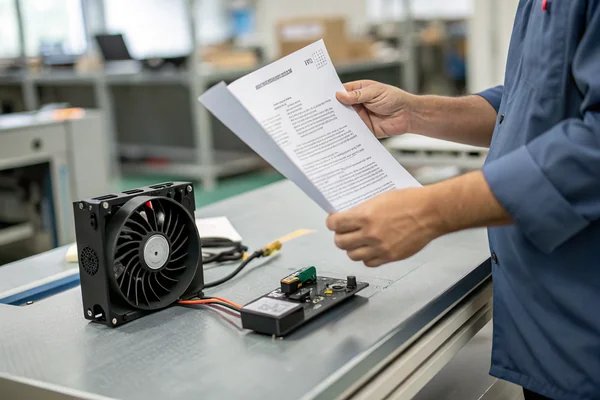
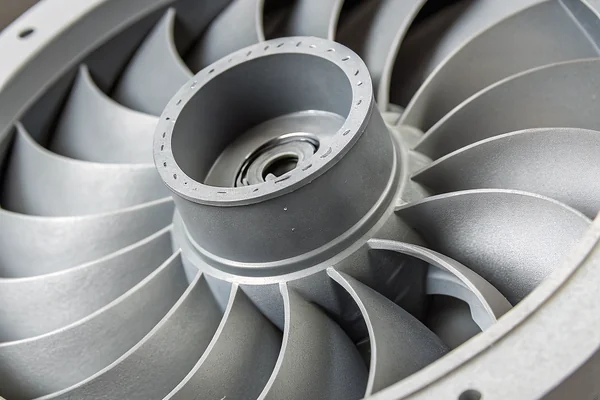
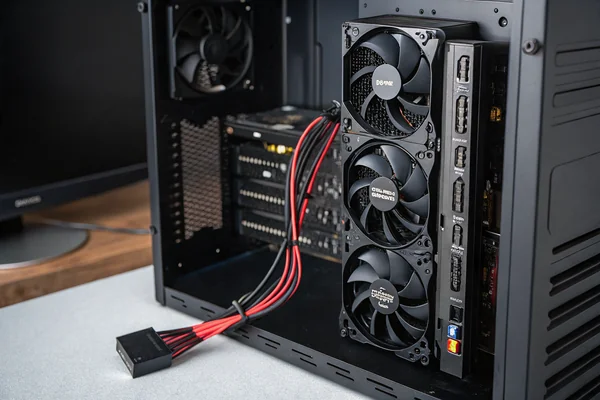
A modern gaming console packs a desktop-class chip into a living room box thinner than most people expect, then asks a single fan to keep it quiet enough for movie night and cool enough for a six-hour gaming session.
A DC axial fan matters in gaming consoles because the SoC inside runs at real desktop-class power draw in a compact, often slim enclosure, and that heat has to move fast enough to avoid thermal throttling without the fan being loud enough to disrupt a living room environment.
- Modern console SoCs draw real power under sustained gaming load, closely resembling desktop CPU/GPU thermal challenges rather than typical consumer electronics cooling.
- Compact console chassis leave little room for airflow, which pushes fan selection toward high static pressure in a small footprint, not just raw CFM.
- Living room placement makes console fan noise unusually noticeable, since these devices sit close to viewers during quiet content, not just loud gameplay.
- Slim console designs often can't fit a standard-depth fan, which forces tradeoffs between fan thinness and the airflow it can realistically deliver.
- Dust buildup inside a console fan and heat sink is one of the most common causes of rising noise and thermal throttling over a console's service life.
Getting fan selection right for a gaming console means balancing real thermal load against a genuinely restrictive form factor and an unusually noise-sensitive environment.
Table of Contents
Why Do Modern Gaming Consoles Need Such Aggressive Thermal Management?
Console chips today aren't the modest embedded processors of a decade ago.
Modern gaming consoles need aggressive thermal management because their SoCs draw substantial power under sustained gaming load, generating desktop-class heat inside an enclosure that's far more compact than a typical desktop PC case, risking thermal throttling1 if cooling can't keep pace.
Real Power Draw in a Small Box
Current-generation console SoCs combine CPU and GPU cores capable of drawing significant continuous power during demanding gameplay, and that power draw translates directly into heat that has to be removed to avoid thermal throttling -- the automatic performance reduction that protects the chip once it approaches its temperature limit. Unlike a desktop tower with generous internal volume and multiple large fans, a console has to manage that same thermal load in a fraction of the space.
| Design Factor | Desktop PC | Gaming Console |
|---|---|---|
| Internal volume | Large, expandable | Fixed, compact |
| Fan count/size | Multiple, often 120mm+ | Usually one, often smaller |
| Noise environment | Desk, variable | Living room, noise-sensitive |
How Do You Get High Airflow Out of Such a Compact Console Chassis?
Compact doesn't mean the airflow requirement shrinks -- it just means the fan has less room to deliver it.
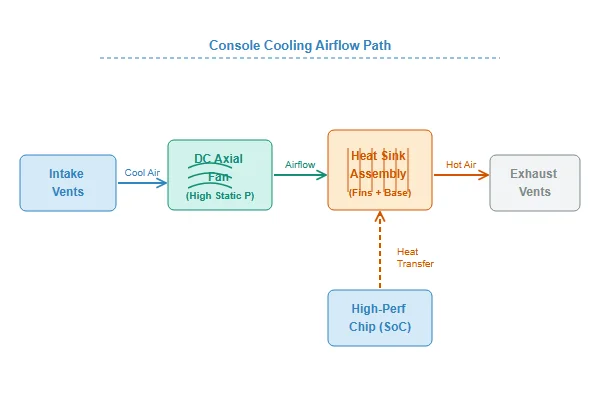
Getting adequate airflow out of a compact console chassis requires a fan engineered for high static pressure in a small footprint, paired with a heat sink and airflow path designed specifically around the chassis's restrictive internal layout, rather than simply scaling down a larger fan design.
Why Compact Cooling Is a Harder Engineering Problem
A smaller fan moving the same required airflow as a larger one generally has to spin faster, which increases both noise and bearing wear over time, unless the fan itself is specifically engineered for higher static pressure at a given size. Console designers typically pair a purpose-built fan with a heat sink and vent layout engineered as a single system, rather than treating fan selection and chassis airflow as separate problems -- because in a space this tight, they aren't separable.
Why Is Console Fan Noise Such a Sensitive Design Constraint?
A console fan has to be quiet enough for both intense gameplay and quiet menu screens, in a room with no ambient noise to hide behind.
Console fan noise is unusually sensitive because these devices sit in living rooms close to viewers, running during quiet cutscenes and menu navigation as well as loud action sequences, with no enclosure or distance to mask the sound the way a desktop tower under a desk might.
The Full-Range Noise Problem
A console fan that's acceptable during intense action gameplay, when game audio masks fan noise, can become genuinely distracting during a quiet story sequence or a menu screen where the only sound in the room is the fan itself. This pushes console fan design toward ball bearings for consistent behavior across the full speed range, careful acoustic path design, and speed control that keeps the fan at its quietest sustainable point except when thermal load genuinely demands more airflow.
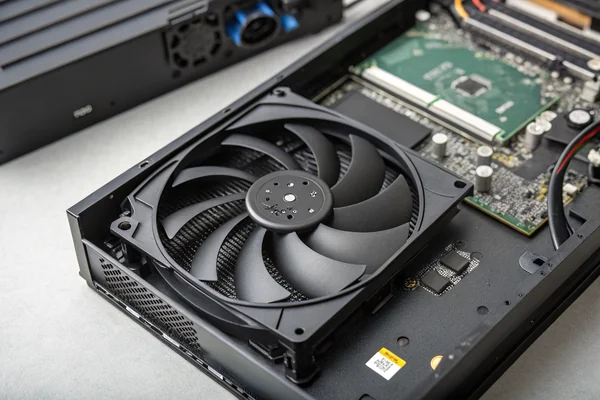
Can a Slim Console Still Get Adequate Cooling From a Thin Fan?
Slim console redesigns are popular with consumers and genuinely harder on the thermal engineering team.
A slim console can still achieve adequate cooling with a thin fan, but only by compensating elsewhere -- higher fan speed, improved heat sink design, or better static pressure performance -- since a thinner fan inherently moves less air per rotation than a thicker equivalent at the same diameter.
The Real Tradeoff Behind Slim Redesigns
Reducing fan thickness to fit a slimmer chassis reduces the blade surface area available to move air, which manufacturers typically offset through some combination of higher rotational speed (with noise implications), a more efficient heat sink and airflow path, or a fan specifically engineered for better performance-per-millimeter of depth than a generic thin fan. This is exactly why a slim console redesign is a genuine engineering exercise, not simply a matter of choosing a thinner fan off a catalog page and hoping cooling holds up.
Is It Actually Worth Replacing a Console's Fan With an Aftermarket Option?
Aftermarket console fan replacement is common enough to be its own small market, and it's not always a clear win.
Replacing a console's fan with an aftermarket option can help with a genuinely failing or excessively noisy original fan, but only delivers a real improvement if the replacement matches or exceeds the original's static pressure performance at the specific mounting and voltage the console requires -- a mismatched replacement can perform worse than the original.
What to Check Before Replacing
A replacement fan needs to match physical mounting dimensions, connector type, and voltage exactly, but matching those basics doesn't guarantee equal or better cooling performance -- static pressure capability at the console's actual internal resistance is the spec that determines whether the swap is a real upgrade or a downgrade with different noise characteristics. Aftermarket replacement is most justified when the original fan has measurably degraded (worn bearing, accumulated damage) rather than as a routine upgrade on a healthy, functioning unit.
Does Dust Buildup Really Shorten a Console's Life?
Dust is one of the more preventable causes of console cooling problems, and one of the most common in practice.
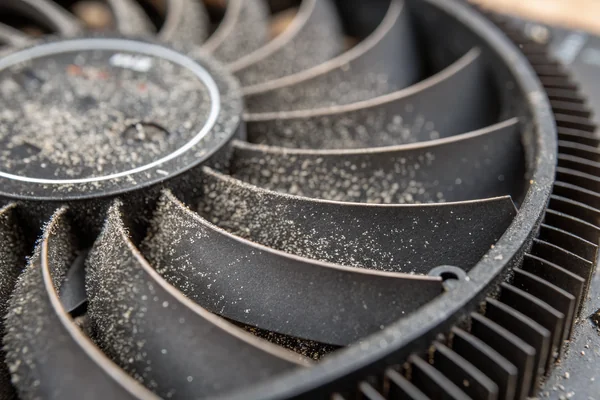
Dust buildup inside a console's fan and heat sink genuinely does shorten effective cooling performance over time, restricting airflow and forcing the fan to work harder -- which increases both noise and the risk of thermal throttling during demanding gameplay.
Why Dust Accumulates Faster Than People Expect
A console's intake fan continuously pulls in whatever airborne dust exists in the room, and that dust accumulates on the heat sink fins and fan blades over months of use, gradually restricting the airflow path the same way it does inside a CNC or industrial enclosure, just at a slower pace in a typical living room environment. The practical fix is periodic cleaning -- compressed air through vents, done carefully -- which restores much of the original cooling performance that gradual dust buildup had quietly eroded.
Why Do Some Consoles Get Louder the Longer They're Used in One Session?
Rising fan noise during a long session usually reflects real thermal accumulation, not just a fan behaving inconsistently.
A console getting louder over a long gaming session is typically the fan ramping up in response to internal temperature climbing as heat accumulates faster than it's being removed, especially during graphically demanding, sustained gameplay -- it's the thermal system responding correctly, not malfunctioning.
Why Extended Sessions Change the Thermal Picture
Short bursts of gameplay may not push internal temperature to the point where the fan needs to run at higher speed, but hours of sustained demanding gameplay accumulate heat that eventually requires more aggressive cooling to hold temperature steady. A console that stays at a constant, low fan speed regardless of session length either has generous thermal headroom by design or is heading toward throttling -- rising fan speed and noise over a long session is usually the system doing exactly what it's supposed to do.
We've supplied fans into consumer gaming hardware programs for over 20 years, and compact static-pressure performance under real noise constraints is consistently the hardest spec to get right in this segment. Every fan we build for gaming and consumer electronics customers is tested on our in-house CFM, static pressure, and anechoic noise chamber rigs as part of our IATF 16949 and ISO 9001 quality process, and we can supply slim, high-static-pressure options engineered specifically for compact living-room device chassis.
FAQ
Is it normal for a console fan to run constantly, even on the menu screen?
Yes, most consoles run their fan continuously at some baseline speed even at idle, since the SoC and other components generate some heat even outside active gameplay.
Can overheating actually damage a console permanently?
Sustained severe overheating can shorten component life and, in extreme cases, cause permanent damage, though most modern consoles include thermal protection that throttles performance or shuts down before reaching truly damaging temperatures.
Does console orientation (vertical vs horizontal) affect cooling?
It can, depending on the specific console's internal airflow design -- some are engineered to perform equally in either orientation, while others have a manufacturer-recommended orientation for optimal airflow.
How often should I clean dust out of my console's fan and vents?
Every few months for typical use, more often in dusty environments or homes with pets, using compressed air through the vents rather than opening the case unless you're comfortable doing so.
Why does my console sound different after several years of use?
Usually bearing wear or dust accumulation changing the fan's noise characteristics. A fan that's become notably louder or has developed a new rattling sound may be nearing end of service life.
Do all consoles in the same product line use identical fans?
Not necessarily -- revised or slimmer hardware versions within the same console generation often use different fan specifications to match chassis and thermal design changes.
Console cooling is a compact, high-static-pressure engineering problem wrapped in an unusually strict noise constraint, and getting it wrong shows up as throttled performance or a fan loud enough to disrupt the room it sits in. At Herays, our Dongguan facility has supplied DC fans into consumer gaming and living-room electronics programs for over 20 years, validating static pressure and acoustic performance under ISO 9001 and IATF 16949 certification. If you're specifying cooling for a compact consumer device, ask for real static pressure and noise data at your actual chassis constraints, not just a generic fan spec sheet.
Thermal throttling is a protective mechanism where a chip automatically reduces its clock speed to lower heat generation once it approaches its maximum safe operating temperature, trading performance for protection against damage. ↩

Liang
I've been working with DC fans for 30 years — long enough to have seen the industry evolve from basic sleeve bearing designs to today's high-efficiency, IP68-rated systems built for the harshest environments imaginable. I founded Herays because I believed manufacturers and engineers deserved a supplier who could talk technical from day one. Not just hand over a datasheet, but actually help you select the right fan for your thermal load, your enclosure, your certification requirements. Most of what I write here comes directly from problems I've solved on the factory floor or in customer applications — medical devices, laser equipment, industrial automation, you name it. If it involves moving air efficiently and reliably, I've probably spent time thinking about it. When I'm not obsessing over airflow curves, I'm usually helping a customer figure out why their cooling system isn't performing the way their simulation said it would.
View all posts by Liang