A smart home hub that overheats doesn't announce it. It just starts dropping connections, lagging on commands, or quietly restarting -- and most people troubleshoot the software for weeks before anyone thinks to check whether the little box is actually running too hot.
A DC axial fan matters for smart home devices because compact processors running continuously, in small sealed enclosures, generate real heat that needs to be managed within an unusually tight power and noise budget -- very different constraints than typical electronics cooling.
- Smart home hubs and IoT devices pack real processing power into small, often sealed enclosures, and that combination creates genuine thermal challenges despite modest overall power draw.
- Power consumption budgets in these devices are unusually tight, since many run continuously on modest power supplies or even battery backup, making fan efficiency a real design priority.
- USB and 5V power are the most common options for smart device cooling fans, matching the low-voltage rails these devices already use internally.
- Fan integration with home automation platforms is possible but limited -- most smart device fans run on internal thermal logic rather than being directly controllable through a smart home app.
- Noise matters more here than in typical embedded electronics, since these devices often live in bedrooms, living rooms, or home offices where people notice persistent background sound.
Getting cooling right for a smart home device means working within genuinely tighter power and noise constraints than most electronics cooling applications.
Table of Contents
Why Do Smart Home and IoT Devices Even Need Active Cooling?
Modest-looking devices can still pack enough processing power to generate real heat.
Smart home and IoT devices need active cooling because compact processors running continuously -- for voice processing, video analysis, or hub coordination -- generate real heat in small, often sealed enclosures with limited passive cooling capacity.
Why Small Devices Still Generate Real Heat
A smart hub coordinating dozens of connected devices, or a device running local edge processing1 for voice or video, runs its processor under sustained, non-trivial load continuously rather than intermittently. Combined with an enclosure designed for a small aesthetic footprint rather than thermal performance, that continuous processing load can push internal temperature high enough to need active cooling, even though the device's overall power draw looks modest compared to a desktop computer or server.
| Device Type | Thermal Driver |
|---|---|
| Smart hub | Continuous coordination and processing load |
| Video-capable device | Sustained video processing/analysis |
| Voice assistant with local processing | On-device voice model execution |
How Low Does Fan Power Consumption Actually Need to Go?
Power budgets for smart home devices are often unusually tight compared to typical electronics.
Fan power consumption for smart home devices often needs to stay in the sub-1-watt to low single-digit watt range, since many of these devices run continuously on modest power adapters or need to preserve battery backup capacity, making every component's power draw a real design consideration.
Why Every Fraction of a Watt Matters Here
Unlike a desktop PC where a fan's power draw is a rounding error against the system's total consumption, a smart home device's overall power budget is often small enough that fan power draw represents a meaningful percentage of total consumption. For battery-backed devices specifically, fan power draw directly affects how long backup power lasts during an outage, which pushes fan selection toward genuinely low-power options even at some cost to airflow performance.
What Are Your Real Options for USB and 5V-Powered Fans?
Voltage options for these devices are shaped by what's already available inside a typical smart device.
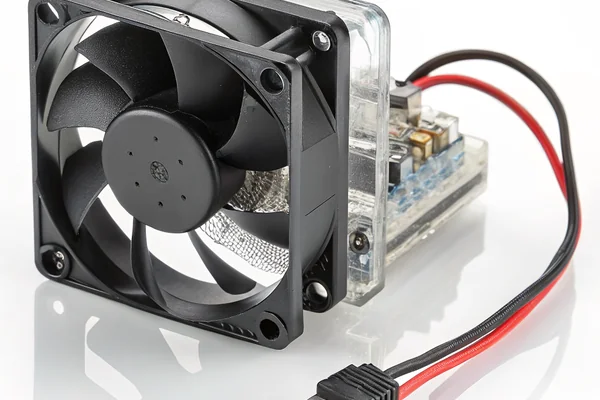
USB-powered and 5V DC fans are the most common practical options for smart home devices, matching the low-voltage rails these devices already generate internally for their own processors and peripherals, without requiring a separate voltage conversion just for the fan.
Why 5V Dominates This Category
Most smart home hardware runs its internal logic on 5V or lower rails derived from a USB or barrel-jack power input, which makes a 5V fan the natural match without adding a dedicated voltage converter solely to power cooling. This also simplifies integration for smaller manufacturers and DIY/maker projects, since 5V fan options are widely available and well-documented, unlike some of the more specialized voltage rails used in industrial equipment.
How Does a Cooling Fan Actually Integrate Into a Smart Home System?
Fan integration in these devices is usually simpler and less flexible than people expect.
A cooling fan integrates into a smart home device primarily through the device's own internal thermal management logic -- typically an onboard temperature sensor triggering the fan automatically -- rather than through direct exposure to the smart home platform or user-facing app.
Why Most Smart Device Fans Aren't User-Controllable
The fan is usually treated as an internal thermal management component, handled entirely by the device's own firmware based on internal temperature readings, similar to how a laptop or smartphone manages its own internal cooling without exposing fan control to the end user. This keeps the thermal management reliable and simple, though it does mean most consumers never interact with or even know about the fan inside their smart home hub at all.
Can You Really Control Fan Speed From a Smart Home App?
Direct app-based fan control exists, but it's the exception rather than the norm for these devices.
Direct fan speed control through a smart home app is uncommon for standard smart hubs and IoT devices, since the fan is typically internal thermal management infrastructure rather than a user-facing feature -- this is different from smart ceiling fans or HVAC-integrated fans, which are explicitly designed for app control.
Why This Distinction Matters
It's worth separating "a fan that cools a smart device's internals" from "a smart fan that a home automation system controls as a comfort device" -- these are different product categories with different design goals. A smart hub's internal cooling fan exists purely to protect the device's own electronics and generally isn't exposed as a controllable entity, while actual smart ceiling or room fans are built specifically for app and voice control as their primary function.
Does Always-On Smart Home Duty Cycle Change Fan Selection?
Continuous operation shapes fan selection differently than intermittent-use consumer electronics.
Always-on smart home device operation favors fans with continuous-duty bearing reliability and low baseline power draw over fans optimized purely for peak performance, since these devices run 24/7 for years without the rest periods more intermittent consumer electronics get.
Why Continuous Duty Changes the Priority List
A smart hub running continuously for years accumulates fan run-hours similar in pattern to other always-on infrastructure like network equipment, which argues for prioritizing bearing life and low continuous power draw over maximizing peak airflow that the device may rarely actually need. This is a genuinely different optimization target than a fan chosen for a device that only runs under demanding load occasionally.
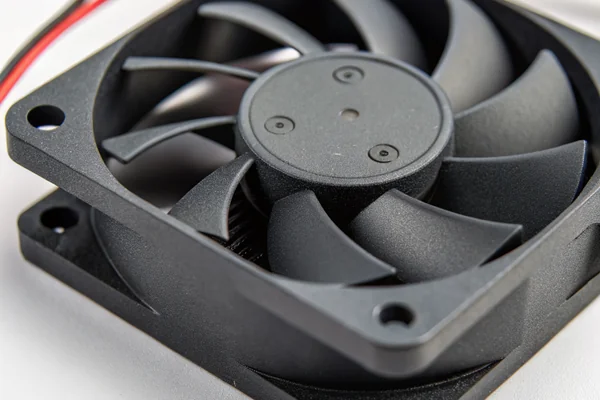
What Noise Level Is Acceptable for a Fan Living in a Bedroom or Living Room?
These devices often sit in exactly the noise-sensitive spaces where fan sound gets noticed most.
Smart home devices placed in bedrooms or living rooms typically need fans well under 25-30 dBA, since these spaces are specifically where people expect quiet, and a persistent hum from a smart hub is exactly the kind of background noise people notice and complain about.
Why Placement Drives the Noise Bar Here
A smart hub in a utility closet has much more noise headroom than the same device sitting on a bedroom nightstand or living room shelf, which is genuinely where many of these devices end up given their role coordinating home automation throughout living spaces. This pushes fan selection toward the quietest options that still meet the device's real cooling need, often favoring reduced-speed continuous operation over a louder, intermittently-cycling fan.
We've supplied fans into smart home and IoT device programs for over 20 years, and the combination of low power budget, quiet operation, and continuous duty is one of the more specialized requirement sets we work with. Every fan we build for this segment is validated for low-power continuous operation and low-noise performance on our in-house testing equipment as part of our ISO 9001 and IATF 16949 quality process, and we can supply 5V and USB-compatible options optimized specifically for tight power and noise budgets.
FAQ
Do all smart home hubs have internal cooling fans?
No -- many lower-power hubs rely entirely on passive cooling through their enclosure design, with active fans reserved for higher-processing-load devices like those doing local video or voice analysis.
Can I add an external fan to a smart home device that's overheating?
It's possible for DIY or enthusiast projects, but modifying a sealed consumer device isn't generally supported by manufacturers and may affect warranty coverage.
Does a noisy smart hub fan indicate a problem, or is some noise normal?
A consistent, moderate hum may be normal operation, but a sudden increase in noise, rattling, or grinding sounds typically indicates a developing fan or bearing issue worth investigating.
Do smart home fans need to be rated for continuous 24/7 operation?
Yes, generally, since most smart hubs and hub-adjacent devices run continuously rather than cycling on and off, making continuous-duty reliability a real requirement even for a small internal fan.
Is fan noise ever used as a diagnostic signal in smart home devices?
Some devices do monitor fan speed or status internally as part of general device health monitoring, though this isn't typically exposed to the end user through the app.
Would a fanless (passive) redesign ever make sense for a device that currently uses a fan?
Sometimes, if the device's processing load can be reduced or the enclosure redesigned with better passive heat dissipation, though this often means real tradeoffs in processing capability or enclosure size.
Smart home device cooling operates under a genuinely different set of constraints than typical electronics cooling -- tight power budgets, strict noise limits, and continuous duty cycle, all at once, in a device most people never think about until it starts acting up. At Herays, our Dongguan facility has supplied low-power, low-noise DC fans into smart home and IoT programs for over 20 years, validated under ISO 9001 and IATF 16949 certification. If you're designing cooling for a connected device, we're glad to help balance power, noise, and reliability for your specific constraints.
Edge computing runs processing tasks (like voice or video analysis) locally on the device rather than sending data to a remote server. Running that processing on-device increases local heat generation, which is part of why some smart home devices need active cooling despite modest overall power draw. ↩

Liang
I've been working with DC fans for 30 years — long enough to have seen the industry evolve from basic sleeve bearing designs to today's high-efficiency, IP68-rated systems built for the harshest environments imaginable. I founded Herays because I believed manufacturers and engineers deserved a supplier who could talk technical from day one. Not just hand over a datasheet, but actually help you select the right fan for your thermal load, your enclosure, your certification requirements. Most of what I write here comes directly from problems I've solved on the factory floor or in customer applications — medical devices, laser equipment, industrial automation, you name it. If it involves moving air efficiently and reliably, I've probably spent time thinking about it. When I'm not obsessing over airflow curves, I'm usually helping a customer figure out why their cooling system isn't performing the way their simulation said it would.
View all posts by Liang