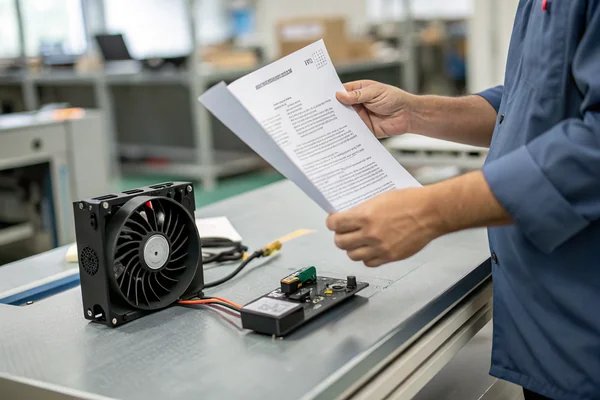
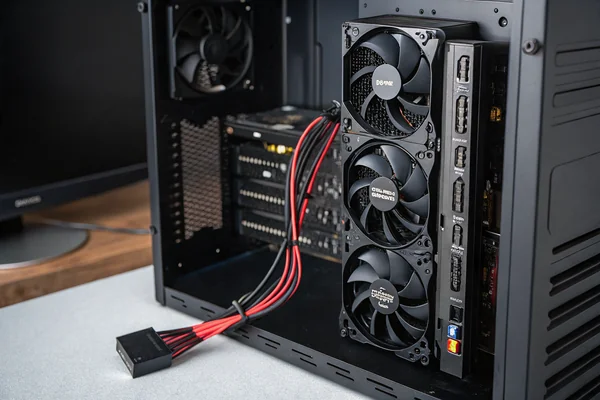
A hot, throttling Raspberry Pi can compromise your project's performance and long-term stability. While effective cooling is the clear solution, selecting the right fan involves navigating a confusing array of options.
The best fan for your Raspberry Pi depends entirely on your case, workload, and noise tolerance. For most projects, a 30mm or 40mm fan that runs on 5V is the right starting point. The final choice comes down to balancing airflow and static pressure.
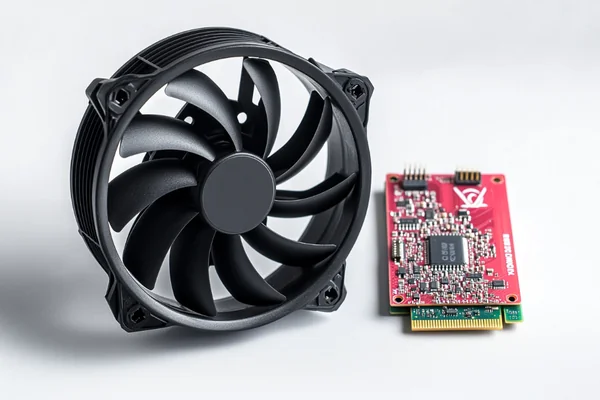
Selecting a fan is an engineering decision that directly impacts the performance and reliability of your single-board computer. The "best" fan is not a one-size-fits-all product; it's the one that correctly matches your specific application. This guide provides a systematic approach to choosing the right fan, ensuring your Raspberry Pi runs at its full potential without overheating.
Table of Contents
Why a Raspberry Pi Gets Hot
Understanding the source of the heat is the first step to implementing an effective cooling solution for a Raspberry Pi that feels hot to the touch or exhibits performance issues.
A Raspberry Pi gets hot mainly because its central processing unit (CPU) generates significant thermal energy, especially during demanding tasks. Without a way to dissipate this heat, temperatures rise, forcing the system to slow down to prevent damage—a process known as thermal throttling1.

From an engineering perspective, the primary heat source is the CPU. It generates more thermal energy as its workload increases during tasks like media serving, retro game emulation, or code compilation. While other components like RAM and power management ICs contribute to the board's overall temperature, the CPU is the dominant heat generator.
The Problem of Thermal Throttling
When the CPU temperature hits a certain threshold (around 80-85°C2), the Raspberry Pi intentionally slows its clock speed. This built-in safety feature, thermal throttling, protects the hardware from heat damage but at the cost of performance. A server might become unresponsive, or a game's frame rate could plummet. Effective cooling prevents the Pi from reaching this throttling point, ensuring you get the full performance of the hardware.
Common Workloads and Heat Generation
Not all tasks generate the same amount of heat. Understanding your workload's thermal demands helps you determine the necessary level of cooling.
| Workload Example | Typical Heat Level | Cooling Recommendation |
|---|---|---|
| Idle or light scripting | Low | A passive heatsink may be sufficient. |
| Desktop browsing | Medium | A basic fan or a well-ventilated case is advisable. |
| 4K video playback | High | Active cooling with a fan is recommended. |
| Compiling software | Very High | A powerful fan is essential for maintaining performance. |
| Running AI models3 | Very High | Active cooling is a necessity. |
Passive vs. Active Cooling for Raspberry Pi
The first decision in thermal management for a Raspberry Pi is the choice between passive and active cooling. Each approach has distinct advantages and is suited for different operating conditions and performance requirements.
Passive cooling (heatsinks) is silent and suitable for light tasks in a well-ventilated area. Active cooling (fans) is necessary for heavy workloads or enclosed cases because it physically forces hot air away, providing much more effective temperature reduction4.
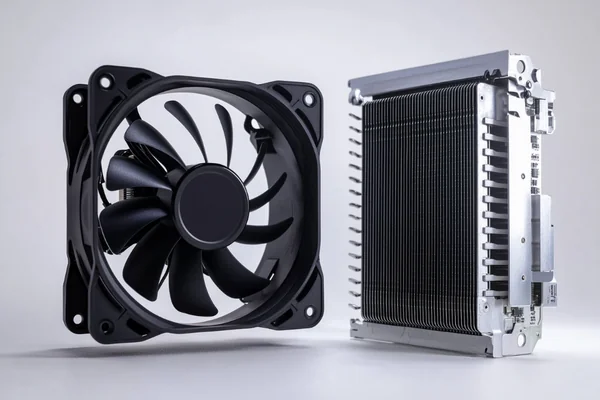
This choice is fundamental to your system design. Whether building a silent home automation hub or a powerful mini-server, the cooling method must align with the Pi's intended workload.
Passive Cooling: Heatsinks
Passive cooling uses a heatsink—a block of finned aluminum or copper—to increase the CPU's surface area. This allows heat to dissipate into the surrounding air via natural convection.
- Pros: Completely silent, consumes no power, and has no moving parts that can fail.
- Cons: Limited cooling capacity. It can be overwhelmed by high CPU loads or poor ventilation inside a case. A heatsink only moves heat into the case's ambient air; it does not exhaust it.
Active Cooling: Fans
Active cooling adds a fan, typically paired with a heatsink, to force air across the cooling fins and out of the enclosure. This process, known as forced convection, is substantially more effective at removing heat.
- Pros: Superior cooling performance, allowing the Pi to maintain full speed under any workload.
- Cons: Produces some noise, consumes a small amount of power from the GPIO pins5, and introduces a mechanical component that could eventually require replacement.
Making the Right Choice
The right choice is a trade-off based on your specific project requirements.
| Feature | Passive Cooling (Heatsink) | Active Cooling (Fan) |
|---|---|---|
| Performance | Low to Medium | High to Very High |
| Noise Level | Silent (0 dBA) | Low to Audible |
| Power Use | None | Low (Uses GPIO power) |
| Reliability | Very High (No moving parts) | High (Modern fans are reliable) |
| Best For | Light tasks, silent projects | Heavy tasks, enclosed cases |
Selecting the Right Fan Size for a Raspberry Pi
Choosing an incorrectly sized fan is a common and preventable error. A fan that doesn't fit your case's mounting points cannot be installed correctly, rendering it ineffective.
The most common fan sizes for Raspberry Pi are 30mm and 40mm. Your choice depends almost entirely on the case you are using. A 30mm fan often fits official cases, while 40mm fans can offer better, quieter performance in larger third-party cases.
While performance specifications are important, the primary consideration for fan size is physical compatibility. Before evaluating airflow or static pressure, confirm the fan mounting dimensions of your Raspberry Pi case.
The 30mm Fan: A Compact Fit
A 30x30x10 mm fan (often called a 3010 fan) is a common choice because its small footprint fits inside many compact enclosures, including some official Raspberry Pi Foundation case designs.
- Use Case: Ideal for small, integrated projects where space is the primary constraint.
- Trade-off: To move a sufficient volume of air, a smaller fan must spin its blades at a higher RPM (Revolutions Per Minute). This generally results in more noise compared to a larger fan providing similar cooling.
The 40mm Fan: The Performance Choice
A 40x40x10 mm (4010) fan is the other popular option. Because its blades are larger, it can move more air at a lower RPM, making it more efficient and significantly quieter than a 30mm fan.
- Use Case: The preferred choice for larger third-party cases, server-style rack mounts, and custom 3D-printed enclosures with adequate space.
- Trade-off: It is physically too large for cases designed exclusively for 30mm fans.
Airflow (CFM) vs. Static Pressure (mmH2O)
Understanding the difference between airflow and static pressure is crucial for effective cooling. A fan that seems powerful but fails to cool properly is often a result of a mismatch between these two specifications and the system's impedance.
- Airflow (CFM): Cubic Feet per Minute measures the volume of air a fan can move in an open, unobstructed space. High CFM is beneficial for cases with good ventilation.
- Static Pressure: This measures a fan's ability to push air against resistance, such as a dense heatsink, a dust filter, or restrictive case vents.
If your case has tight vents or a dense heatsink, a fan with high static pressure is more important than one with high CFM.
| Fan Spec | 3010 Fan (Typical) | 4010 Fan (Typical) | What it Means for You |
|---|---|---|---|
| Size | 30x30x10 mm | 40x40x10 mm | Must match your case mounting holes. |
| Airflow | Lower | Higher | The 40mm fan moves more air, typically cooling better. |
| RPM | Higher | Lower | The 30mm fan spins faster, often creating more noise. |
| Noise | Higher | Lower | The 40mm fan is generally the quieter option. |
Choosing Between 5V and 3.3V Fan Power
The Raspberry Pi's GPIO header provides both 5V and 3.3V power pins. Supplying the correct voltage to your fan is critical for proper performance and reliability.
You should almost always use a 5V DC fan connected to one of the Raspberry Pi's 5V pins. This ensures the fan receives the correct voltage to operate at its specified speed and provide reliable cooling. While some users connect 5V fans to the 3.3V pin to reduce speed, this undervolting technique can be unreliable.
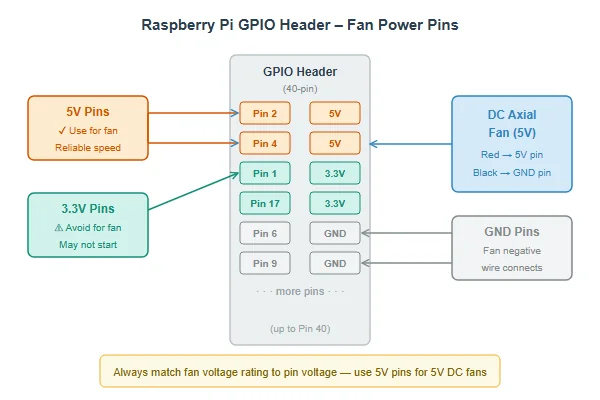
This is a critical detail that is often overlooked. As manufacturers, we design our fans to operate at a specific voltage to guarantee performance and longevity. Adhering to the fan's specified voltage is the most reliable engineering practice.
Why 5V is the Standard Operating Voltage
The vast majority of small DC axial fans suitable for single-board computers are rated for 5V. This aligns perfectly with the stable 5V power source available on the Raspberry Pi's GPIO header.
- Correct Performance: Connecting a 5V fan to a 5V pin ensures it runs as the manufacturer intended, delivering the airflow and static pressure listed on its datasheet.
- Reliable Startup: The fan receives sufficient power to overcome initial inertia and start spinning reliably every time the Raspberry Pi boots.
The Risks of Undervolting a 5V Fan with 3.3V
Some users intentionally undervolt a 5V fan by connecting it to a 3.3V pin, forcing it to run slower and quieter. While this can reduce noise, it introduces significant risks.
- How it works: Supplying a lower voltage (3.3V instead of 5V) causes the motor to spin slower.
- The Risk: The fan may not receive enough torque to start spinning6, especially as it ages or if dust accumulates. You might assume your Pi is being cooled when the fan is actually stalled, leading to unexpected overheating.
For quiet operation, a much better solution is using a fan with PWM speed control.
How to Connect Your Fan Correctly
Always check your fan's label for its voltage rating and connect it to the corresponding pins on the GPIO header.
| Fan Wire | Connect to GPIO | Pin Voltage | Resulting Fan Speed | Risk Level |
|---|---|---|---|---|
| Red (5V Fan) | 5V Power Pin | 5V | Normal Speed (Recommended) | None |
| Black (Fan) | Ground Pin | 0V | (Required for circuit) | None |
| Red (5V Fan) | 3.3V Power Pin | 3.3V | Slow Speed (Not Recommended) | Medium (Fan may not start) |
Controlling Fan Speed with PWM on a Raspberry Pi
A fan running constantly at full speed can be unnecessarily noisy, especially when the Raspberry Pi is idle. Adaptive cooling provides a solution that is powerful when needed and silent when it is not.
Yes, you can control fan speed using Pulse Width Modulation (PWM) on a Raspberry Pi. This requires a 3-wire or 4-wire fan and allows you to create a smart cooling system that adjusts fan RPM based on the CPU's temperature.

PWM control is the superior method for balancing cooling performance and acoustics. It is the standard for sophisticated projects like home media centers or small servers, transforming a simple cooling component into an intelligent, responsive thermal management system.
How PWM Works
Instead of being simply on or off, a PWM-controlled fan can be set to run at any percentage of its maximum speed. The Raspberry Pi achieves this by sending a digital signal—a series of rapid on-off pulses—to the fan's control wire. The duty cycle, or "width," of these pulses dictates the fan's speed. A wider pulse corresponds to a higher speed, while a narrower pulse results in a lower speed.
What You Need: The Right Kind of Fan
A common point of confusion is that standard 2-wire fans cannot be speed-controlled via PWM. This functionality requires a fan with additional wires for control and feedback.
- 2-Wire Fan: Has power (red) and ground (black) wires. It can only run at full speed when powered on.
- 3-Wire Fan: Adds a third wire (usually yellow) for a tachometer (FG) signal. This wire reports the fan's speed back to the Pi but does not provide a means of control.
- 4-Wire Fan: Adds a fourth wire (usually blue), which is the PWM control input. This is the wire you use to send the speed control signal to the fan. This is the type required for true speed control.
| Wires | Fan Type | Function |
|---|---|---|
| 2 (Red, Black) | Standard DC Fan | On/Off at full speed. No control. |
| 3 (Red, Black, Yellow) | Fan with Tachometer | On/Off at full speed. Can read RPM. |
| 4 (Red, Black, Yellow, Blue) | PWM Fan | On/Off. Can read RPM and control speed. |
Setting It Up on Your Pi
To implement PWM control, you connect the fan's PWM wire to one of the Pi's GPIO pins that supports hardware PWM7. You can then use simple scripts or built-in Raspberry Pi OS tools to create a control loop that reads the CPU temperature and sets the fan speed accordingly. For example, a script could keep the fan off below 50°C, run it at 50% speed up to 65°C, and ramp it to 100% speed above that threshold. This provides the optimal balance of silence at idle and powerful cooling under load.
Conclusion
Ultimately, choosing the right fan for your Raspberry Pi is a balancing act between your case, your workload, and your noise tolerance. It is not about finding a single "best" fan, but about selecting the component with the correct physical and electrical characteristics for your specific project.
"Throttling mechanism on Pi OS question. - Raspberry Pi Forums", https://forums.raspberrypi.com/viewtopic.php?t=376308. A source can define thermal throttling as a built-in safety mechanism in modern processors, including the one used by the Raspberry Pi, which reduces performance to prevent damage from excessive heat. ↩
"Does the Raspberry Pi 4 throttle at 60 C or 70 C? (also question ...", https://forums.raspberrypi.com/viewtopic.php?t=266412. Official documentation from the Raspberry Pi Foundation confirms the thermal limits for its processors, specifying that throttling begins at 80°C and becomes more aggressive as the temperature approaches 85°C. ↩
"Benchmarking TensorFlow and TensorFlow Lite on Raspberry Pi 5", https://www.hackster.io/news/benchmarking-tensorflow-and-tensorflow-lite-on-raspberry-pi-5-b9156d58a6a2. Research and performance benchmarks demonstrate that executing machine learning inference models results in sustained, high-intensity CPU loads that can quickly raise the core temperature to the thermal throttling point without adequate cooling. ↩
"RPI 5 Active Cooling VS Passive Cooling live test and comparison.",
. Studies comparing thermal management solutions for single-board computers show that active cooling systems using fans can lower peak CPU temperatures by 20-30°C more than passive heatsinks under sustained heavy loads. ↩"GPIO +5v max current? - Raspberry Pi Forums", https://forums.raspberrypi.com/viewtopic.php?t=14153. Official Raspberry Pi documentation specifies the maximum combined current draw for the 5V GPIO pins. A typical 30mm or 40mm fan draws between 100-200mA, which is well within the board's limits, provided other high-power peripherals are not also drawing from the same source. ↩
"Understanding DC Motor Characteristics - This is lancet.mit.edu.", http://lancet.mit.edu/motors/motors3.html. Technical resources on brushless DC motors, which are used in computer fans, explain that the initial torque required to start rotation is directly related to the input voltage. Supplying a voltage significantly below the motor's rating may not provide enough torque to overcome static friction, causing the fan to stall or fail to start. ↩
"PWM at Raspberry Pi GPIO Pinout", https://pinout.xyz/pinout/pwm. Official documentation for the Raspberry Pi's Broadcom SoC confirms that a limited number of GPIO pins can be configured to act as hardware PWM channels, providing stable and processor-efficient signals for tasks like motor or fan speed control. ↩

Liang
I've been working with DC fans for 30 years — long enough to have seen the industry evolve from basic sleeve bearing designs to today's high-efficiency, IP68-rated systems built for the harshest environments imaginable. I founded Herays because I believed manufacturers and engineers deserved a supplier who could talk technical from day one. Not just hand over a datasheet, but actually help you select the right fan for your thermal load, your enclosure, your certification requirements. Most of what I write here comes directly from problems I've solved on the factory floor or in customer applications — medical devices, laser equipment, industrial automation, you name it. If it involves moving air efficiently and reliably, I've probably spent time thinking about it. When I'm not obsessing over airflow curves, I'm usually helping a customer figure out why their cooling system isn't performing the way their simulation said it would.
View all posts by Liang