Choosing the wrong fan size can lead to overheating or excessive noise. Let me help you find the perfect balance between cooling performance, space, and acoustics for your project.
The right DC fan size is the largest one that fits your design while meeting your airflow and pressure needs. This approach ensures the most efficient and quietest cooling performance for your specific application.
As a fan supplier, I talk to engineers and product designers every day. A common mistake I see is starting the selection process by picking a fan size. While it seems logical, it often leads to problems down the road. A better way to think about it is to see the fan size as the result of your design needs, not the starting point. Let's walk through how to choose the right size by first understanding the core trade-offs.
Table of Contents
Why does fan size matter so much for cooling?
Your system is running hot, but a big fan won't fit. This puts you between performance and space constraints. Here's how we navigate this very common engineering problem.
A fan's size directly impacts its airflow capacity and noise level. Generally, a larger fan can move more air more quietly, while a smaller fan fits in tight spots but runs faster and louder for the same airflow.
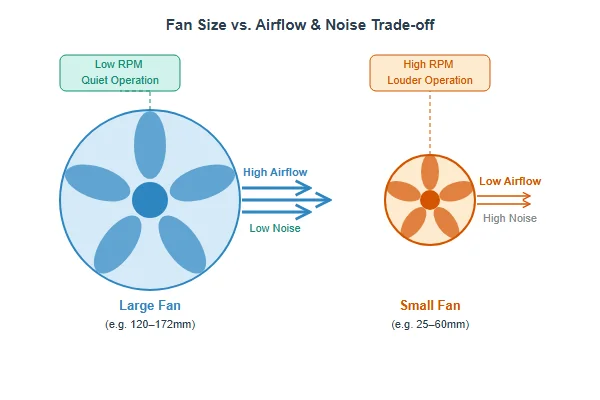
The core principle is simple: a larger fan blade has more surface area. This means it can move a bigger volume of air with each rotation. Because of this, a 120mm fan running at a slow 1000 RPM can move the same amount of air (CFM) as a 40mm fan screaming at 8000 RPM, but the 120mm fan will be much quieter and more energy-efficient. We often see engineers fixated on a small fan because of initial space concerns. But I always advise them to ask: can we make space for a larger, slower fan? The answer often determines the final acoustic performance of their product. The choice between a small, fast fan and a large, slow one is the first and most important trade-off in thermal design.
| Factor | Small, High-Speed Fan | Large, Low-Speed Fan |
|---|---|---|
| Space | Excellent for compact devices | Requires more room |
| Airflow | Can be high, but at high RPM | High, even at low RPM |
| Noise | Typically louder | Typically quieter |
| Efficiency | Less efficient per watt | More efficient per watt |
When should you use a 25–30mm micro fan?
Your tiny device is getting hot, but standard fans are way too big. You have no space to spare. Micro fans are designed for exactly these compact, high-density situations.
Use 25mm to 30mm micro fans for extremely compact electronics where space is the primary limitation. These are perfect for spot cooling specific components like processors, small heatsinks, or in handheld devices where every millimeter counts.
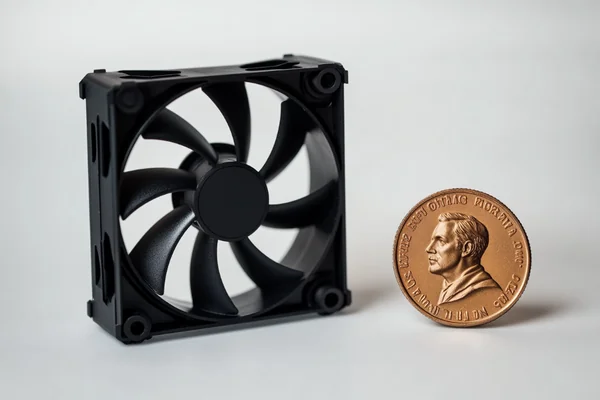
These tiny fans are specialists. You'll find them in products like portable projectors, handheld diagnostic tools, and embedded IoT systems. Their job isn't to ventilate an entire enclosure, but to provide targeted "spot cooling" to a single, critical component that generates a lot of heat in a small area. The main goal here is preventing the component from overheating and throttling its performance. Because they have to spin very fast to move a meaningful amount of air, they can be audible. In these applications, preventing thermal failure is far more important than achieving silent operation. For their size, they can generate respectable static pressure, which is their ability to push air through tight spaces like the fins of a small heatsink. Engineers working on the next generation of compact gadgets are the primary users of these powerful little coolers.
What are 40–60mm mid-range fans best for?
You need versatile cooling that balances size, airflow, and noise. These mid-range fans are everywhere, but choosing the right one can be tricky with so many options available.
40mm to 60mm fans are the workhorses for countless electronic devices. They offer a great balance of size, airflow, and pressure, making them ideal for 1U servers, 3D printer hotends, network switches, and compact power supplies.
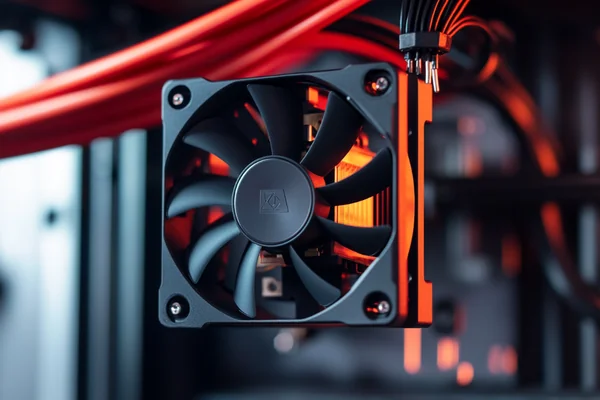
I call these the "utility players" of the DC fan world because they are so versatile. You'll see 40mm fans, often very powerful ones, packed into thin 1U rack-mount servers where airflow and pressure are critical. You'll also find a 40mm fan cooling the hotend of nearly every 3D printer. As you move up to 50mm and 60mm, you find them in network switches, DVRs, and other consumer electronics that need active cooling but have limited internal space. Within this size range, the third dimension—depth—becomes very important. A 40x40x10mm fan is great for low-profile ventilation, but a 40x40x28mm fan can offer dramatically higher static pressure for pushing air through a dense heatsink. A frequent question from new server builders is about the noise of these 40mm fans. The truth is, in a server rack, maximum cooling performance and reliability are the only priorities, not low noise.
Do you need an 80mm to 172mm large axial fan?
Your PC case or industrial cabinet needs serious airflow to stay cool. Smaller fans just aren't moving enough air, and temperatures are climbing. Large axial fans provide maximum cooling, but which one is right?
Choose large fans (80mm and up) when you need high airflow with low noise. They are perfect for PC cases (120mm, 140mm), power supplies (120mm), and industrial cabinets (172mm) where moving large volumes of air efficiently is the main goal.
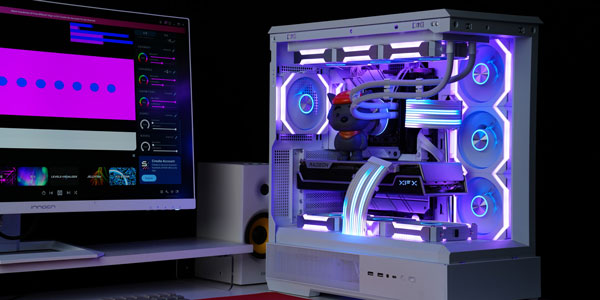
This is where the noise-to-performance ratio really shines. Large fans are champions of quiet cooling. They move a large column of air slowly, which is much more effective and peaceful than a small fan moving a narrow jet of air quickly.
- 80mm & 92mm: These were once the standard for PC cases but are now more common in smaller server towers and budget power supplies.
- 120mm: This is the undisputed king of PC cooling. It's the standard size for cases, CPU coolers, and radiators, offering a perfect blend of airflow, pressure, and low noise. Most modern ATX power supplies also use a 120mm fan.
- 140mm: A popular upgrade for PC enthusiasts. In cases that support them, 140mm fans can provide the same or better cooling as 120mm models but at a lower RPM, resulting in even quieter operation.
- 172mm: These are industrial heavy-hitters. You won't find them in a desktop PC. Their job is to move massive amounts of air in large electrical cabinets, control panels, and ventilation systems.
So, how do you pick the right fan size?
You've seen all the options, but you might feel overwhelmed. Picking the wrong size can mean costly redesigns and project delays. Let's build a simple framework to get it right.
To pick the right size, first define your required airflow (CFM) and static pressure (Pa). Then, find the largest fan your product's design can physically fit. This approach guarantees the quietest, most efficient cooling for your available space.
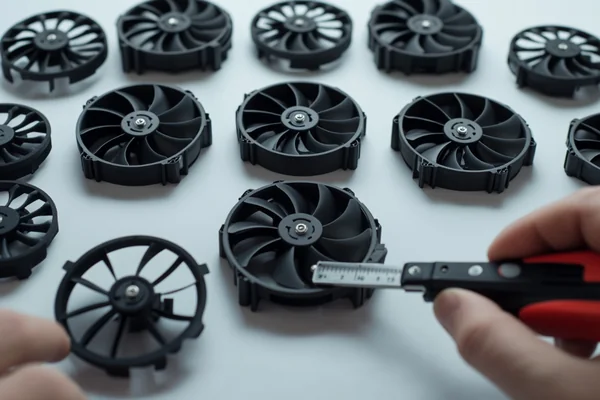
Based on my experience helping customers, this decision-making process avoids common pitfalls. Instead of picking a size and hoping it works, you make a choice based on data and physical reality.
Here is the simple, four-step process I walk our clients through:
- Define Performance Needs: Don't start with size. First, determine your cooling requirements. How much airflow (CFM or CMM) do you need? Will the air have to push through obstacles like filters or heatsinks? If so, you need to know your static pressure requirement (mmH₂O or Pa).
- Assess Physical Space: Now, look at your design. Measure the maximum width, height, and depth available for the fan. This gives you your "size envelope."
- Match Performance to Space: Look for fans within your maximum possible size (from Step 2) that meet or exceed your performance needs (from Step 1). If multiple sizes work, always default to the largest one.
- Refine Your Selection: Once you've settled on a size, you can dive into the details. Now is the time to choose the right bearing for lifespan (ball vs. sleeve), decide if you need PWM speed control, and check the noise ratings (dBA).
- Use Our Online Product Selector:Once you know your performance requirements and size constraints, use our online product selector to quickly narrow down the options and find the best fan for your application. Simply enter your requirements, compare suitable models, and select the one that best matches your project. Click here to start selecting your fan: https://herays.com/products/
Conclusion
Choosing the right fan size is a balance between performance needs and physical space. Start with your airflow requirements, not just a dimension, to get the best cooling results for your project.

Liang
I've been working with DC fans for 30 years — long enough to have seen the industry evolve from basic sleeve bearing designs to today's high-efficiency, IP68-rated systems built for the harshest environments imaginable. I founded Herays because I believed manufacturers and engineers deserved a supplier who could talk technical from day one. Not just hand over a datasheet, but actually help you select the right fan for your thermal load, your enclosure, your certification requirements. Most of what I write here comes directly from problems I've solved on the factory floor or in customer applications — medical devices, laser equipment, industrial automation, you name it. If it involves moving air efficiently and reliably, I've probably spent time thinking about it. When I'm not obsessing over airflow curves, I'm usually helping a customer figure out why their cooling system isn't performing the way their simulation said it would.
View all posts by Liang