Worried about frying your new DC fan with a simple wiring mistake? It's a common, costly error. Protecting your electronics and fan is easier than you think.
Polarity protection in a DC axial fan is a safety feature that prevents damage if the positive and negative power wires are accidentally reversed. It's crucial for preventing circuit failure, especially during manual assembly or in applications where wiring errors are possible.
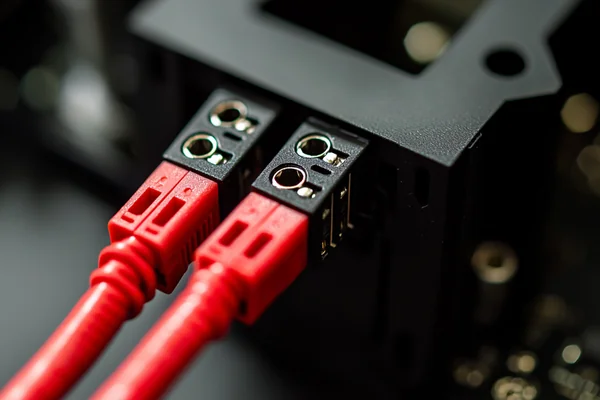
I've seen countless projects delayed by a simple reverse connection. It's a small detail that can have a big impact. Let's break down what this protection is and why it's not a one-size-fits-all solution. You need to understand the risks to make the right choice for your application.
Table of Contents
What Exactly Is Polarity Protection in a DC Fan?
Confused by datasheets mentioning "polarity protection"? This technical term hides a simple but vital function. Understanding it helps you avoid preventable equipment failures and costly replacements.
Polarity protection is an internal circuit within the DC fan's motor driver. It acts like a gatekeeper, ensuring that electricity flows in the correct direction. If wires are reversed, it either blocks the current or safely handles it to prevent the motor from burning out.
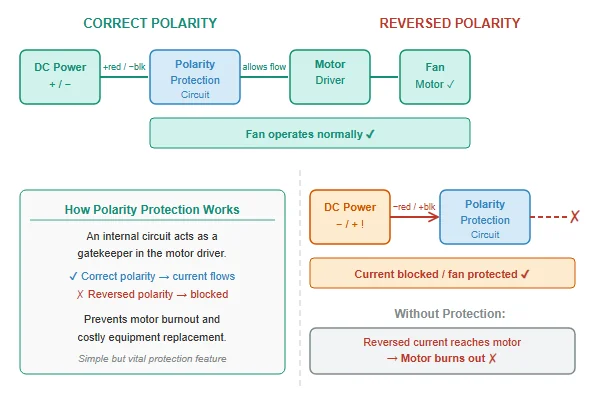
Based on my experience helping engineers select fans, this feature is one of the most misunderstood. It's not a single "yes or no" option. There are different levels of protection, and the right one for you depends entirely on your product's assembly process and end-use environment. Choosing correctly is a balance between cost, performance, and risk. Let's look at the common types.
Protection Levels and Their Trade-offs
The level of protection directly impacts the fan's cost and, in some cases, its performance.
| Protection Type | Cost | Protection Level | Performance Impact |
|---|---|---|---|
| None | Low | None | None |
| Series Diode | Low-Mid | Good | Slight voltage drop |
| IC-Based | Mid-High | Excellent | Negligible |
A fan with no protection is the cheapest, but connecting it backward will instantly destroy its internal motor driver. A simple series diode is a cost-effective solution that blocks reverse current, but it introduces a small voltage drop. This means a 12V fan might only get 11.3V, causing it to run a bit slower. The best protection is built into the motor's Integrated Circuit (IC), which simply shuts off if it detects reverse polarity, with no damage and no performance loss once corrected.
What's the Real Risk of Using a Fan Without Polarity Protection?
Thinking of skipping polarity protection to save a few cents per unit? This small saving can lead to major headaches. The consequences of a simple wiring error can be surprisingly severe.
Without polarity protection, connecting a DC fan backward will almost instantly destroy the internal motor driver IC. The fan will stop working permanently. In some cases, it can also create a short circuit that could potentially damage the host device's power supply.
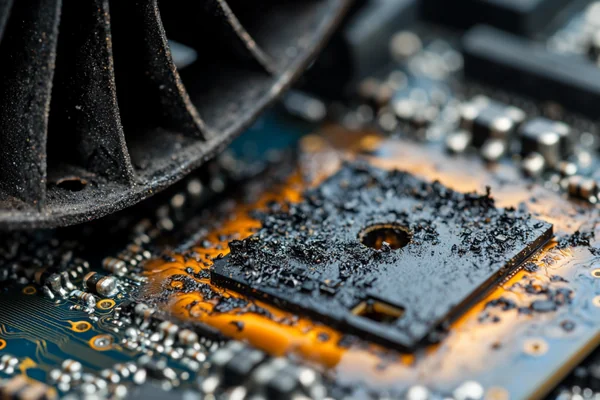
The cost of "no protection" is not just the price of a replacement fan. I always advise customers to think about the total system risk. A dead fan is one thing, but what if it takes your mainboard with it?
Immediate and Secondary Failures
The most obvious outcome of reverse polarity on an unprotected fan is immediate, permanent failure. The motor driver IC burns out, and the fan becomes a paperweight. This is a common issue we see in RMA requests from hobbyists or in early-stage prototyping where wires are manually connected.
Risk to the Host Device
A more serious, though less common, risk is damage to the device powering the fan. When the fan's IC fails, it can create a short circuit. This can draw excessive current from the power supply or motherboard header. While most power supplies have their own short-circuit protection, it's not a guarantee. We've heard feedback where a failed fan has damaged the power rail on a custom PCB, turning a simple fan swap into a much more expensive board-level repair. The decision really comes down to assessing risk in your specific assembly environment. For a tightly controlled industrial line using keyed connectors that can't be plugged in backward, a non-protected fan might be a calculated, cost-effective choice. For a consumer product where the end-user might be connecting wires, protection is essential.
How Do Fan Manufacturers Actually Implement Polarity Protection?
Ever wonder what's inside a "protected" fan? It's not magic. Manufacturers use specific electronic components to achieve this safety, and each method has different trade-offs for you.
Manufacturers typically use one of two methods. The most common is a series diode, which physically blocks reverse current. A more advanced method integrates the protection directly into the motor's driver Integrated Circuit (IC), which intelligently shuts down when it detects a reverse connection.
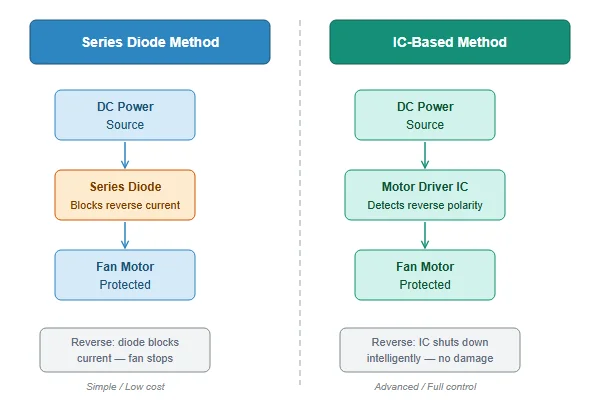
When a customer asks for a protected fan, my first follow-up question is always about their performance needs. The type of protection circuit used matters. It's not enough to just see a checkmark on a datasheet.
The Series Diode Method
This is the workhorse of polarity protection. We add a simple diode in series with the fan's positive power input. A diode acts like a one-way valve for electricity. If the power is connected correctly, current flows through it and the fan runs. If the power is connected backward, the diode blocks the current, and nothing happens. It's simple and cheap. However, there's a trade-off: voltage drop. The diode itself consumes a small amount of voltage, typically around 0.7V. So, if you supply 12V to the fan, the motor itself only sees 11.3V. This will cause the fan to spin slightly slower and move less air than its datasheet rating, which was measured without the diode. For many general cooling applications, this is fine. For high-performance systems where every bit of airflow counts, it's a critical detail.
The Integrated Circuit (IC) Method
This is the more elegant solution. The polarity protection logic is built directly into the fan's motor driver IC. The chip is smart enough to detect when the voltage is reversed. Instead of letting the current flow and cause damage, it simply remains in an "off" state. No current flows, no components are harmed. Once you fix the wiring, the fan starts up and works perfectly. The biggest advantage here is that there is virtually no voltage drop. The fan receives the full supply voltage and performs exactly as specified. This is why it's standard on most of our high-performance PC fans and advanced industrial models.
Is Locked Rotor Protection the Same as Polarity Protection?
Datasheets are full of confusing terms like "locked rotor protection." Is this just another name for polarity protection? Mistaking one for the other can leave your system vulnerable to failure.
No, they are different. Polarity protection guards against incorrect wiring. Locked rotor protection prevents the fan's motor from overheating and burning out if the blades are physically blocked and cannot spin. Both are important safety features, but they protect against entirely different failure scenarios.
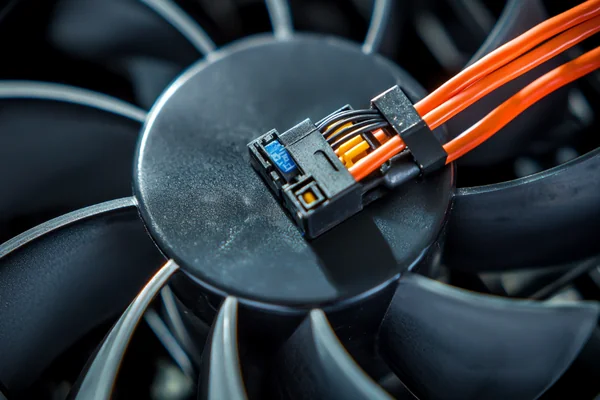
I often have to clarify this for customers who are designing equipment that will operate in dusty or unattended environments. While polarity protection protects against a one-time installation error, locked rotor protection is all about ensuring reliability over the fan's entire operational life.
What Causes a Locked Rotor?
A "locked rotor" or "stalled motor" condition happens whenever something physically stops the fan blades from spinning. Common causes we see in the field include:
- A stray wire or cable tie getting caught in the blades during assembly.
- A heavy buildup of dust and debris clogging the fan intake, especially on equipment without filters.
- An object falling into an exposed fan in an industrial setting.
When the blades are blocked, the motor still tries to turn. It draws a continuous high current because it can't generate the "back EMF" that normally limits current during rotation. Without protection, this high current would quickly overheat the motor's copper windings. The insulation would melt, creating a short circuit and permanently destroying the motor. In a worst-case scenario, this overheating could even pose a fire risk. Locked rotor protection prevents this by sensing the high current draw and cutting power to the motor.
What Does the Auto-Restart Feature Really Do?
You see "Auto-Restart" on a fan's spec sheet. It sounds useful, but what does it actually do for you? This feature is a key part of long-term reliability and works hand-in-hand with locked rotor protection.
The auto-restart feature works with locked rotor protection. After the fan's motor is temporarily shut down due to a blockage, it will periodically try to start again. Once the obstruction is cleared, the fan automatically resumes normal operation without needing a manual power cycle.
This is a feature I strongly recommend for any equipment that needs to be highly reliable and cannot be easily serviced. Think of it as self-healing for your cooling system.
How Auto-Restart Works in Practice
Let's say a piece of paper gets sucked into a server fan, locking the rotor.
- Lock Detected: The locked rotor protection circuit senses the high current and immediately cuts power to the motor coils to prevent burnout.
- Wait and Retry: The fan doesn't just stay off. After a couple of seconds, the auto-restart circuit sends a small power pulse to the motor to see if it can spin.
- Check for Obstruction: If the paper is still there, the motor can't turn, and the circuit goes back into its waiting state. It will repeat this "wait and retry" cycle every few seconds.
- Resume Operation: Eventually, the paper might fall out or be removed. The next time the circuit tries to restart the fan, the blades are free. The motor spins up, and the fan resumes normal cooling operation.
Without auto-restart, the fan would have shut down and stayed off permanently until an IT technician power-cycled the entire server. For equipment in remote locations, like a telecomms cabinet on a cell tower, this feature is not just a convenience—it's essential for system uptime.
Conclusion
Understanding polarity and locked rotor protection helps you choose the right fan. It's about matching features to your real-world risks, ensuring reliability, and avoiding costly system failures.

Liang
I've been working with DC fans for 30 years — long enough to have seen the industry evolve from basic sleeve bearing designs to today's high-efficiency, IP68-rated systems built for the harshest environments imaginable. I founded Herays because I believed manufacturers and engineers deserved a supplier who could talk technical from day one. Not just hand over a datasheet, but actually help you select the right fan for your thermal load, your enclosure, your certification requirements. Most of what I write here comes directly from problems I've solved on the factory floor or in customer applications — medical devices, laser equipment, industrial automation, you name it. If it involves moving air efficiently and reliably, I've probably spent time thinking about it. When I'm not obsessing over airflow curves, I'm usually helping a customer figure out why their cooling system isn't performing the way their simulation said it would.
View all posts by Liang